For small businesses and marketers
Change the words in a photo and keep everything else.
A storefront mock-up with the new name, a poster photo with a corrected date, a menu board with a changed item: you name the text to change and the text to put in its place, and the Text tool redraws it in the original lettering style and perspective.
Because it is a region edit, every pixel outside the changed area stays identical, and the editor reports how much of the image moved: 10.17% in the sign example below.
50 credits ($0.50) per edit · free credits for new accounts · failed edits refunded · no subscription
Why it fits
What matters for this work.
- It keeps the look of the existing lettering instead of pasting a new font over it.
- Replace swaps a whole object for another in the same place and light, so you can change the dish on a menu photo or the item on a shelf without a reshoot.
- It is paid per edit with no subscription: 50 credits ($0.50), and a failed edit is refunded.
Real results
Drag to compare. Every one is a real edit.
Each pair is a photo edited with the instruction under it, unretouched. Where the editor reports a percentage, that is how much of the image it says changed.
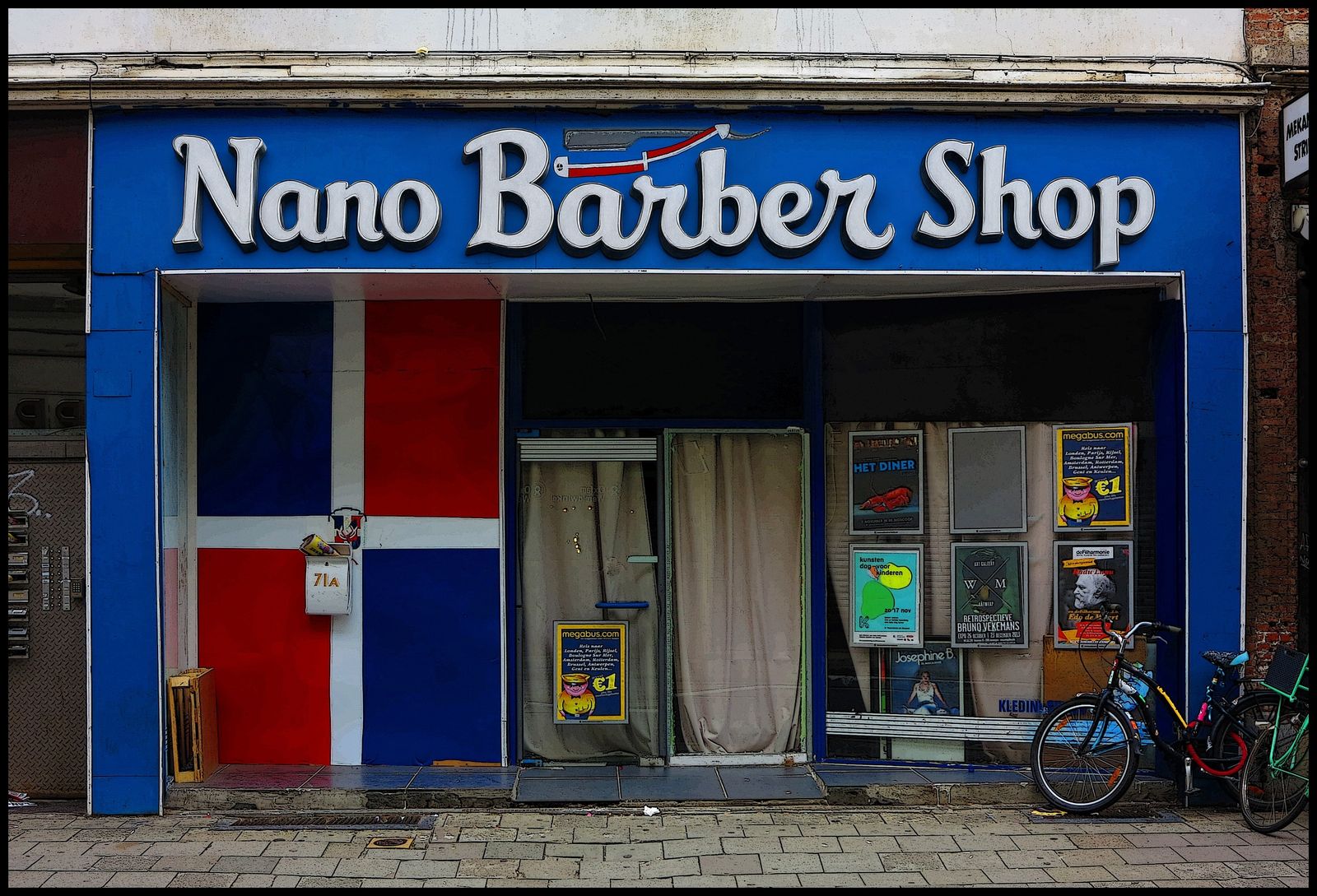
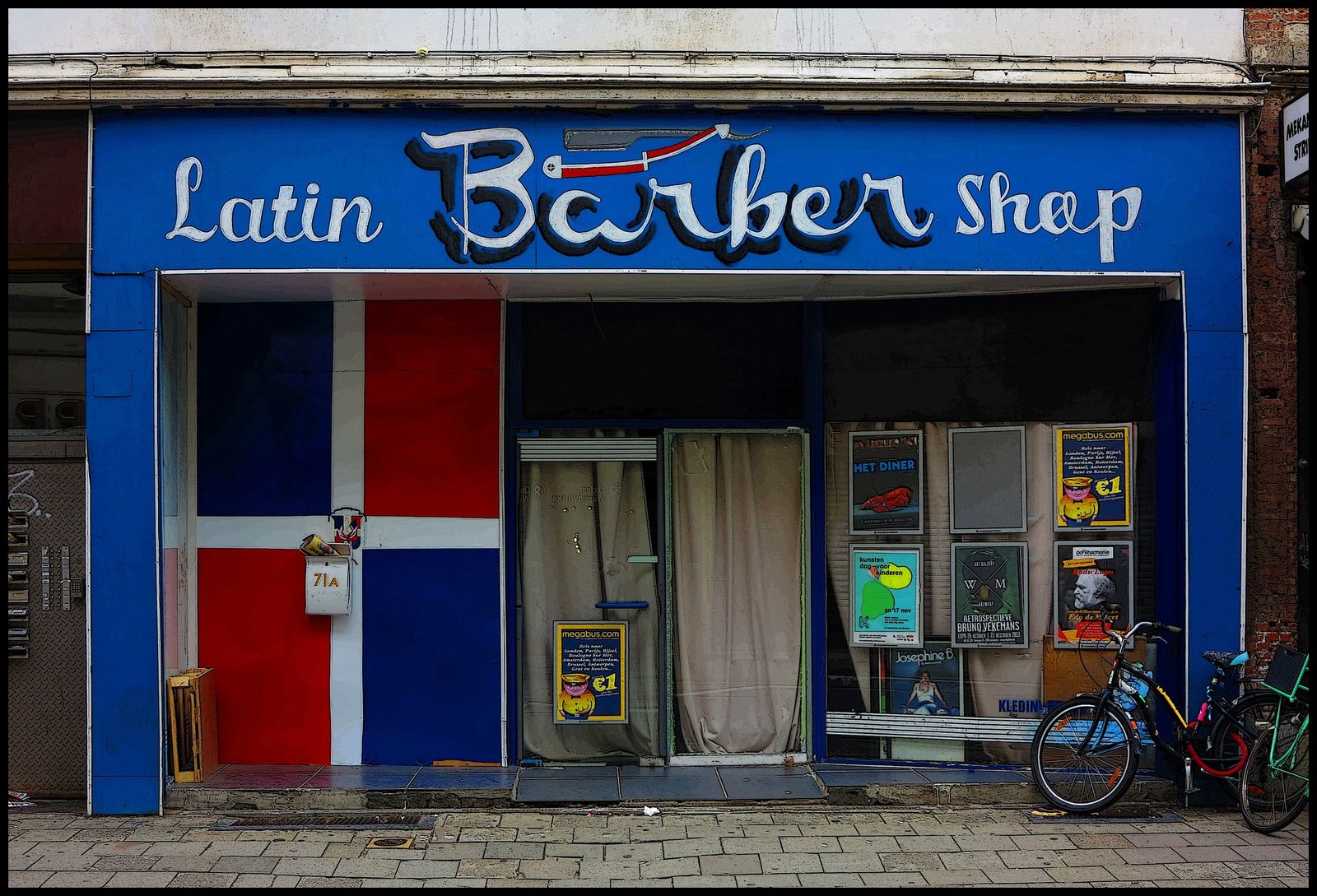
“Change the text "Latin Barber Shop" to "Nano Barber Shop", keep the same 3D letter style.”
Photo: Barber Storefront with Flag - panoramio.jpg, CC BY-SA 3.0. The edited version is shared under the same licence.
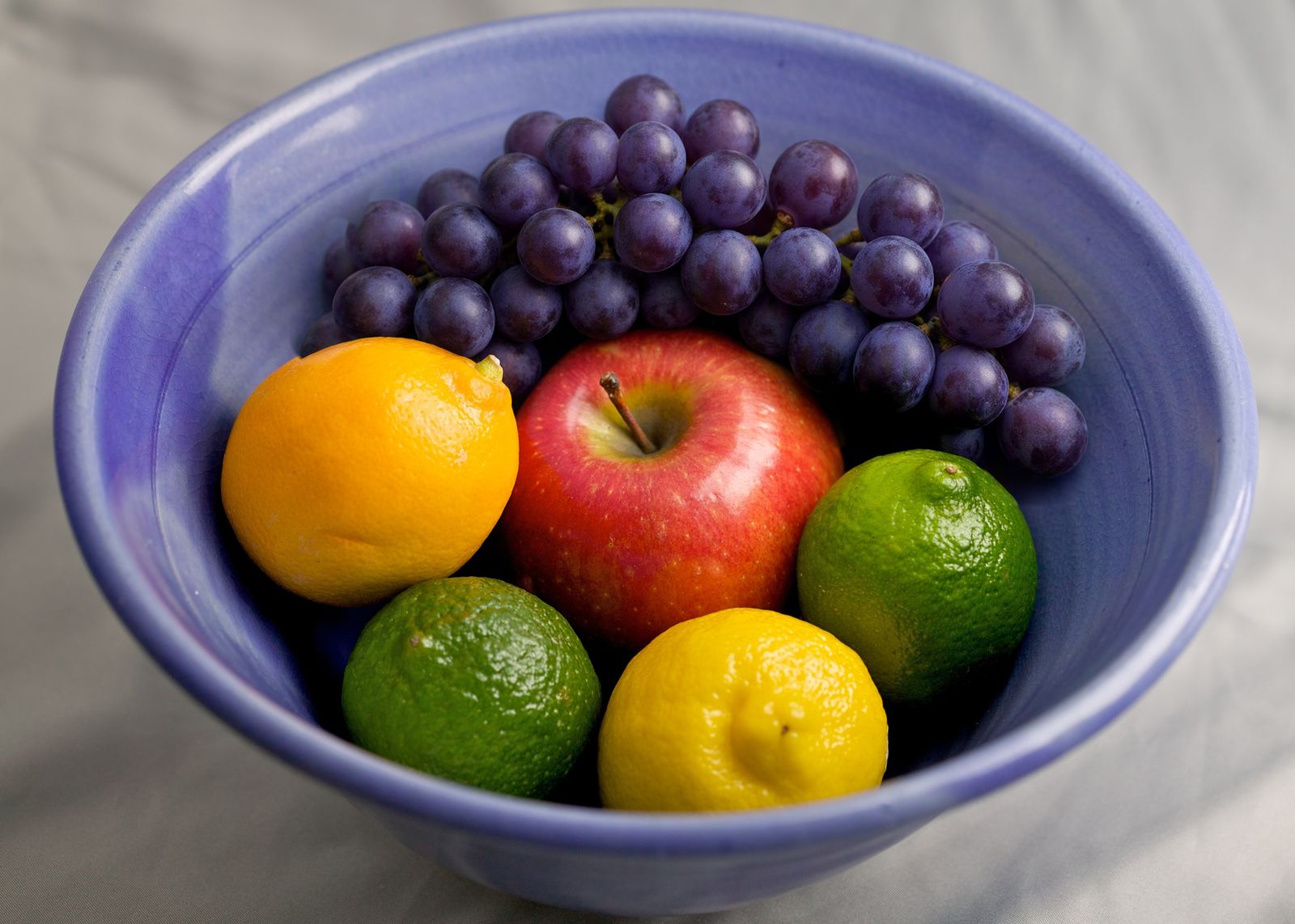
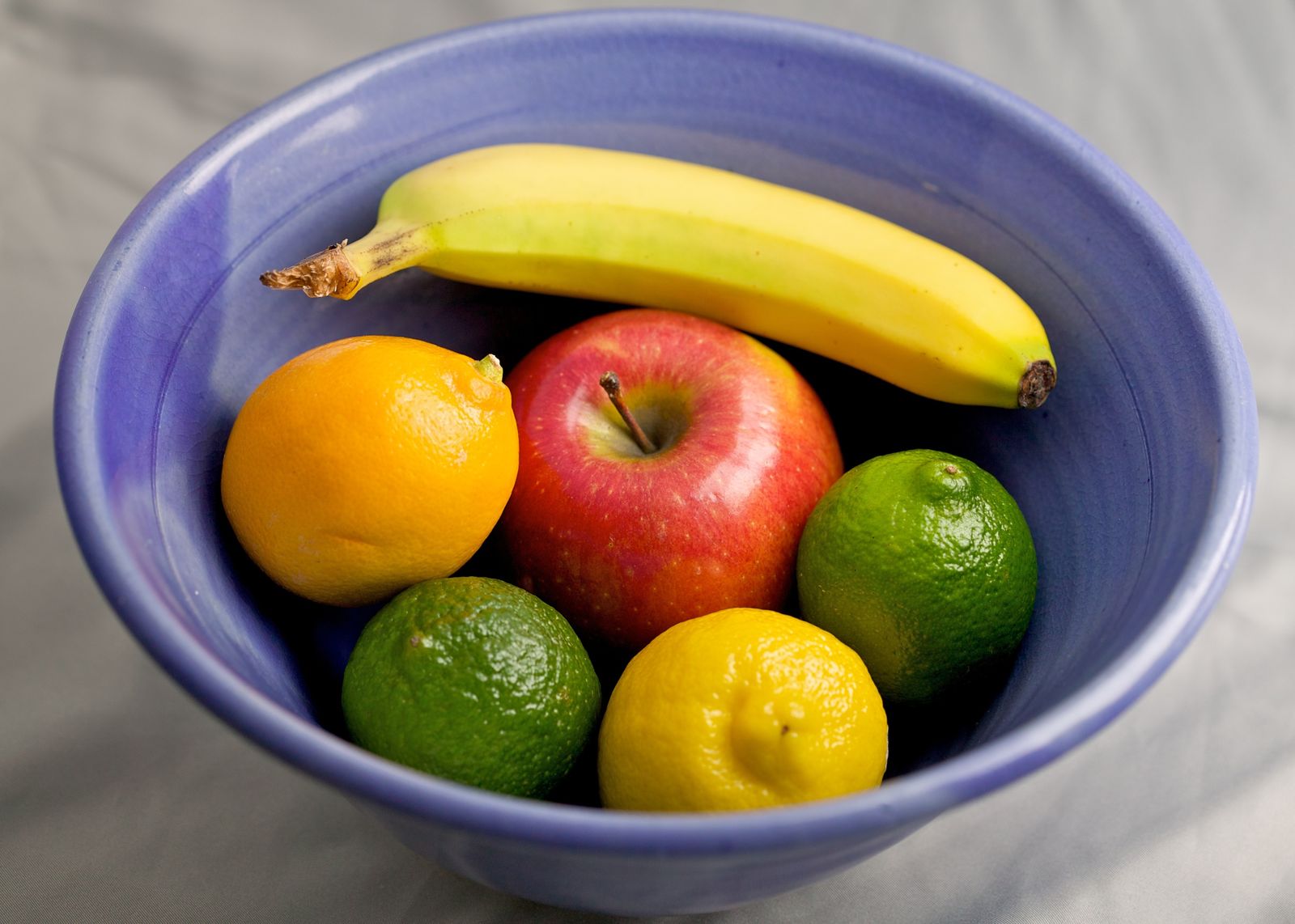
“Replace the banana, including its stem with a bunch of purple grapes, in the same place.”
Photo: Fruit Bowl (4880797613).jpg, CC BY 2.0.
Tools for this
Which tool to use.
Text
Change the words on a sign, label or poster, keeping the original lettering style and perspective.
Everything outside the edited area stays identical.
More about TextReplace
Swap one object for another, in the same place and the same light.
Everything outside the edited area stays identical.
More about ReplaceMagic Edit
Paint over an area and describe what it should become, or describe a change to the whole photo.
Everything outside the edited area stays identical.
More about Magic EditHonest limits
Read this before you rely on it.
- We have tested short text in Latin letters on a large sign. We have not tested long paragraphs, small print or non-Latin scripts, so we do not claim they work.
- It is generative: two runs of the same instruction can differ, and a letter can come out wrong. Check the result, and ask for variations if it does.
- Translating text is not a feature. You tell it the exact new words.
- Do not use it to forge documents, identity papers, receipts or official signs, or to put words in someone else's mouth.
- In the fruit example the first run left part of the old banana behind, so the instruction was reworded to include the stem. Be specific about what to replace.
Questions
Frequently asked.
Can AI change the text on a sign in a photo?
Yes. Choose the Text tool, give the current text and the new text, for example change "Latin Barber Shop" to "Nano Barber Shop", and generate. In the example above the lettering style was kept, the editor reported 10.17% of the image changed, and everything else was identical.
Does it keep the original font?
It matches the existing lettering style and perspective rather than using a font from a list. It is not an exact font match, so compare the result with the original.
Can I replace a product or a dish in a photo?
Yes, with the Replace tool. Describe what to remove and what to put in its place. In the example the banana was replaced with grapes in the same place and light, and the rest of the bowl was untouched.
Is there a limit on how much text it can change?
We have only tested short text on a large sign. Longer text and small print are untested, so try it on one photo first. A failed edit is refunded.
Keep reading
Guides and the full tool
Other uses
Built for other work too
- Real estate photos · Remove cars and clutter, make a twilight exterior
- Old family photos · Colorize and repair faded or damaged prints
- Travel and street photos · Remove cars and distractions, change the season
Try it on your own photo.
Sign in, drop in a photo and describe the change. 50 credits ($0.50) per edit; an edit that fails costs nothing.
Open the editor