









NanoFace Vivid

Fix the over-smoothed AI face — without changing identity.

NanoFace Vivid is a face-detail restorer that takes the plastic, over-smoothed look that Google Gemini 2.5 Flash Image (Nano Banana), Adobe Firefly, Roop, FaceFusion, and cloud face-swap services leave on portraits, and brings back pore-level skin texture, lash and brow structure, and natural lighting variance. The face stays the same; the AI taste goes away.

Last verified Desktop integration coming to FaceSwap Pro 2.0

Demo password: nanofacevivid

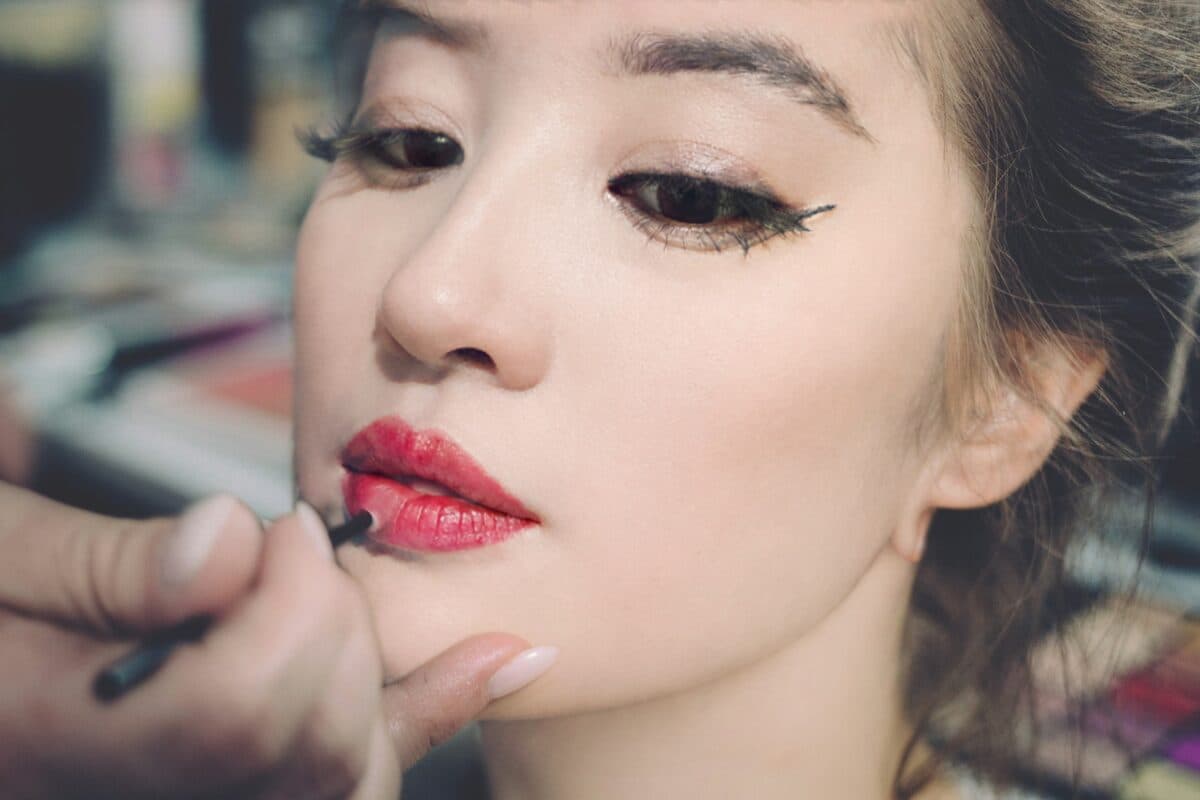
Same image after NanoFace Vivid
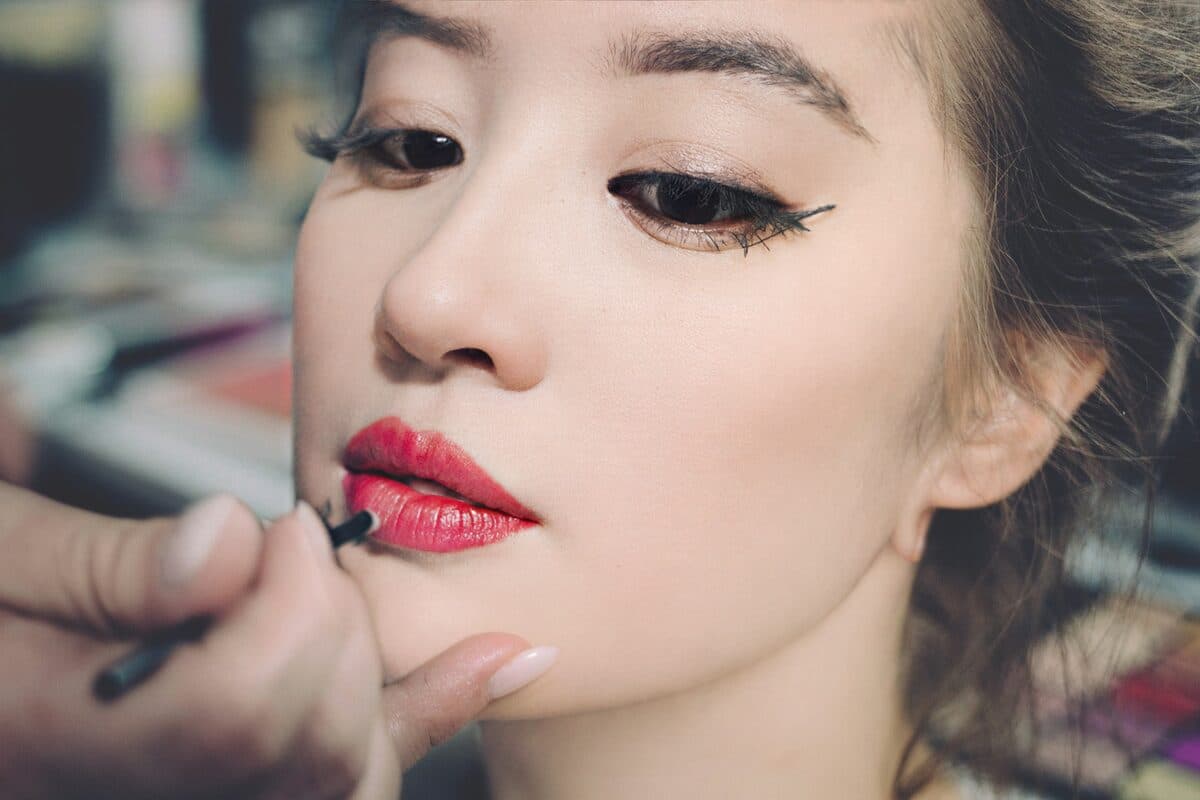
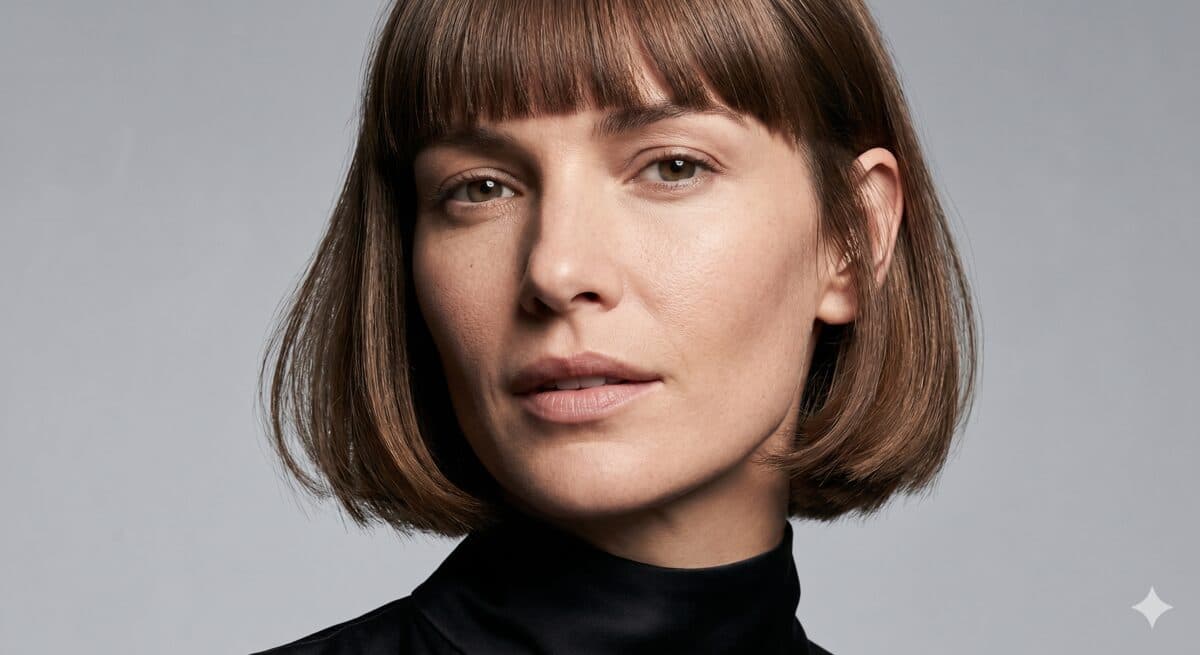
Gemini 2.5 Flash Image (Nano Banana) — output
BeforeAfter · Vivid
Source: Google Gemini 2.5 Flash Image (Nano Banana) generation. Notice the porcelain skin, flat highlights, and missing pores. NanoFace Vivid restores skin micro-texture, sharpens lash and eyebrow detail, and breaks the uniform lighting that gives away an AI portrait.
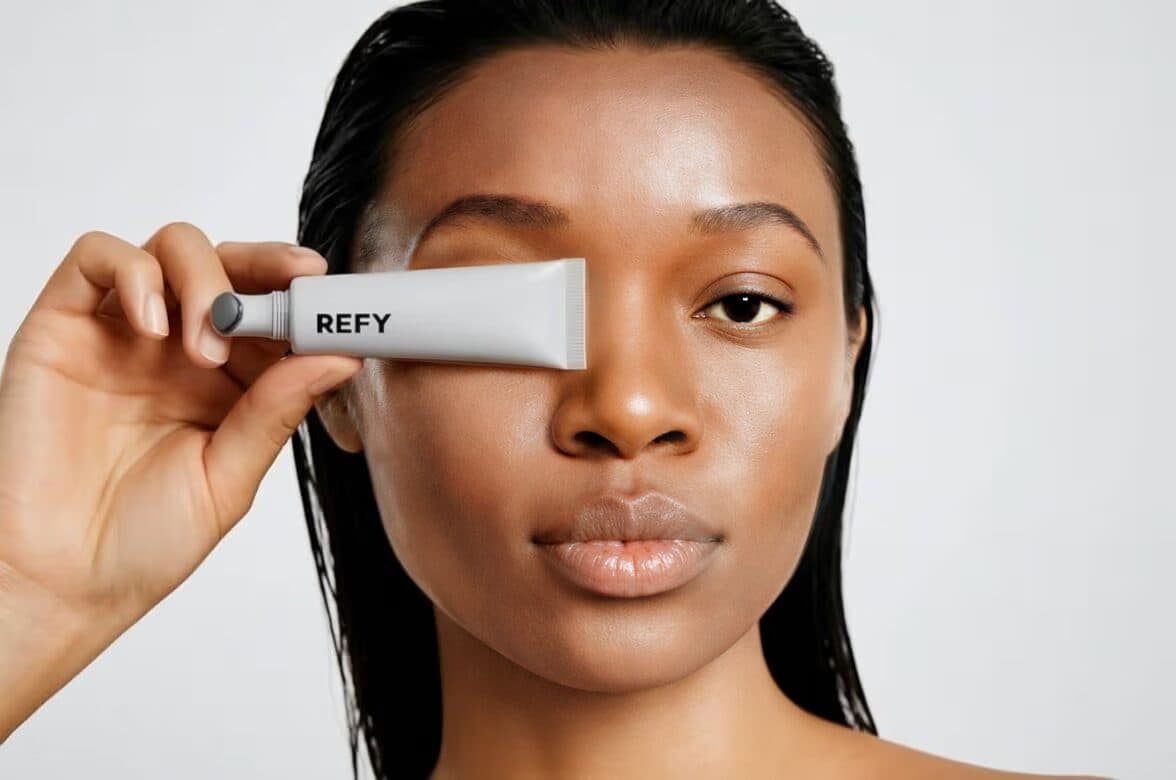
After NanoFace Vivid post-processor
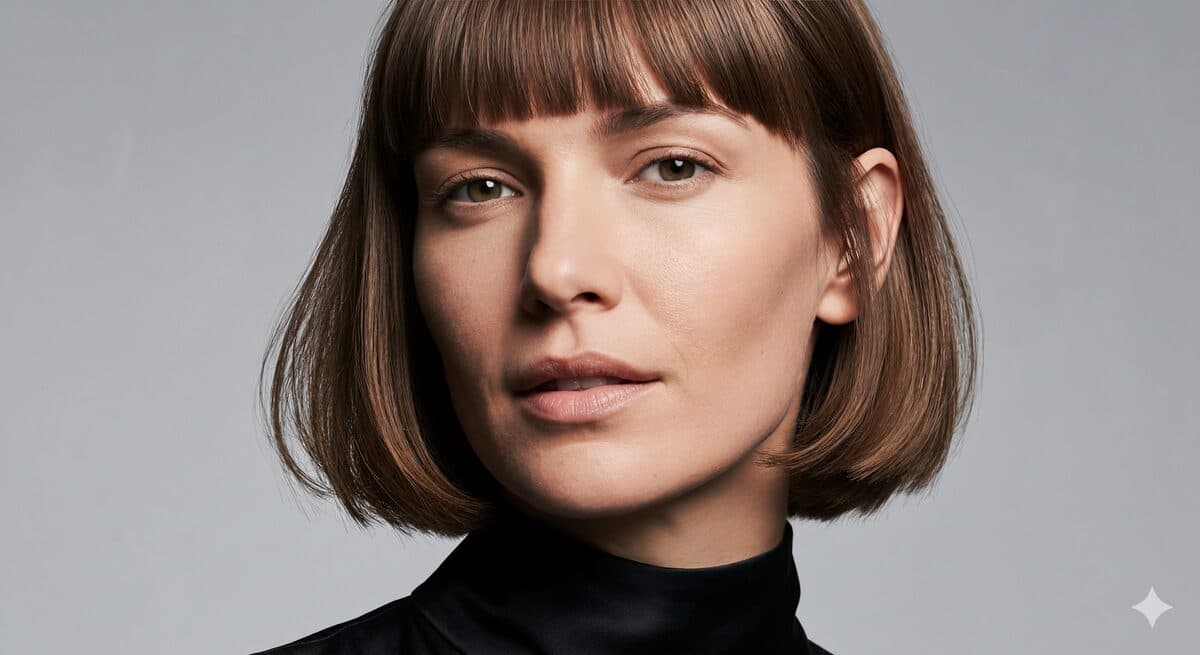
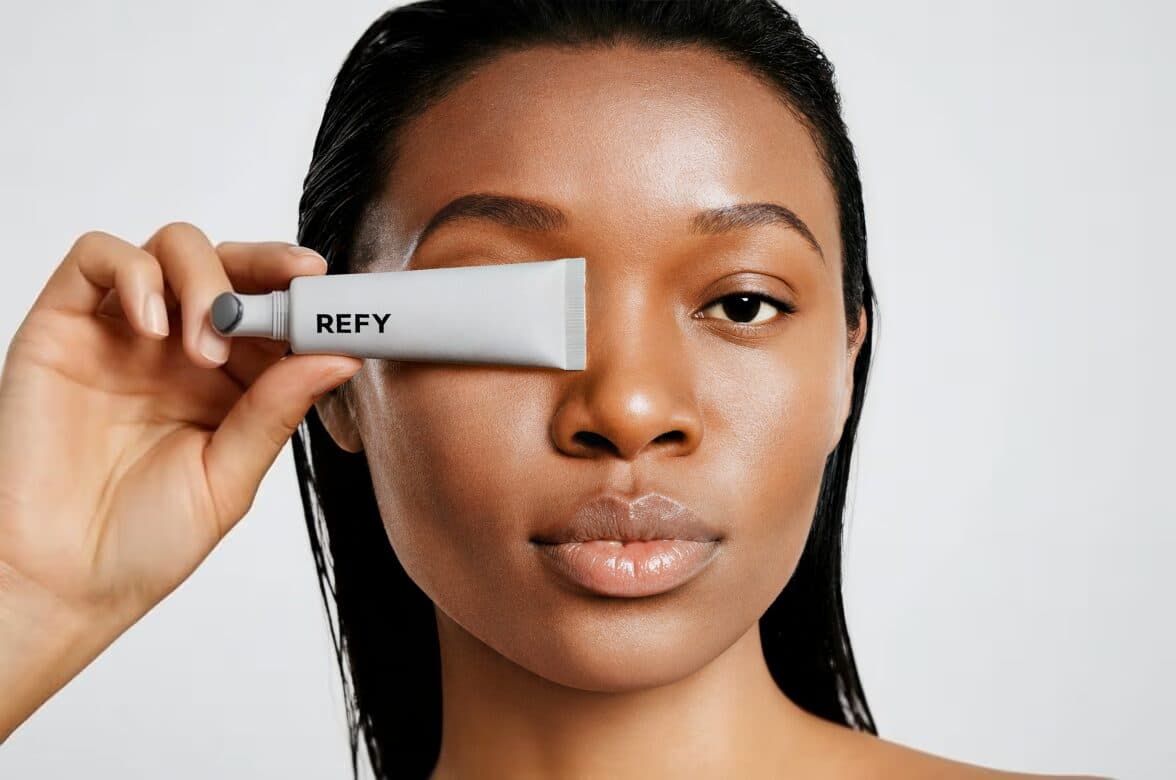
FaceSwap output (any vendor) — soft, plastic skin
BeforeAfter · Vivid
Common face-swap failure mode: identity copies cleanly but the skin loses pores and the lighting flattens. Vivid is engineered to be a drop-in post-processor for any face-swap stack — Roop, FaceFusion, NanoPocket FaceSwap Pro, or the cloud services that wrap Gemini.

Coming to NanoPocket FaceSwap Pro 2.0 — local desktop, no cloud

The Vivid online demo runs the same model that is being shipped as a built-in post-processor stage inside NanoPocket FaceSwap Pro 2.0 for Windows and macOS. Once the desktop integration lands, every face swap done locally will optionally pass through Vivid before export — no cloud, no extra subscription, no copy-paste between tools. The online demo on this page is the production model; the output you see today will be byte-identical to the desktop result on the same input.

Real before / after — drag the slider on each

Every pair below is a real input and the corresponding NanoFace Vivid output. The before frames cover the most common over-smoothing failure modes: Gemini 2.5 Flash Image (Nano Banana) generations, Adobe Firefly portraits, generic face-swap outputs, compressed selfies, and AI-fashion product imagery.

Same image after NanoFace Vivid
Gemini 2.5 Flash Image (Nano Banana) — output
BeforeAfter · Vivid
Source: Google Gemini 2.5 Flash Image (Nano Banana) generation. Notice the porcelain skin, flat highlights, and missing pores. NanoFace Vivid restores skin micro-texture, sharpens lash and eyebrow detail, and breaks the uniform lighting that gives away an AI portrait.
Vivid pass — pores, lashes, micro-shadow restored
Gemini-generated portrait — over-smoothed
BeforeAfter · Vivid
Second Gemini 2.5 Flash Image example. The before frame has the classic 'AI taste' — shiny forehead, plastic skin, missing nasolabial detail. After the Vivid pass the same face reads as a real photograph at any zoom level.
Vivid pass — texture and color recovered
Adobe Firefly — over-smoothed face
BeforeAfter · Vivid
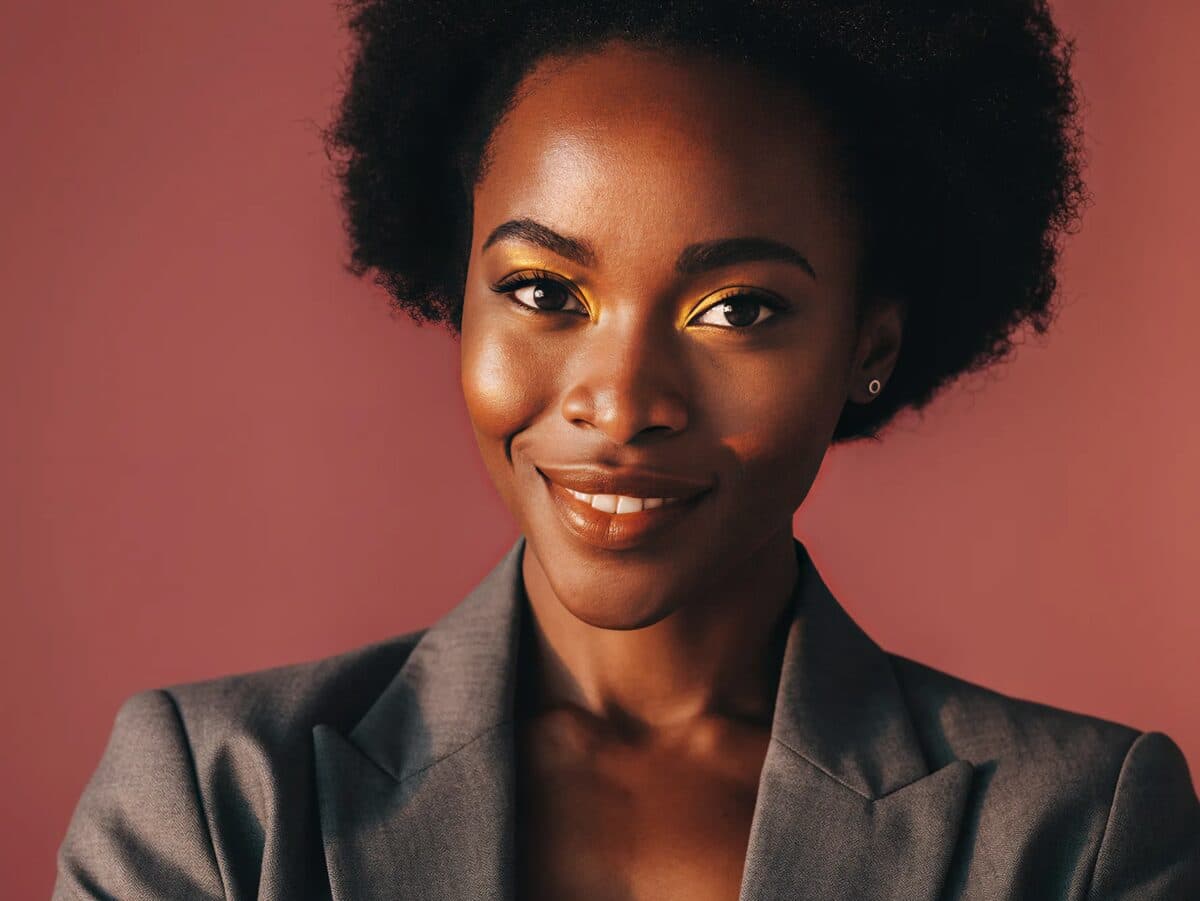
Adobe Firefly portrait output. Vivid recovers visible pore structure, restores lip texture, and corrects the slightly waxy highlight rendering that Firefly leaves on cheekbones.
Vivid pass — colour and micro-detail restored
Firefly portrait — washed colour
BeforeAfter · Vivid
Same Firefly model regenerated, now with NanoFace Vivid as a post step. Skin colour gains depth, eye iris detail returns, and the smile no longer looks airbrushed.
After NanoFace Vivid post-processor
FaceSwap output (any vendor) — soft, plastic skin
BeforeAfter · Vivid
Common face-swap failure mode: identity copies cleanly but the skin loses pores and the lighting flattens. Vivid is engineered to be a drop-in post-processor for any face-swap stack — Roop, FaceFusion, NanoPocket FaceSwap Pro, or the cloud services that wrap Gemini.
Vivid pass — texture restored without changing identity
Cloud face-swap — flat AI skin
BeforeAfter · Vivid
Second face-swap example. The crucial detail: Vivid does not re-identify the face — the swapped identity is preserved. It only re-introduces the high-frequency skin / hair / lighting detail that the swap step removed.
Vivid pass — natural studio-grade detail
Casual selfie — soft, low-frequency
BeforeAfter · Vivid
Vivid is not only for AI-generated faces. Real photos that have been over-compressed (Instagram, WhatsApp, Zoom screen-grabs) gain back skin texture and edge detail without any plastic-surgery sharpening.
Vivid pass — texture and lighting recovered
Compressed selfie
BeforeAfter · Vivid
Second selfie example. Vivid is most useful on portraits that have already been through one or more lossy steps (compression, denoise, AI swap, AI generation).
Vivid pass — fabric and skin texture restored
AI fashion model — flat skin, plastic feel
BeforeAfter · Vivid
Fashion / e-commerce use case: AI-generated model imagery often has the right pose and outfit but reads as obviously AI. Vivid restores fabric weave, skin pore detail, and natural specular highlights.
Vivid pass — editorial-grade detail
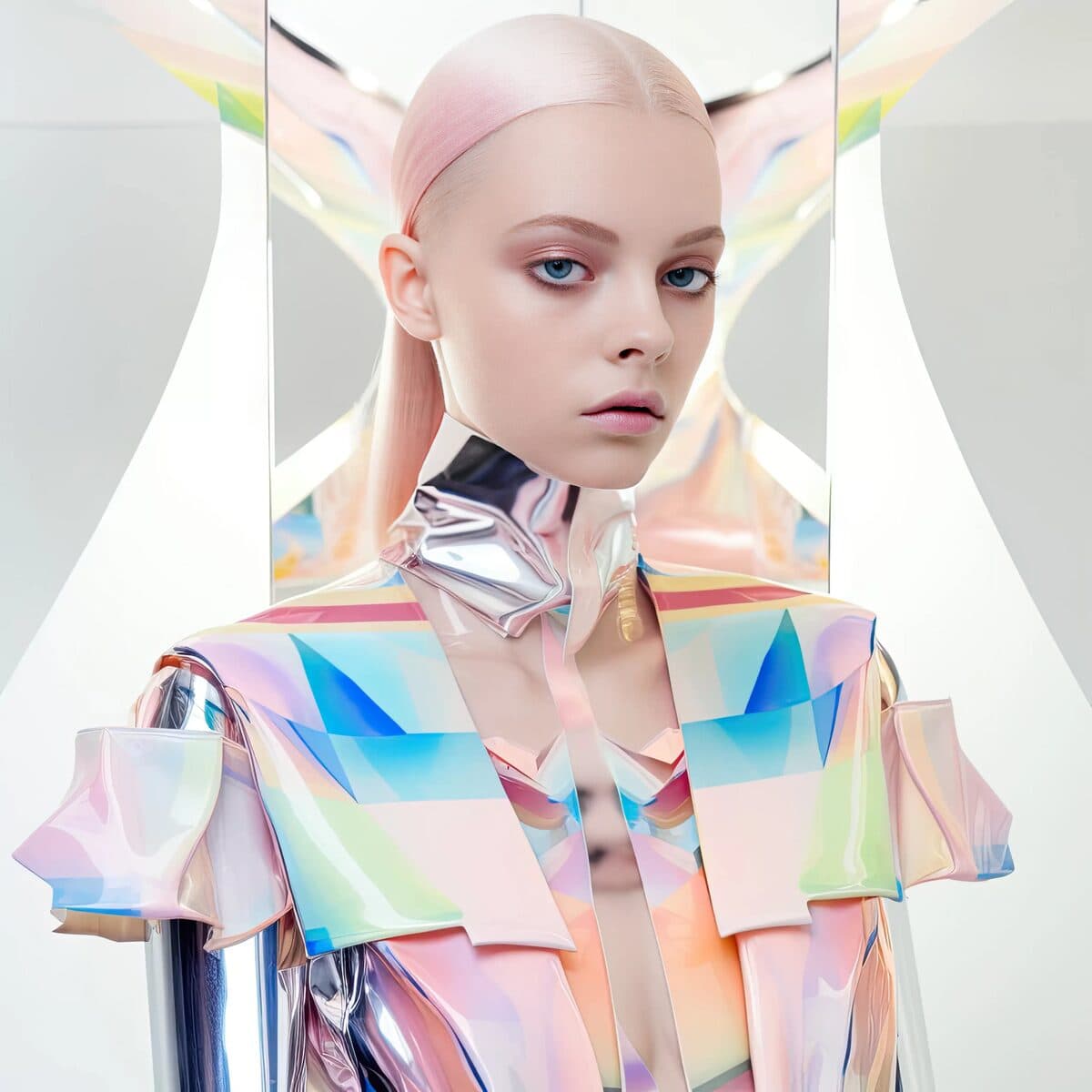
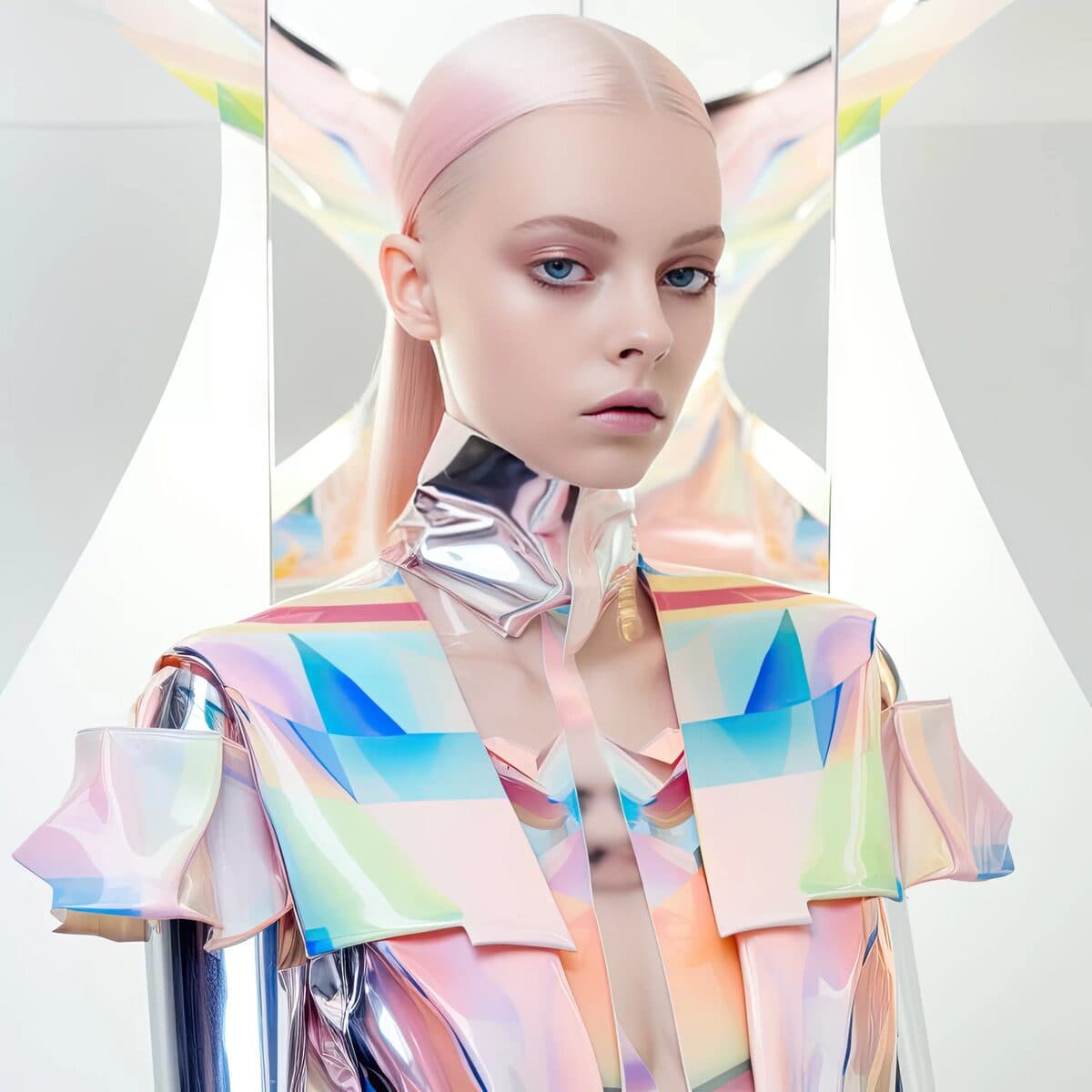
Editorial AI portrait — magazine vs Instagram filter
BeforeAfter · Vivid
Higher-end editorial use case. The before reads as a polished AI render; the after reads as a magazine cover.

Field notes — three real workflows

Three case studies written the way someone would post them to r/StableDiffusion or r/AItools. Use them as evidence for the specific workflow you are trying to fix.

I tried to make a Gemini 2.5 portrait look like an actual photo

Generated about thirty portraits in Google AI Studio with Gemini 2.5 Flash Image (the one people call Nano Banana). Composition was perfect every time. The faces always read as AI inside two seconds: shiny forehead, no pores, eyes too symmetric, a strange uniform softness across the whole skin.

Tried Topaz Sharpen AI. Made it look like over-edited Instagram. Tried Magnific. It changed the face. Tried just dropping film grain on top in Photoshop. It just looked like a noisy AI face.

What actually worked: I ran the Gemini output through NanoFace Vivid (the online demo at the time, sounds like it is integrating into the NanoPocket FaceSwap Pro 2.0 desktop app soon). It only touched the high-frequency band — pores, lash detail, micro-shadows under the cheekbones. The face shape and identity stayed identical. After the pass it stopped reading as AI to anyone I showed it to.

If you are stuck with the same problem, the trick is to use it as a final post-processing step, not as a replacement for the generator. Generate in Gemini, finish in Vivid.

gemini 2.5 flash imagenano bananapost-processor

Roop / FaceFusion swaps look great until you zoom in

Spent a weekend benchmarking face-swap tools for a client video project. Roop, FaceFusion, Rope, the InsightFace inswapper_128 base — all of them transfer identity well at thumbnail size, but when you zoom to 1:1 the face has that classic plastic AI skin and the swap boundary is visible.

What I ended up doing: keep using FaceFusion for the actual swap (the identity preservation is good), then run every output frame through NanoFace Vivid as a post-processor. The boundary stops being visible because Vivid restores the high-frequency texture on both sides of it. Identity does not change because Vivid is identity-locked by design.

The roadmap note says this is going to be integrated directly into NanoPocket FaceSwap Pro 2.0 on the desktop side. Honestly that is the missing piece for that app — the diffusion swap is already strong, the Vivid pass on top should make it the only local stack worth using.

roopfacefusionface swap detailerpost-processor

How I rescued a batch of cloud face-swap outputs for an e-com shoot

We use a cloud face-swap service (will not name the vendor, the issue is industry-wide) for putting our model's face onto product try-on shots. The shots come back with the body, pose, and outfit perfectly placed but the face has the obvious AI sheen — no pores, glowy cheeks, dead-flat lighting. Photographer rejected the first batch as unusable.

Quick fix workflow that saved the deadline: run every rejected shot through NanoFace Vivid before sending to the photographer. Pore-level skin texture comes back, fabric weave around the neckline becomes visible, the highlight on the cheekbone gets the natural specular variance. Same face, same outfit, suddenly editorial-grade.

If you do AI fashion or AI-assisted product photography, this is the missing step. Posting because I see this asked on r/StableDiffusion and r/AItools every week.

cloud face swapai fashionecomai detailer

What NanoFace Vivid adds to the tools you already use

Vivid is intentionally a thin specialised layer. It does not replace the tool you generate or swap with — it finishes the face so the output stops reading as AI. Below, every column is the problem each tool typically leaves, and the specific gain from putting Vivid after it.

ToolCategoryTypical face-detail problemWhat Vivid adds
Google Gemini 2.5 Flash Image (Nano Banana)Cloud image-edit modelExcellent composition and prompt adherence, but portraits tend to come out with flat porcelain skin, missing pores, and uniform 'studio' lighting that reads as AI.Drop the Gemini output through Vivid as a final step. Skin micro-texture, lash structure, and lighting variance all return — without re-rolling the prompt or losing identity.
Adobe FireflyCloud image generationStrong subject control and brand-safe output, but human faces tend to render slightly waxy with low-frequency detail, especially at small face sizes inside a wider scene.Vivid restores fine detail at the face crop while leaving the rest of the Firefly composition untouched.
Roop / FaceFusion / Rope (InsightFace inswapper_128)Open-source GAN face swapIdentity transfers cleanly but skin loses high-frequency information at the swap boundary. The classic 'AI face' giveaway is exactly this loss.Vivid is a post-processor designed to live after the swap step. It re-introduces pore-level detail at the boundary while preserving the swapped identity exactly.
DeepSwap / Magic Hour / Reface (cloud face swap)Cloud face-swap servicesConvenient web/mobile UX, but cloud GAN swappers consistently produce the smoothest faces in the category. Output rarely passes a zoom test.Save the cloud-swap output, run it through NanoFace Vivid (online demo today, FaceSwap Pro 2.0 desktop integration coming), and the same face crosses the zoom-test threshold.
Topaz Photo AI / Sharpen AILocal photo enhancementExcellent at general sharpening and noise reduction, but not specialised on AI-generated face artefacts. Can amplify the plastic look rather than fix it.Vivid is purpose-built for the over-smoothed AI-face failure mode. It targets the exact frequency band that AI generators flatten.
Magnific AICloud upscaler with creativity sliderGood for upscaling, but the creativity slider can hallucinate features or change identity on portraits. Cloud-only.Vivid is identity-locked by design — it does not change features. It only restores the texture and lighting frequencies that AI flattens.

The promise

Identity-locked, frequency-targeted, drop-in post-processor for any face-swap or AI-portrait pipeline. Online demo today; integrated stage inside NanoPocket FaceSwap Pro 2.0 on Windows / macOS soon.

Frequently asked

What is NanoFace Vivid in one sentence?

NanoFace Vivid is a face-detail restorer that takes an over-smoothed AI face — from Google Gemini 2.5 Flash Image (Nano Banana), Adobe Firefly, Roop, FaceFusion, or any cloud face-swap service — and re-introduces the pore-level skin texture, lash structure, and lighting variance that those tools flatten, without changing the face's identity.

Does NanoFace Vivid change the face identity?

No. Vivid is identity-locked by design. It targets only the high-frequency band that AI generators and face-swappers flatten — pores, fine hair, lash and brow structure, and the small specular highlights that make a face read as a real photograph. The underlying identity, shape, expression, and pose are preserved.

Will NanoFace Vivid be integrated into NanoPocket FaceSwap Pro 2.0?

Yes. The current Vivid online demo (try at the URL on this page) is the production model, served through a Cloudflare tunnel. The same model is being integrated into the NanoPocket FaceSwap Pro 2.0 desktop application as a built-in post-processor stage that runs locally after every swap. Once shipped, every face swap done on the desktop will optionally pass through Vivid before export.

How is this different from Topaz Sharpen AI or Magnific?

Sharpen AI and Magnific are excellent general-purpose tools but are not tuned for the AI-face failure mode. Sharpen AI tends to amplify the plastic look it inherits; Magnific can change identity at high creativity values. Vivid is purpose-built for one job — restoring the exact frequency band that AI generators and face-swappers flatten — and is identity-locked.

Does it work on photos that aren't AI-generated?

Yes. Real photos that have been over-compressed by Instagram, WhatsApp, or Zoom screen-grabs lose the same high-frequency band as AI generations. Vivid recovers it without producing the over-sharpened halo that traditional sharpeners leave.

Is the underlying model open?

The Vivid model is a NanoPocket-trained network derived from open-weight diffusion components. The model layer it builds on (Real-ESRGAN, DiffBIR, IP-Adapter) is documented at /verify with upstream Hugging Face / GitHub links. The trained weights themselves are NanoPocket's, shipped under the same desktop license as the rest of the FaceSwap Pro 2.0 stack.

Can I use it on Gemini Nano Banana output specifically?

Yes — that is the canonical use case. Generate a portrait in Google AI Studio (Gemini 2.5 Flash Image), download the result, run it through the NanoFace Vivid demo at the URL above, and the AI sheen will be replaced with realistic skin micro-texture. The generation step stays Google's; the finishing step is NanoPocket's.

How does NanoPocket relate to Nano Banana?

We are not affiliated. NanoPocket is an independent product company at nanopocket.ai. Nano Banana is the community nickname for Google's Gemini 2.5 Flash Image model, plus various third-party sites that wrap Google's API. NanoFace Vivid is a tool that fixes the over-smoothed output of those tools — it does not use Google's API. Full disambiguation at /compare/nanopocket-vs-nano-banana.

Honest limits

  • Vivid restores high-frequency face detail. It does not fix anatomical errors (extra fingers, broken hands, wrong number of teeth) — those need to be fixed in the original generation step.
  • On extremely low-resolution inputs (under ~256 px face crop) the recovery is limited because the original signal is missing. Vivid is most effective on 512–2048 px face crops.
  • The desktop integration into FaceSwap Pro 2.0 is on the roadmap; the dated commitment is a pre-order availability flag in the structured data, not a live release. The online demo is live today.