For photographers, travel bloggers and creators
Fix the one thing that spoils the shot.
The view is perfect except for the car parked in the middle of it. Describe the car, and the road behind it is filled in to match the scene while the rest of your frame stays as shot.
For a different mood you can change the season or the light of the whole photo. Those two work on the entire picture, not a region, so they are not pixel-identical.
50 credits ($0.50) per edit · free credits for new accounts · failed edits refunded · no subscription
Why it fits
What matters for this work.
- Remove changes only what you name and tells you how much of the image moved: 4.84% and 4.15% in the two street examples below.
- Season and Light & Style restyle a whole photo in one instruction, so one shot can serve for more than one post.
- Output is a lossless PNG at your upload size, up to 4096 px on the long side, at 50 credits ($0.50) per edit.
Real results
Drag to compare. Every one is a real edit.
Each pair is a photo edited with the instruction under it, unretouched. Where the editor reports a percentage, that is how much of the image it says changed.
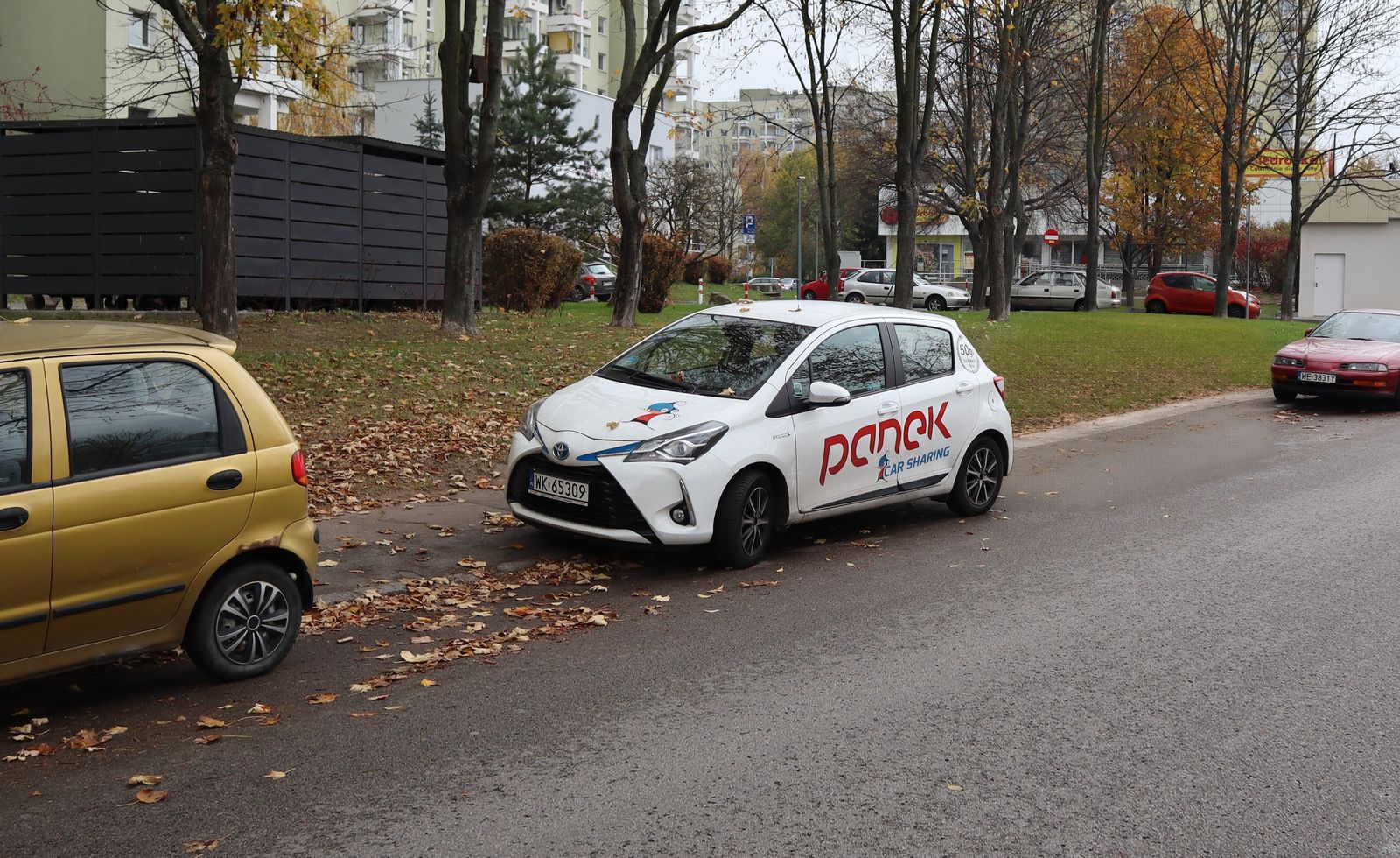
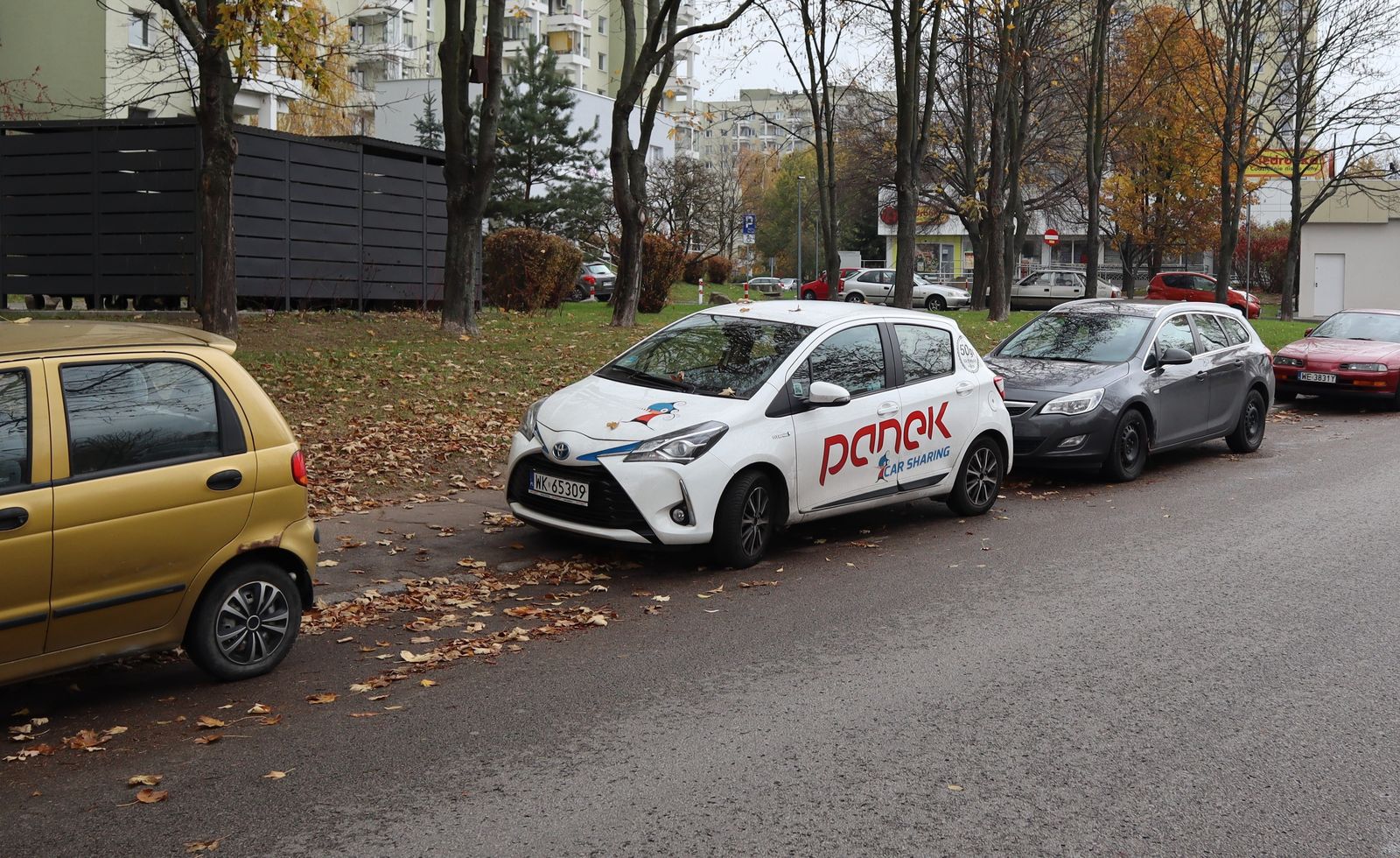
“Remove the grey hatchback parked next to the white car.”
Photo: Parked Panek car, Batuty street, Warsaw.jpg, CC BY-SA 4.0. The edited version is shared under the same licence.
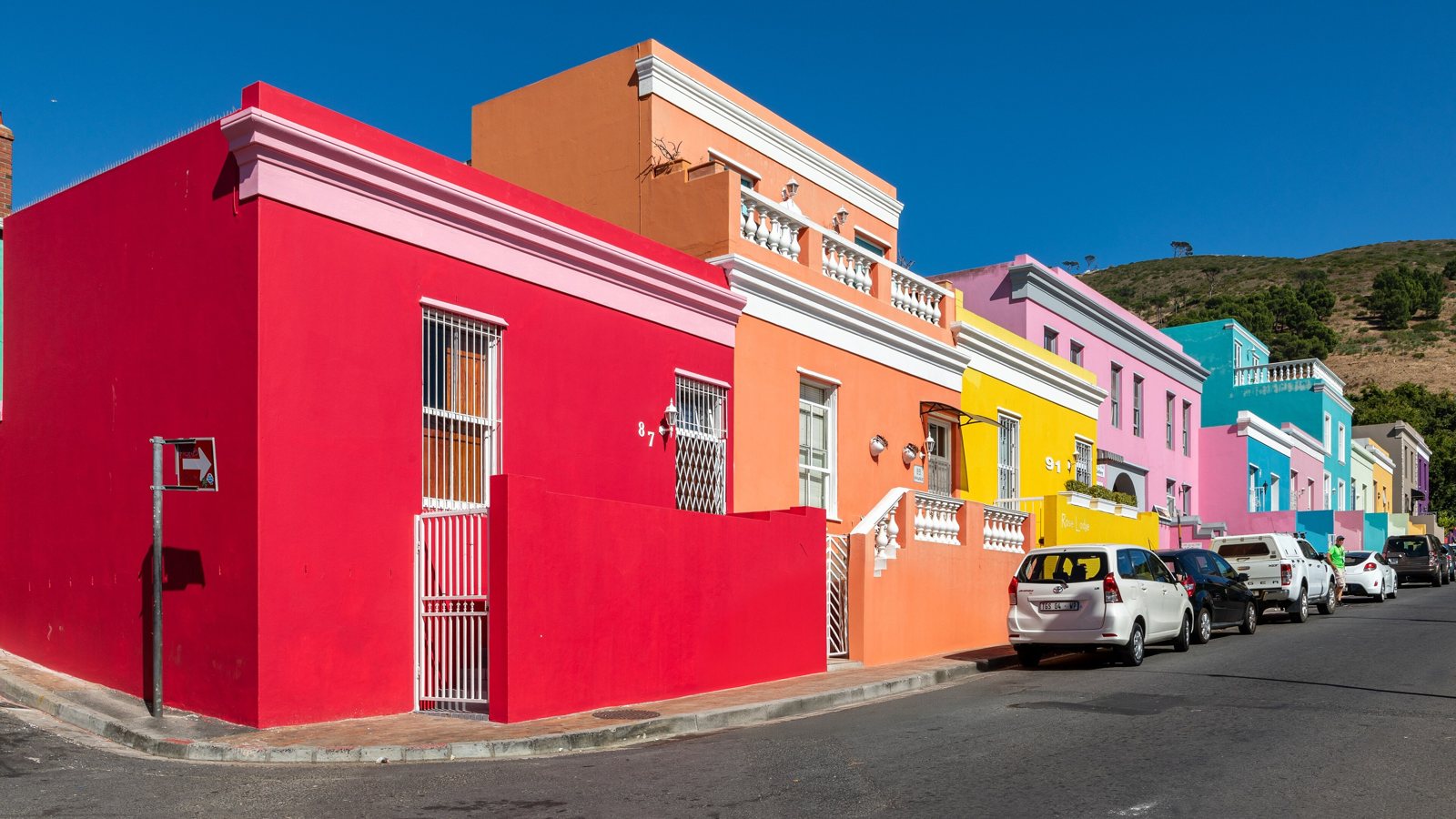
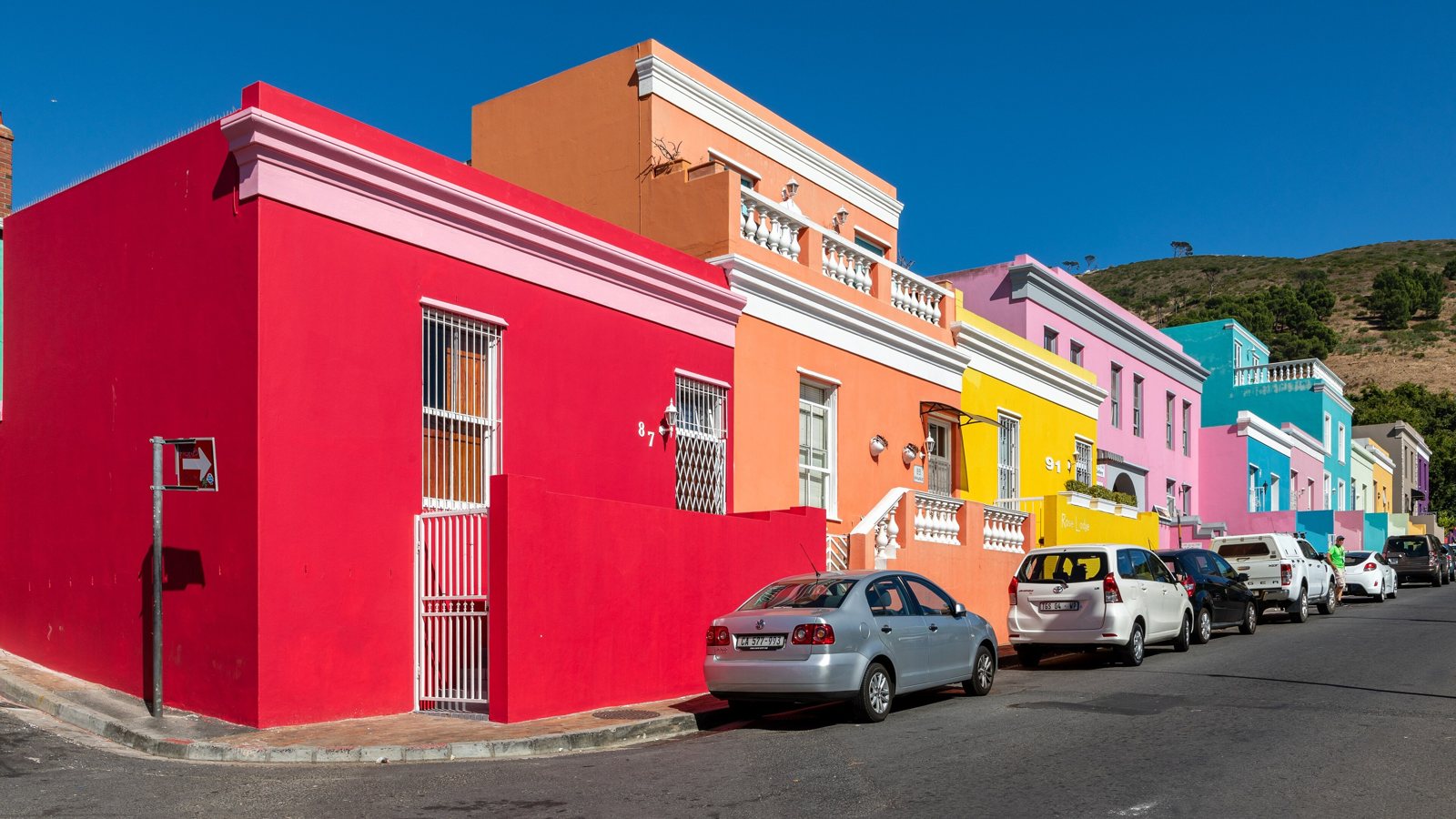
“Remove the silver sedan parked at the curb in front of the red house.”
Photo: Cape Town (ZA), Wale Street -- 2024 -- 3544.jpg, CC BY-SA 4.0. The edited version is shared under the same licence.
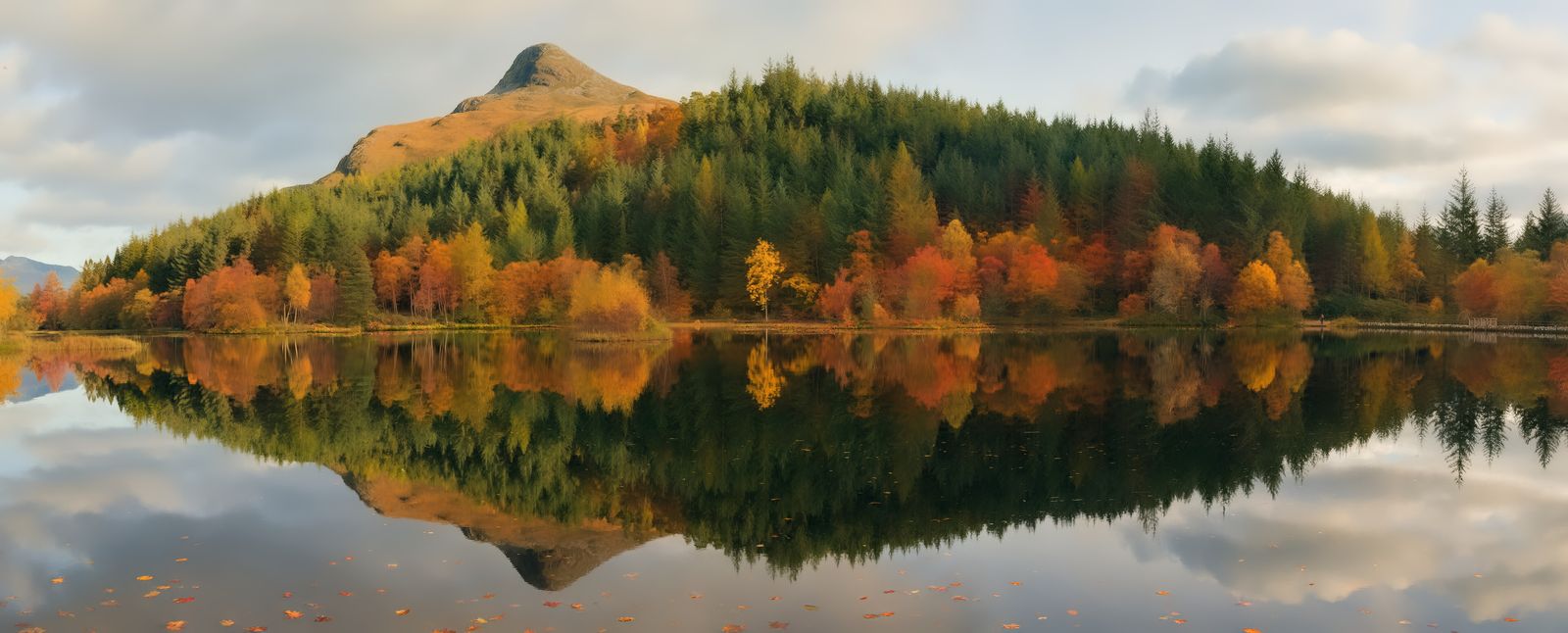
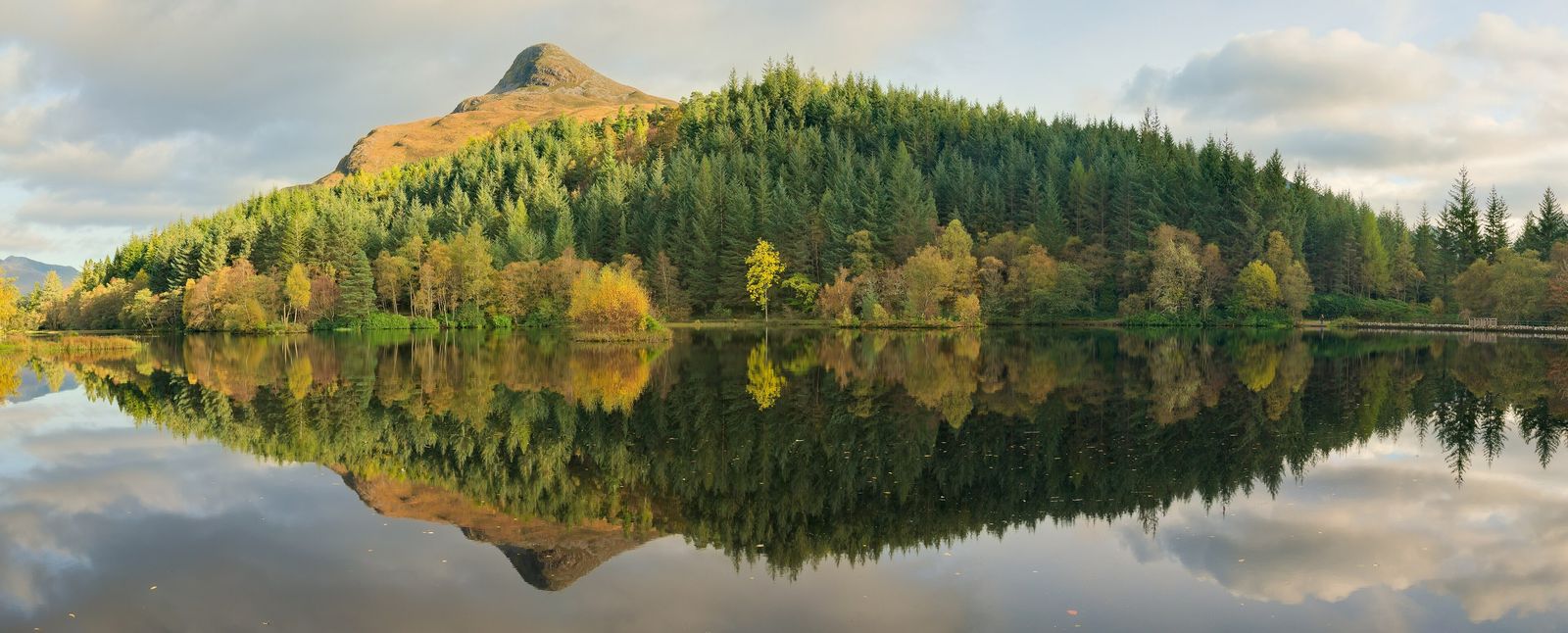
“Change the season to autumn: the trees have orange, red and yellow leaves, with fallen leaves on the ground.”
Photo: Glencoe Lochan reflections 3 20211022.jpg, CC BY-SA 3.0. The edited version is shared under the same licence.
Tools for this
Which tool to use.
Remove
Remove objects or people. The background behind them is filled in to match the scene.
Everything outside the edited area stays identical.
More about RemoveSeason
Turn a summer photo into autumn, winter snow or spring blossom. New leaves and snow come from the model; the structure of the scene is kept.
Changes the whole photo, so it is not pixel-identical.
More about SeasonLight & Style
Relight or colour-grade the whole photo: golden hour, moonlit night, foggy morning, blue hour, teal and orange, black and white film.
Changes the whole photo, so it is not pixel-identical.
More about Light & StyleHonest limits
Read this before you rely on it.
- We have shown cars being removed. The tool is described for objects and people, but we have not published an example of removing people, so try it on one photo before you rely on it.
- The area behind a removed object is generated, not recovered. It is a plausible fill, so it should not be presented as a record of what was there.
- Season changes the whole photo. The structure of the scene is kept, and the new leaves or snow come from the model, so it is not pixel-identical.
- In the street examples the first prompt sometimes removed more than intended, such as two cars instead of one, until the wording named the exact car. Describe the object precisely.
- Do not use it to misrepresent news, documentary or evidence photos.
Questions
Frequently asked.
How do I remove a car from a photo with AI?
Choose Remove, describe the car precisely (for example "the grey hatchback parked next to the white car"), and generate. The road or ground behind it is filled in and the rest of the photo is kept identical. The editor tells you how much changed.
Can I change summer to autumn in a photo?
Yes, with the Season tool, for example "Change the season to autumn: the trees have orange, red and yellow leaves." It changes the whole photo while keeping the structure of the scene. The leaf colours are generated.
Can I remove tourists or other people from a photo?
The Remove tool is described for objects and people, but we have not published an example of removing people, so test it on one photo first. A failed or cancelled edit is refunded.
Will my photo be resized?
Photos larger than 4096 px on the long side are scaled down before editing. Smaller photos keep their size, and you download a lossless PNG.
Keep reading
Guides and the full tool
Other uses
Built for other work too
- Real estate photos · Remove cars and clutter, make a twilight exterior
- Old family photos · Colorize and repair faded or damaged prints
- Signs, menus and posters · Rewrite text on signs, labels, menus and posters
Try it on your own photo.
Sign in, drop in a photo and describe the change. 50 credits ($0.50) per edit; an edit that fails costs nothing.
Open the editor