For agents and property photographers
Clean up listing photos without reshooting.
A good frontage shot is often ruined by a neighbour's car, a bin or a sign in the frame, and reshooting means another visit. With Nano ImageEdit 2.0 Online you describe what to take out, and the rest of the photo is left alone.
The same editor can relight a daylight exterior as a twilight photo, the look that sells a house in a thumbnail. That one is different in kind: it restyles the whole picture rather than a region, and the page says so below.
50 credits ($0.50) per edit · free credits for new accounts · failed edits refunded · no subscription
Why it fits
What matters for this work.
- Remove edits only the object you name. Every pixel outside the edited area is kept identical, and the editor confirms it and reports the share of the image that changed (4.15% in the street example below).
- It is paid per edit, with no subscription: 50 credits ($0.50). A listing of 25 photos with one edit each is $12.50, plus $0.50 for every retry or variation.
- Output is a lossless PNG at the size you upload, up to 4096 px on the long side, which covers listing-site and print-brochure sizes.
Real results
Drag to compare. Every one is a real edit.
Each pair is a photo edited with the instruction under it, unretouched. Where the editor reports a percentage, that is how much of the image it says changed.
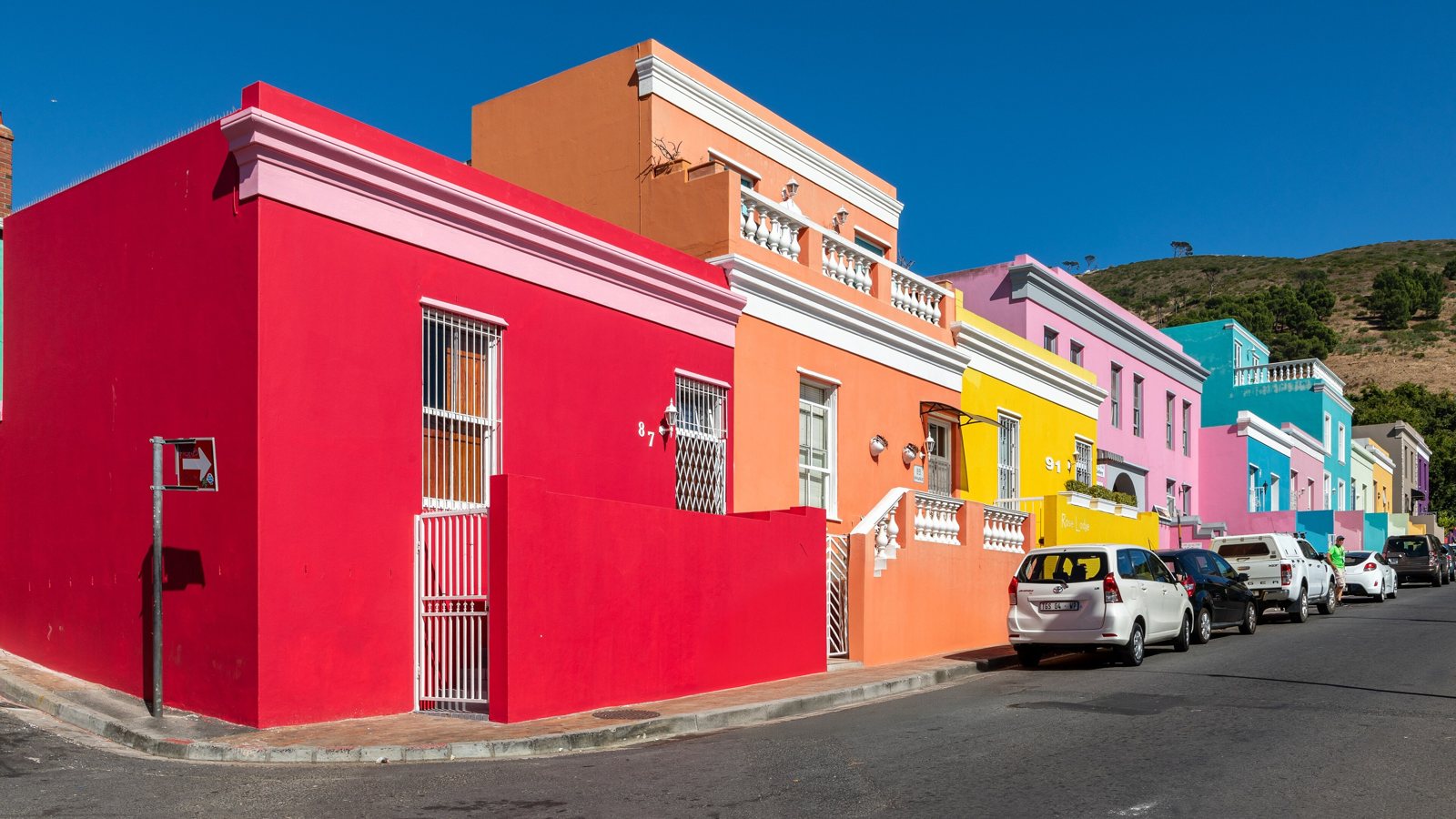
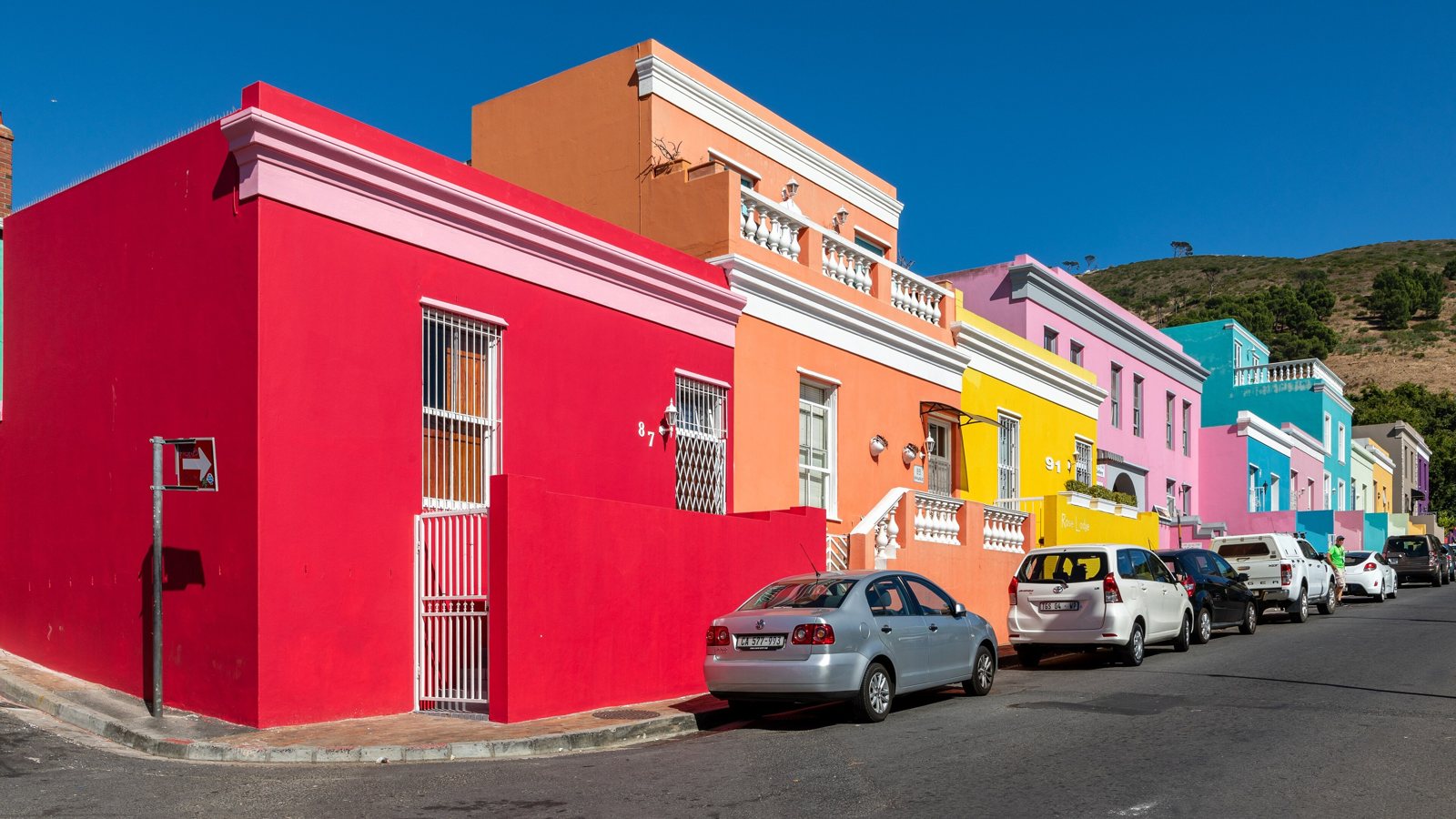
“Remove the silver sedan parked at the curb in front of the red house.”
Photo: Cape Town (ZA), Wale Street -- 2024 -- 3544.jpg, CC BY-SA 4.0. The edited version is shared under the same licence.
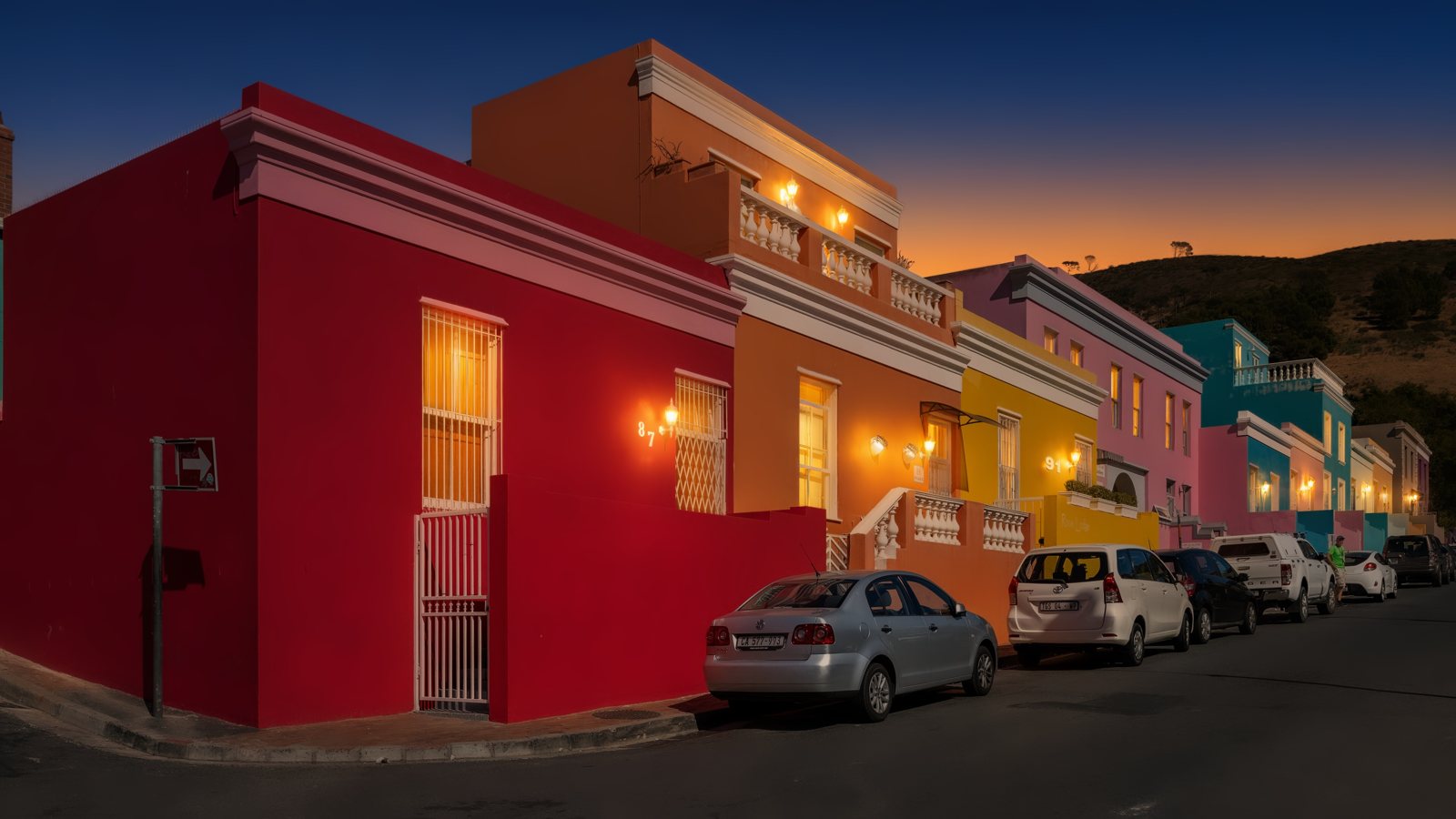
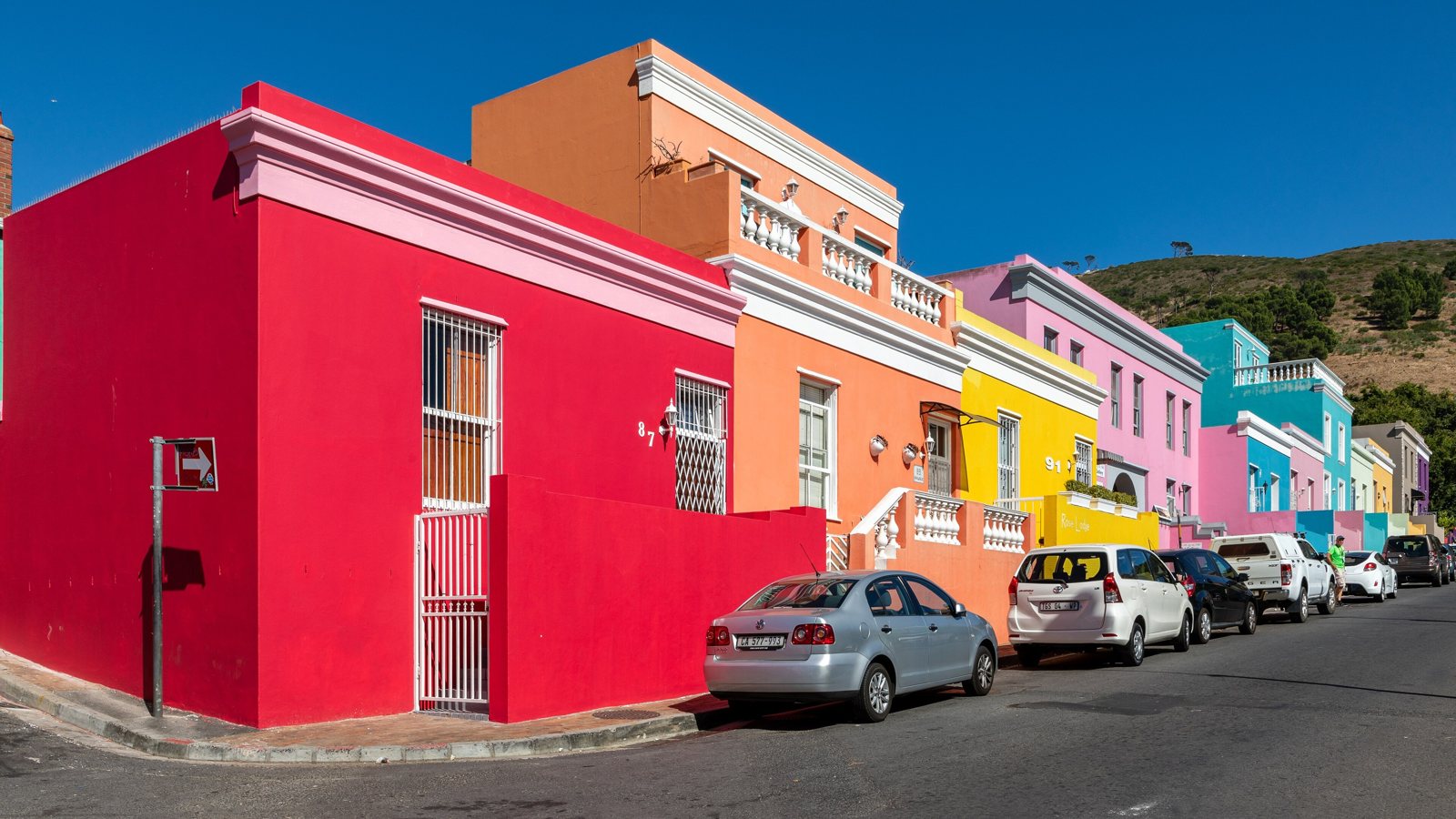
“Turn this into a twilight real estate photo: the sky glows deep blue with a warm orange band near the horizon, and warm yellow light shines from the windows and the wall lamps. Keep the buildings, their colours and the layout the same.”
Photo: Cape Town (ZA), Wale Street -- 2024 -- 3544.jpg, CC BY-SA 4.0. The edited version is shared under the same licence.
Tools for this
Which tool to use.
Remove
Remove objects or people. The background behind them is filled in to match the scene.
Everything outside the edited area stays identical.
More about RemoveLight & Style
Relight or colour-grade the whole photo: golden hour, moonlit night, foggy morning, blue hour, teal and orange, black and white film.
Changes the whole photo, so it is not pixel-identical.
More about Light & StyleSeason
Turn a summer photo into autumn, winter snow or spring blossom. New leaves and snow come from the model; the structure of the scene is kept.
Changes the whole photo, so it is not pixel-identical.
More about SeasonHonest limits
Read this before you rely on it.
- The area an object was hiding is generated, not recovered. In the street example the wall and kerb behind the car are newly drawn: a plausible fill, not the real wall. Do not use Remove to show something that is not there.
- The twilight edit restyles the whole photo and adds light to windows and lamps. It is not pixel-identical, and a window that was not lit in real life will be shown lit.
- Small items on a cluttered surface can be missed. We tried to remove a small sign stand and a stack of brochures from a window sill by description alone, three times, and the editor reported no change each time. Painting over the item to limit where the edit lands is the tool built for this, but we have not published an example of it.
- Edited listing photos fall under the rules of your MLS, portal and country, and some require disclosing the edit. Do not use any editor to hide defects or change what the property is. You are responsible for following the rules where you list.
- One photo at a time: there is no batch mode.
Questions
Frequently asked.
Can I remove a parked car from a real estate photo with AI?
Yes. Choose Remove, describe the car, for example "the silver sedan parked at the curb in front of the red house", and generate. In the street example above the car was removed, the editor reported 4.15% of the image changed, and the rest was identical. It takes 30 to 50 seconds per edit.
Can it make a virtual twilight photo from a daytime exterior?
Yes, with the Light & Style tool: describe a deep blue sky, a warm band at the horizon and light in the windows. It changes the whole photo rather than a region, and it adds lit windows even where none were lit. Check your listing rules on disclosing virtual twilight before you publish.
Does it change the house itself?
Object edits (Remove, Replace, Add, Text, Magic Edit) keep every pixel outside the edited area identical and tell you how much changed. Light & Style, Season and Restore change the whole photo by design, so compare the result with the original.
What does it cost for a whole listing?
50 credits ($0.50) per finished edit, so 25 photos with one edit each is $12.50. Retries and variations count as edits. A failed or cancelled edit is refunded automatically.
Keep reading
Guides and the full tool
Other uses
Built for other work too
- Old family photos · Colorize and repair faded or damaged prints
- Signs, menus and posters · Rewrite text on signs, labels, menus and posters
- Travel and street photos · Remove cars and distractions, change the season
Try it on your own photo.
Sign in, drop in a photo and describe the change. 50 credits ($0.50) per edit; an edit that fails costs nothing.
Open the editor