For family historians and genealogists
Bring an old family photo back, and check it before you share it.
Scan the print, upload the scan, and describe what you want: colourise it, fix the faded contrast, or repair scratches and stains. The result is a full-resolution PNG you can compare with the original in the editor.
Restoring is different from the object tools. It works on the whole photograph, so it is not pixel-identical to your scan. That is why the editor lets you switch between Result, Compare and Before, and why this page tells you to look closely at faces.
50 credits ($0.50) per edit · free credits for new accounts · failed edits refunded · no subscription
Why it fits
What matters for this work.
- You describe the result in plain words and see it in under a minute, instead of learning a retouching package for one photo.
- It is paid per photo with no subscription: 50 credits ($0.50), and credits never expire, which suits a project you come back to a few photos at a time.
- Compare and Before views let you flip between your scan and the result, so you decide whether it still looks like the person.
Real results
Drag to compare. Every one is a real edit.
Each pair is a photo edited with the instruction under it, unretouched. Where the editor reports a percentage, that is how much of the image it says changed.
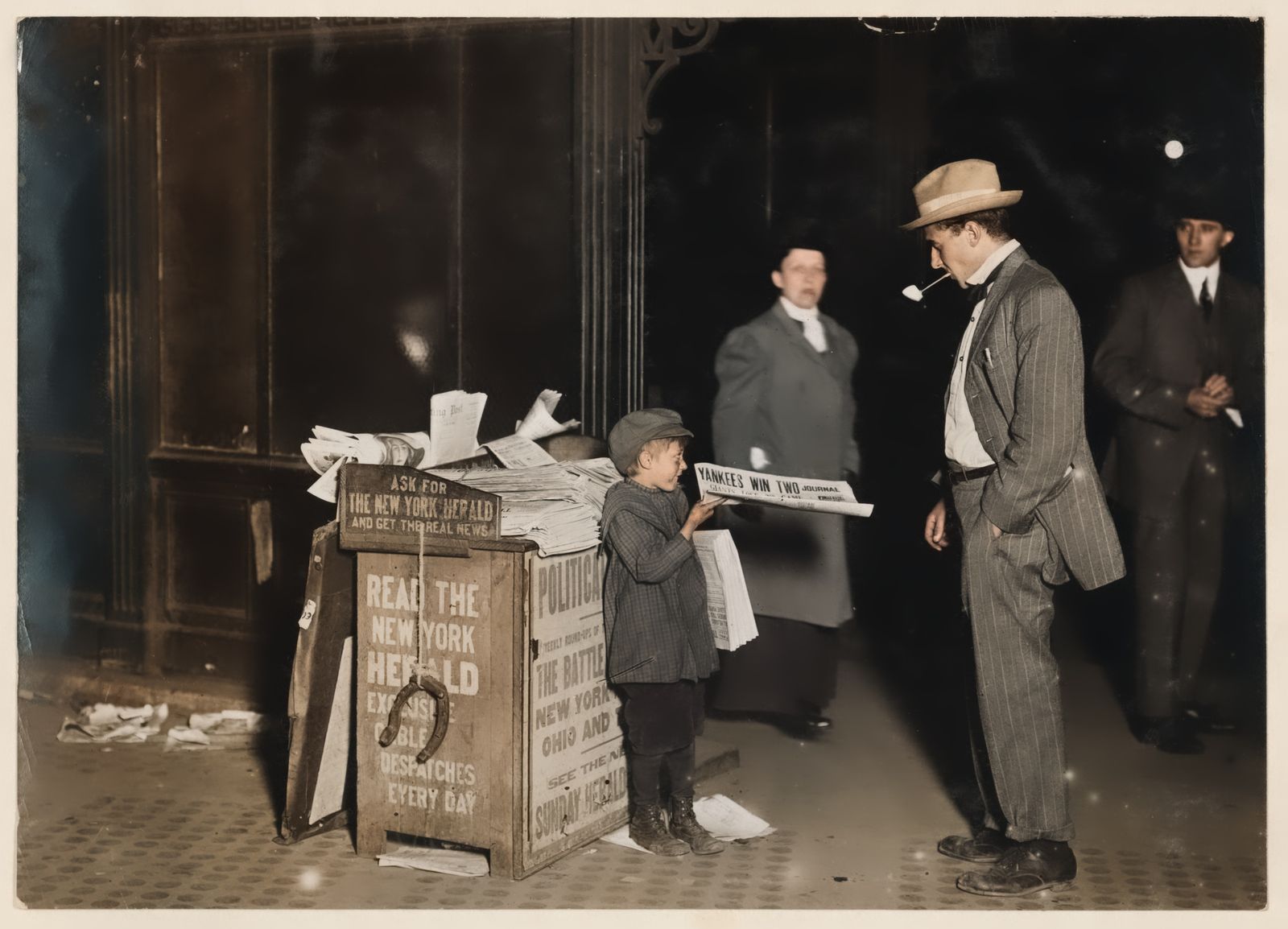
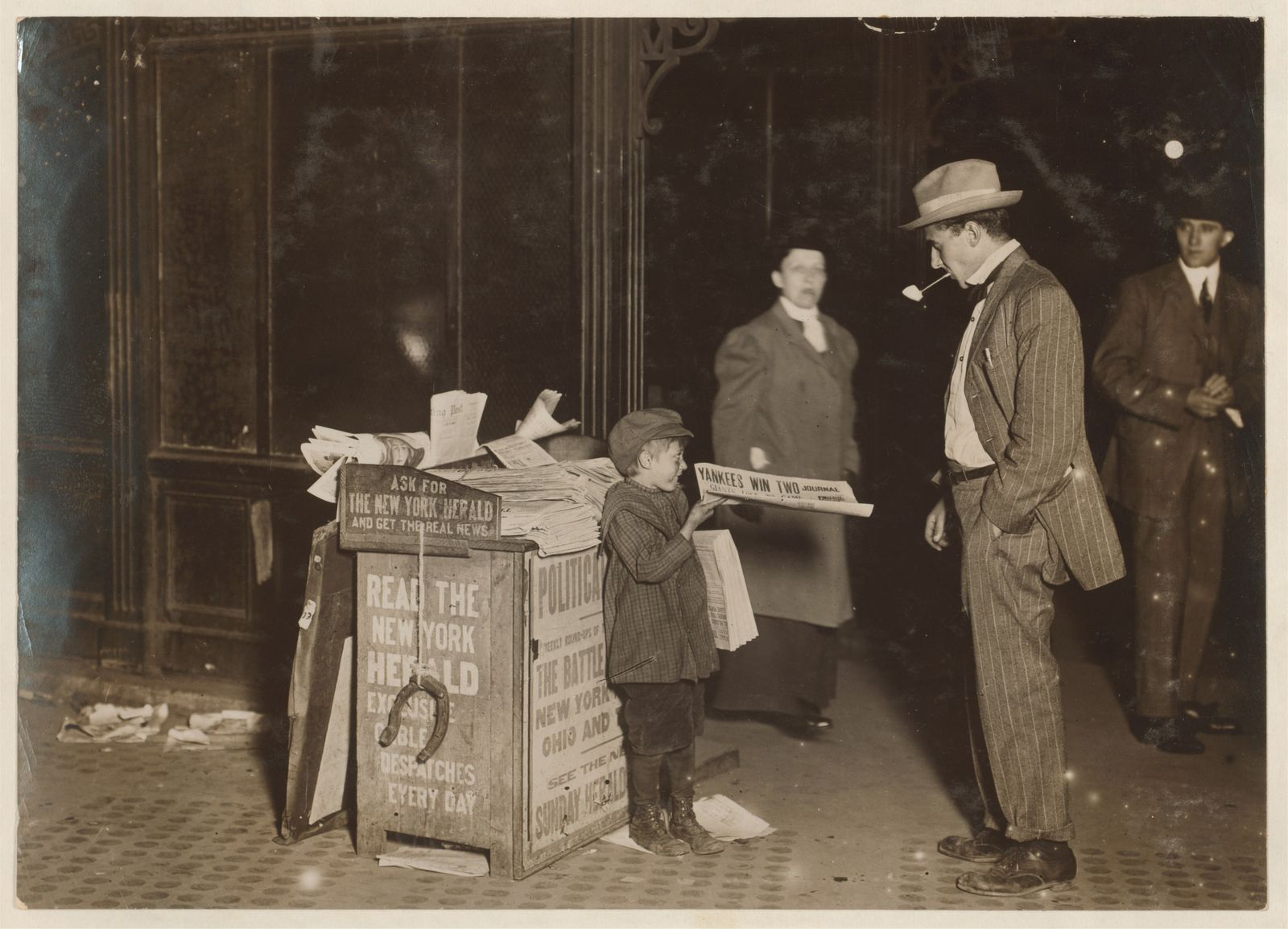
“Colorize this old photograph with natural, realistic colors and fix the faded contrast.”
Photo: Jerald Schaitberger … Columbus Circle, October 8, 1910 (LOC cph.3a01149), Public domain.
Tools for this
Which tool to use.
Restore
Repair old or damaged photos: remove scratches and stains, fix faded contrast, and colourise.
Changes the whole photo, so it is not pixel-identical.
More about RestoreHonest limits
Read this before you rely on it.
- Restore changes the whole photo and is not pixel-identical. Colours are the model's plausible guesses (clothing, skin, sky), not the real colours, so treat a colourised photo as an illustration.
- Check faces against the original before you share or print. A generative model can alter a likeness. We have not measured how well identity is preserved, so we do not claim it is.
- We have shown one example, a 1910 street photograph with faded contrast. We have not published tests on torn, creased or heavily damaged prints.
- Photos larger than 4096 px on the long side are scaled down before editing, and uploads are limited to 40 MB. Scan at a sensible size rather than the maximum.
- One photo at a time: there is no batch mode.
Questions
Frequently asked.
How do I colorize an old black-and-white photo with AI?
Scan it, open Nano ImageEdit 2.0 Online, choose Restore, and use an instruction such as "Colorize this old photograph with natural, realistic colors and fix the faded contrast." It takes 30 to 50 seconds. The colours are the model's guess, so compare with the original.
Will it change the faces in my photo?
It can. Restore works on the whole photo, so faces are regenerated along with everything else, even though the instruction asks it to keep people the same. Use the Compare view, look at the faces closely, and ask for variations if one is off.
Can it fix scratches and stains?
Yes, that is part of the Restore tool, together with faded contrast and colourising. We have only published an example of faded contrast and colourising, not of heavy damage.
How much does it cost?
50 credits ($0.50) per finished edit, with prepaid credits that never expire. Each variation counts as an edit. A failed or cancelled edit is refunded.
Keep reading
Guides and the full tool
Other uses
Built for other work too
- Real estate photos · Remove cars and clutter, make a twilight exterior
- Signs, menus and posters · Rewrite text on signs, labels, menus and posters
- Travel and street photos · Remove cars and distractions, change the season
Try it on your own photo.
Sign in, drop in a photo and describe the change. 50 credits ($0.50) per edit; an edit that fails costs nothing.
Open the editor