v1.0Available now for Windows · macOS in ~1 week
Nano FaceStudio Pro.
The whole face, in one studio.
Seven capabilities. One desktop app. Every model runs on your GPU. Face swap, mask edit, expression editing, face vivid, upscale, light adjust, and crop — designed to finish a portrait without ever leaving the machine.
Save $20.00 · lock in the launch price for good
Seven capabilities · one desktop
- 01Face Swap
- 02Mask Edit
- 03Expression Edit
- 04Image Upscale
- 05Face Vivid
- 06Light Adjust
- 07Crop
Detect. Swap. Preserve.
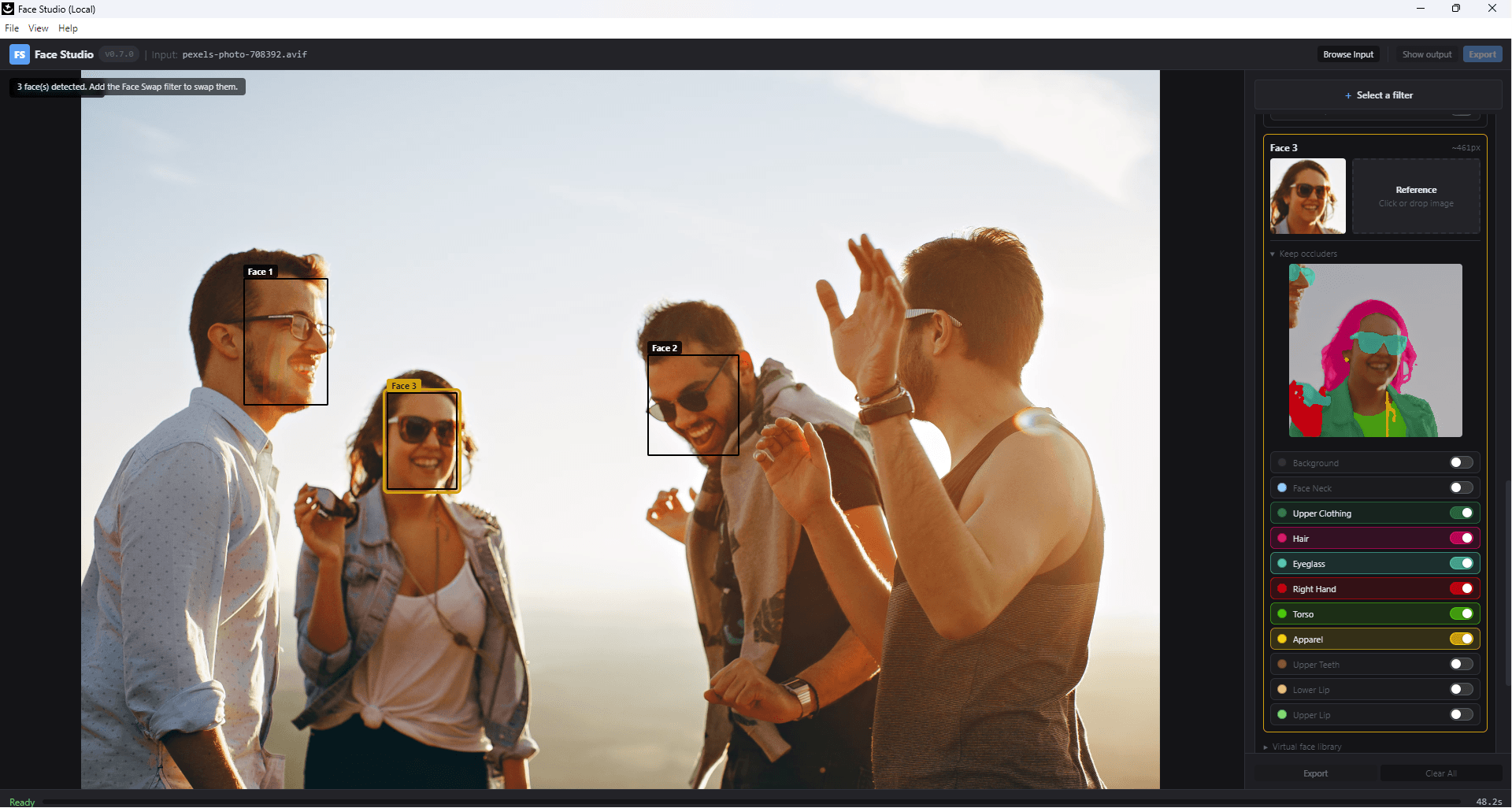
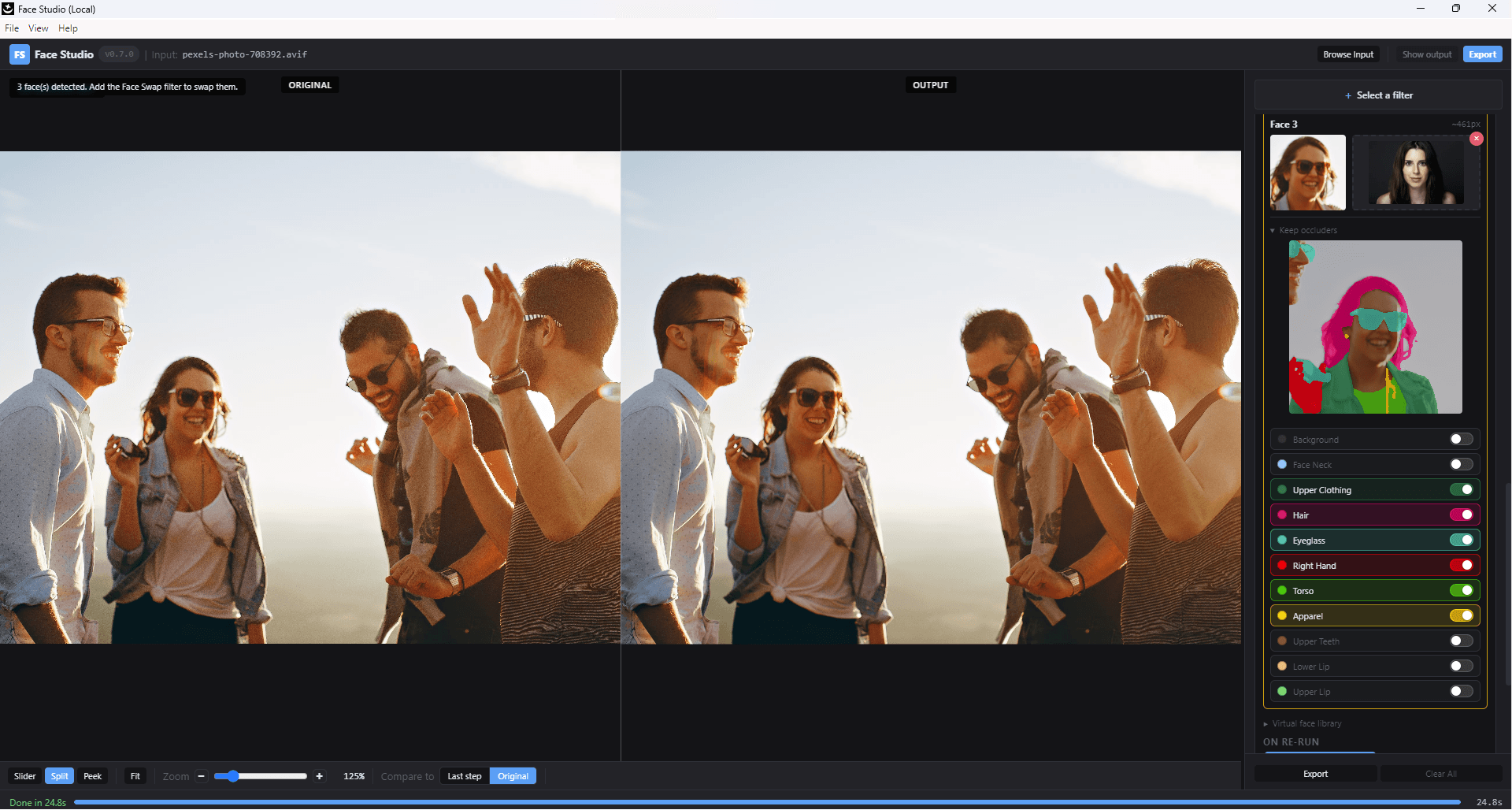
Every face in the frame becomes its own target. Auto-detected, auto-swapped, and — with per-region toggles — every accessory left exactly where it was.
Auto face detection.
01 · a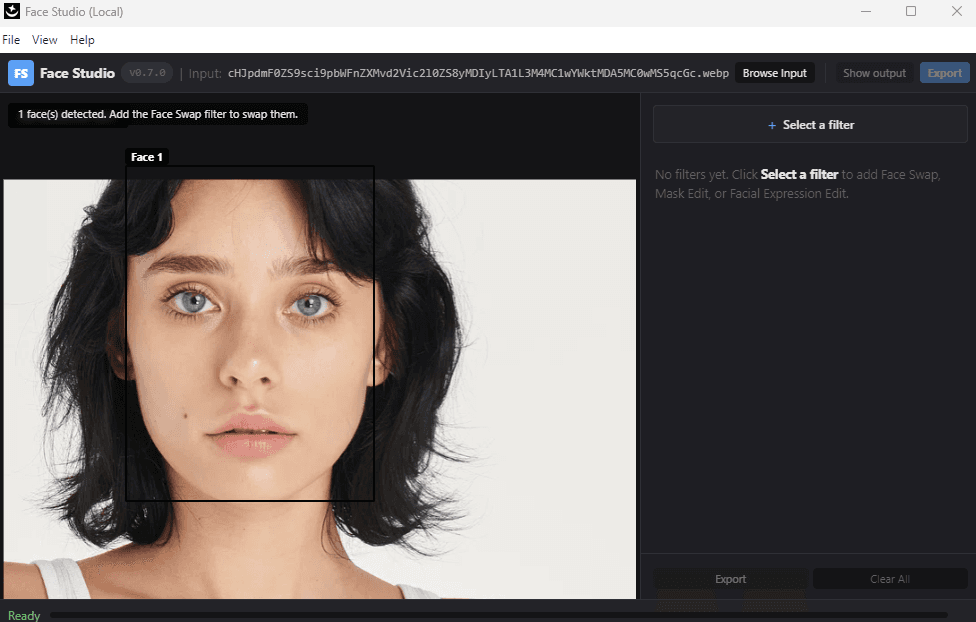
Auto face swap.
01 · b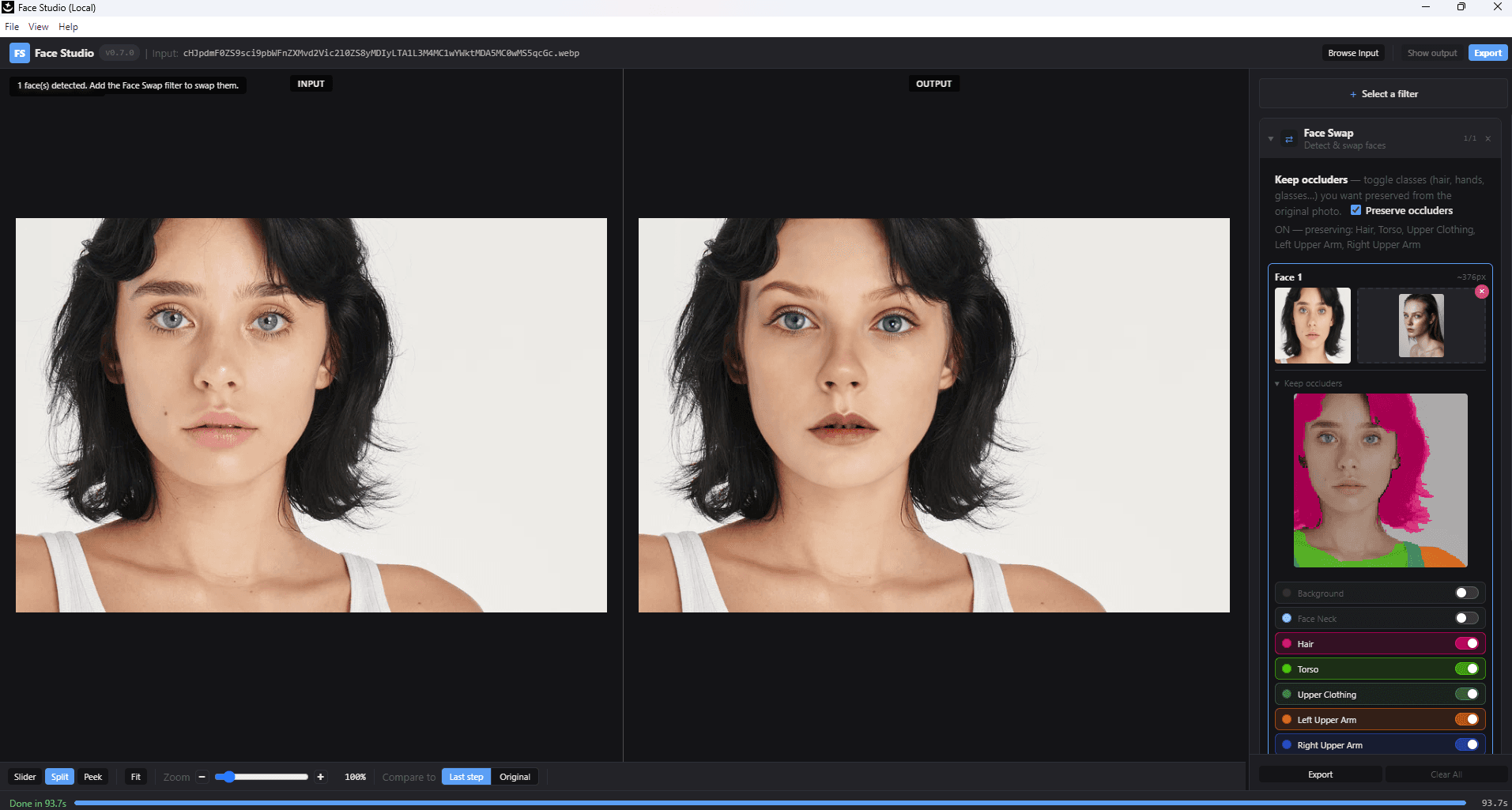
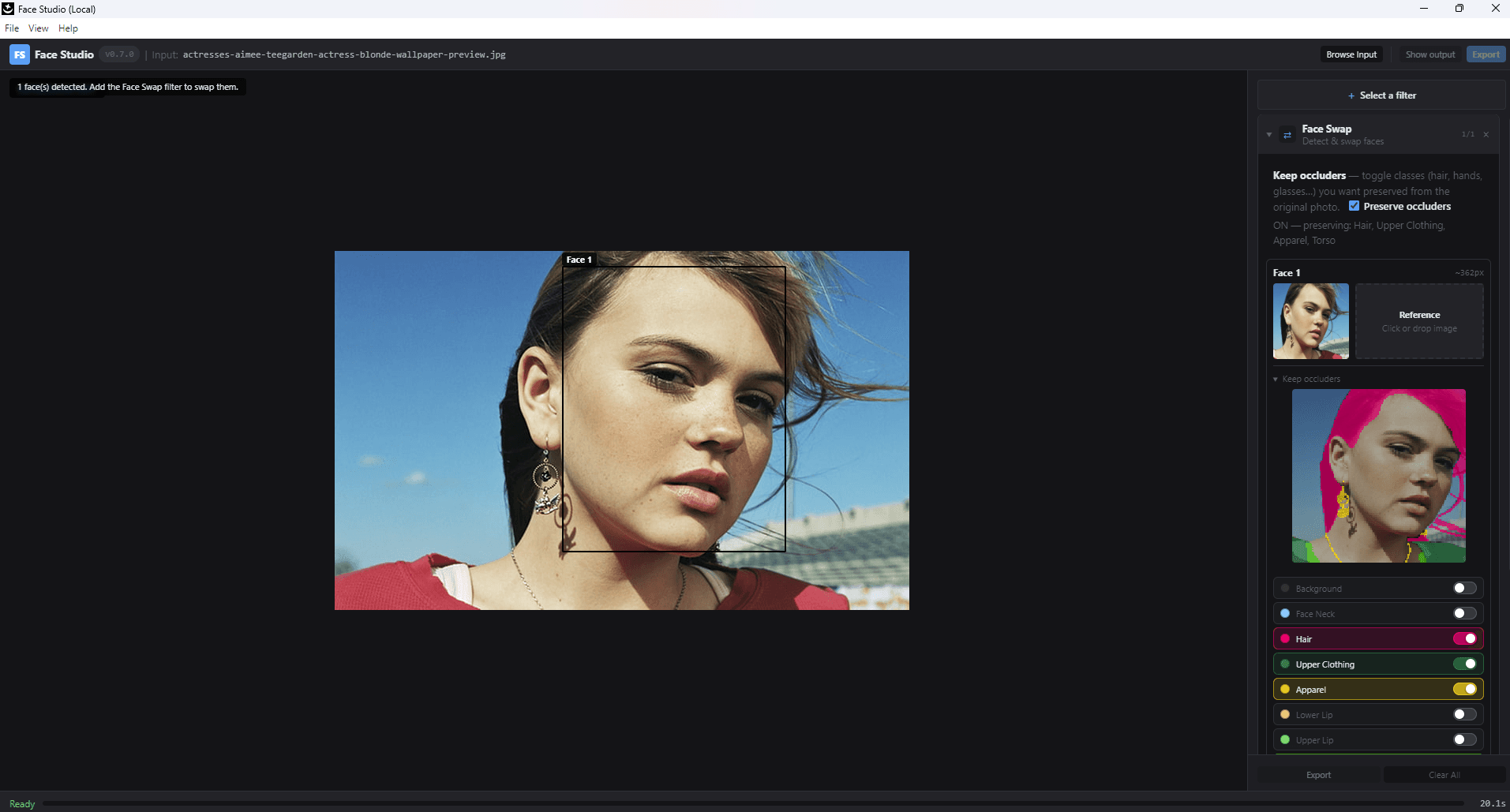
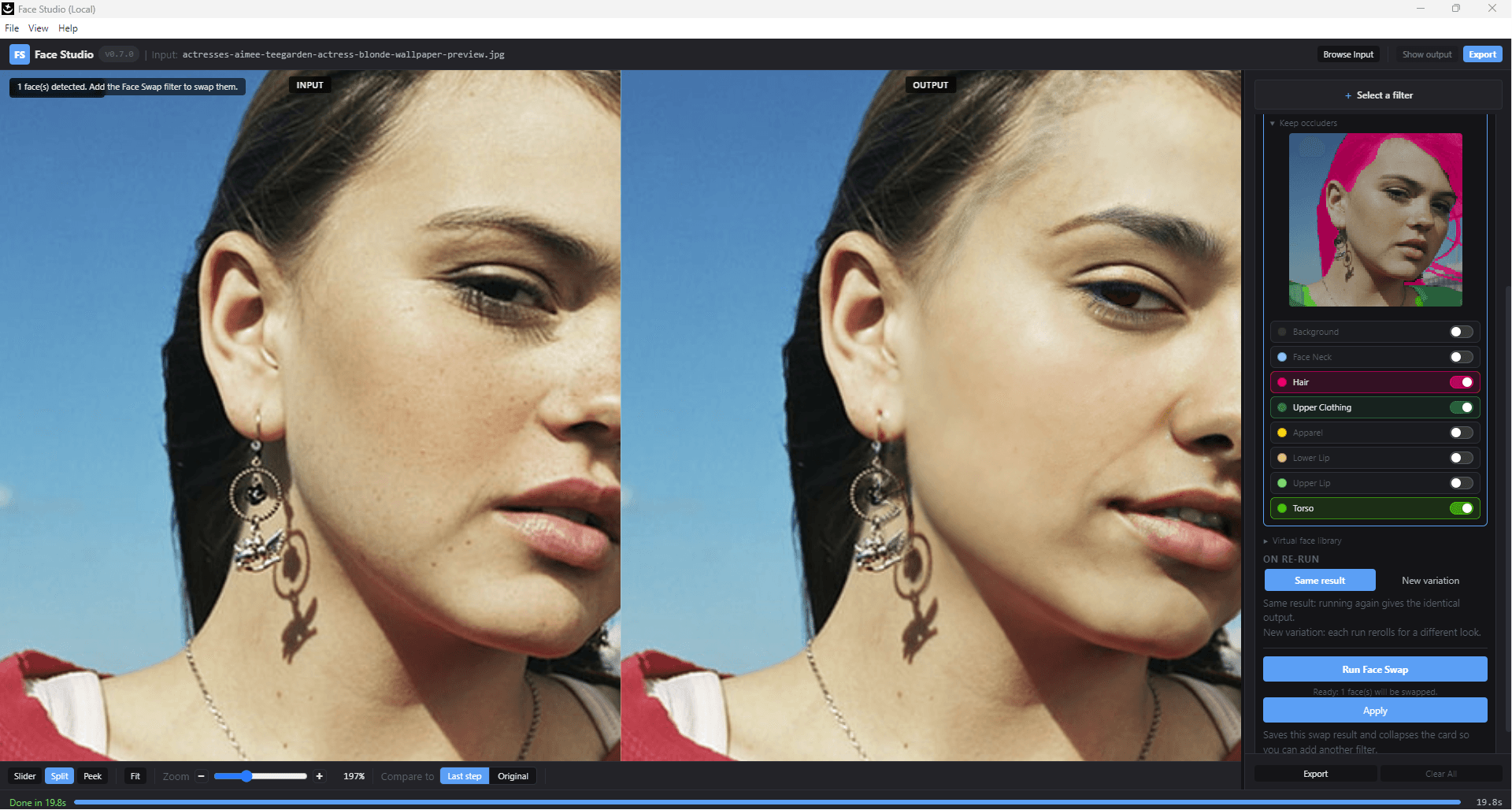
Protect the ring, the hat, the earring.
01 · cPer-region toggles for hair, apparel, and accessories tell the diffusion swap which pixels to leave alone. Turn off Apparel, and the ring survives.
Multi-face. Same fidelity.
01 · dUp to 16 detected faces per image, each individually targetable — or the whole group with one click.
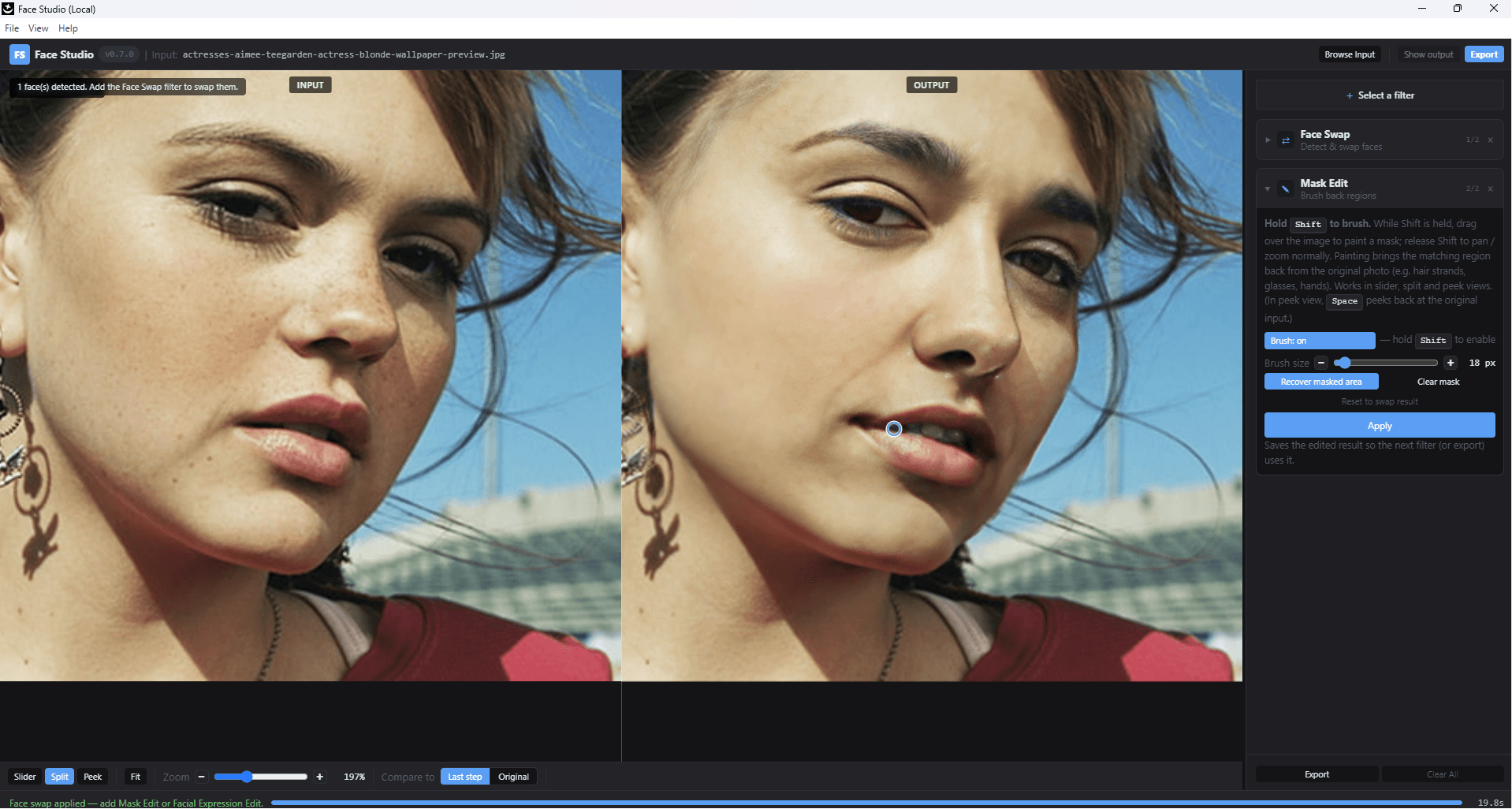
Bring anything back with a brush.
The swap looks good but the healthy tooth is gone, the freckle is missing, the earring frame is redrawn. Paint over it. The pixels come back from the source, the rest of the swap stays intact.
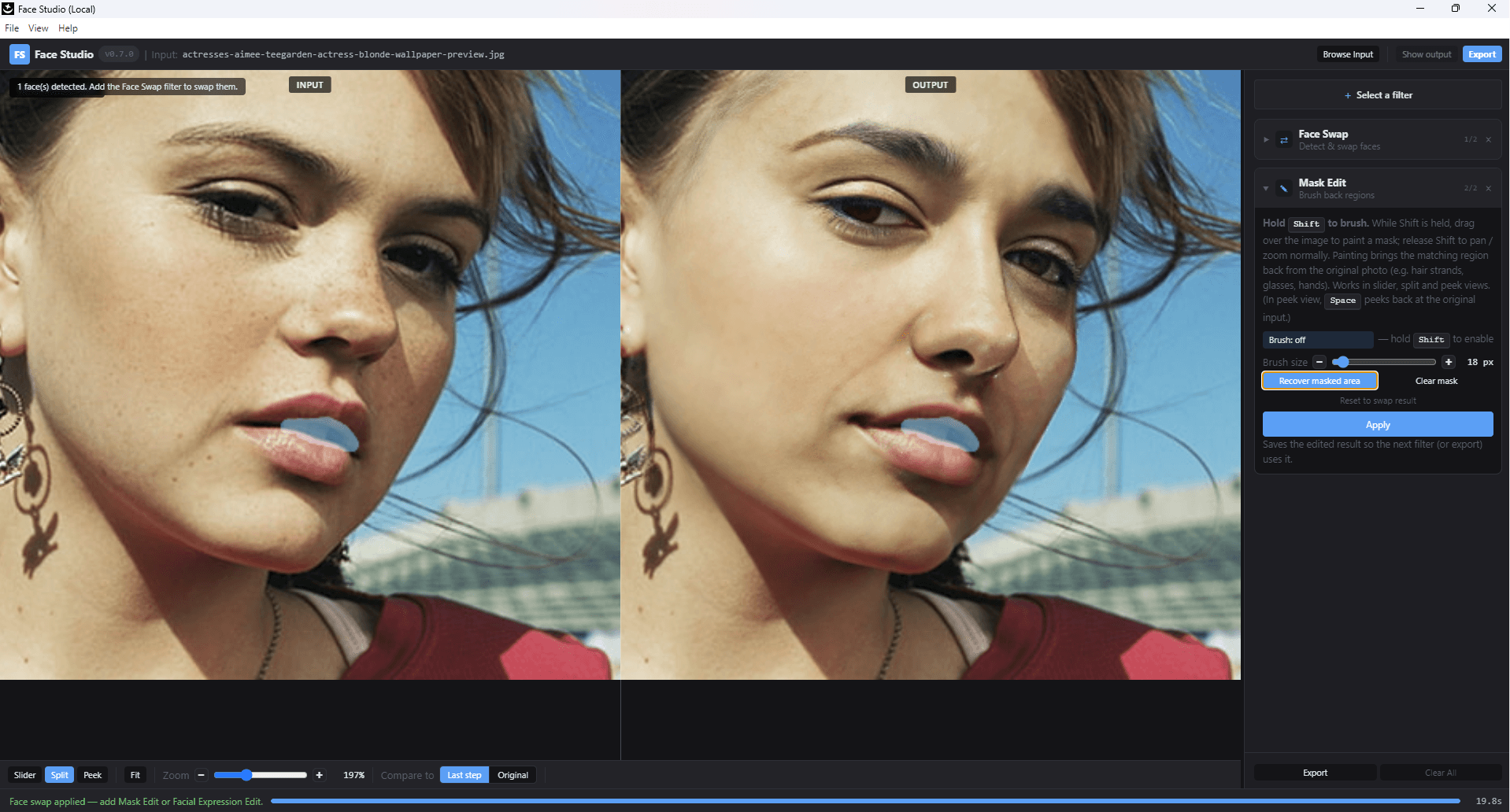
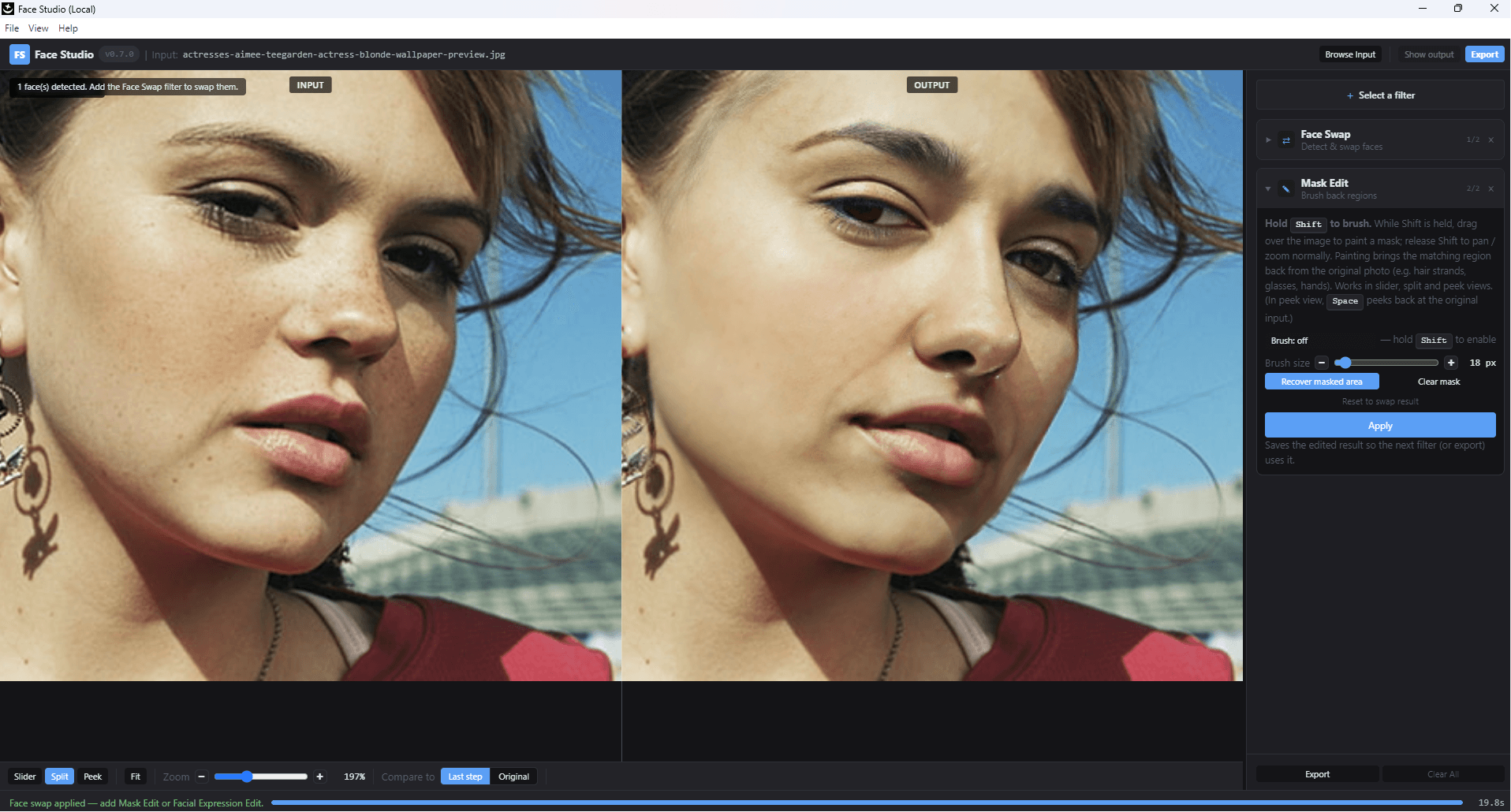
Non-destructive. Undo the brush and the swap is unchanged. Works after Face Vivid too, if you need to preserve a specific feature through a restoration pass.
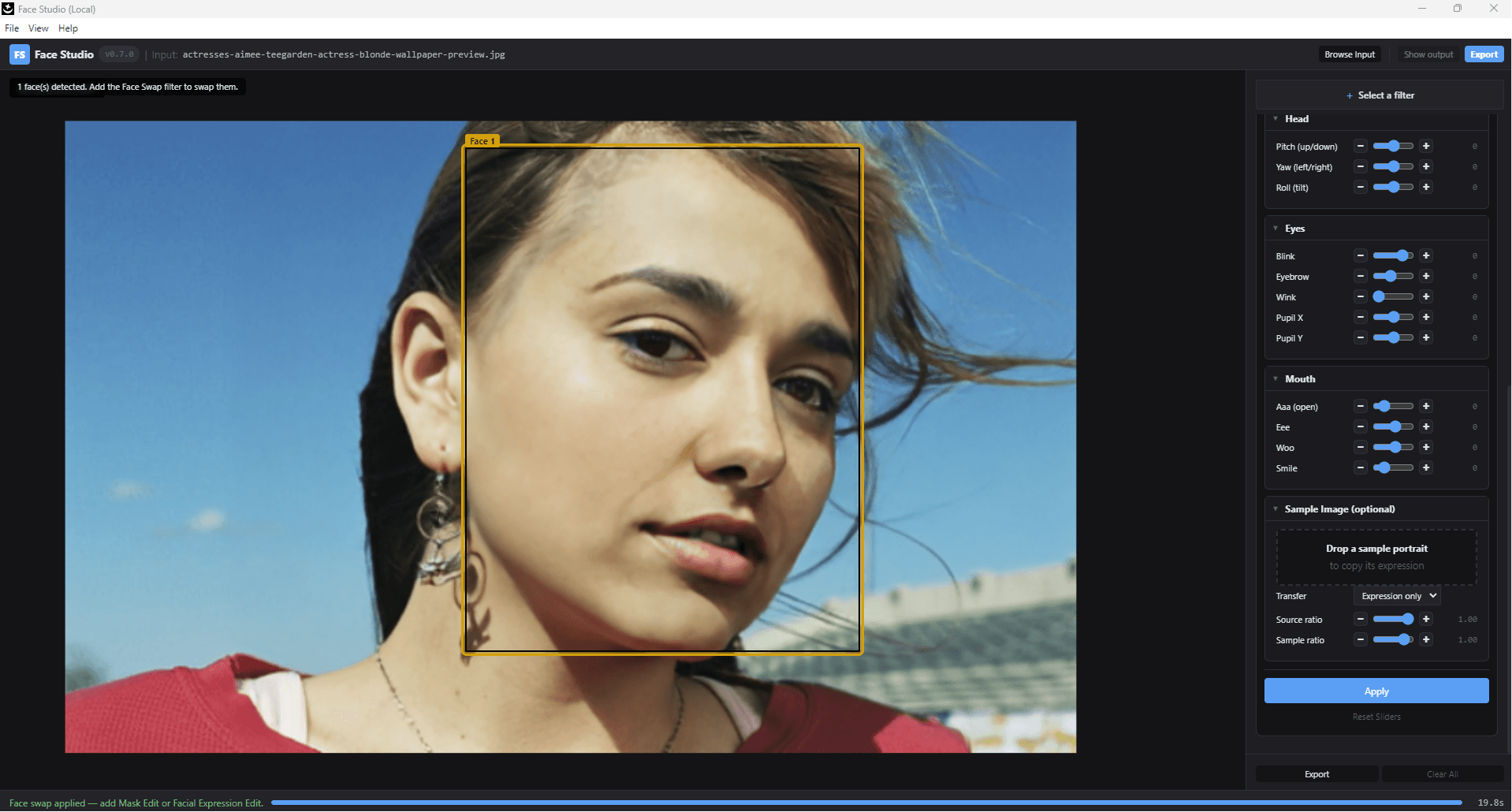
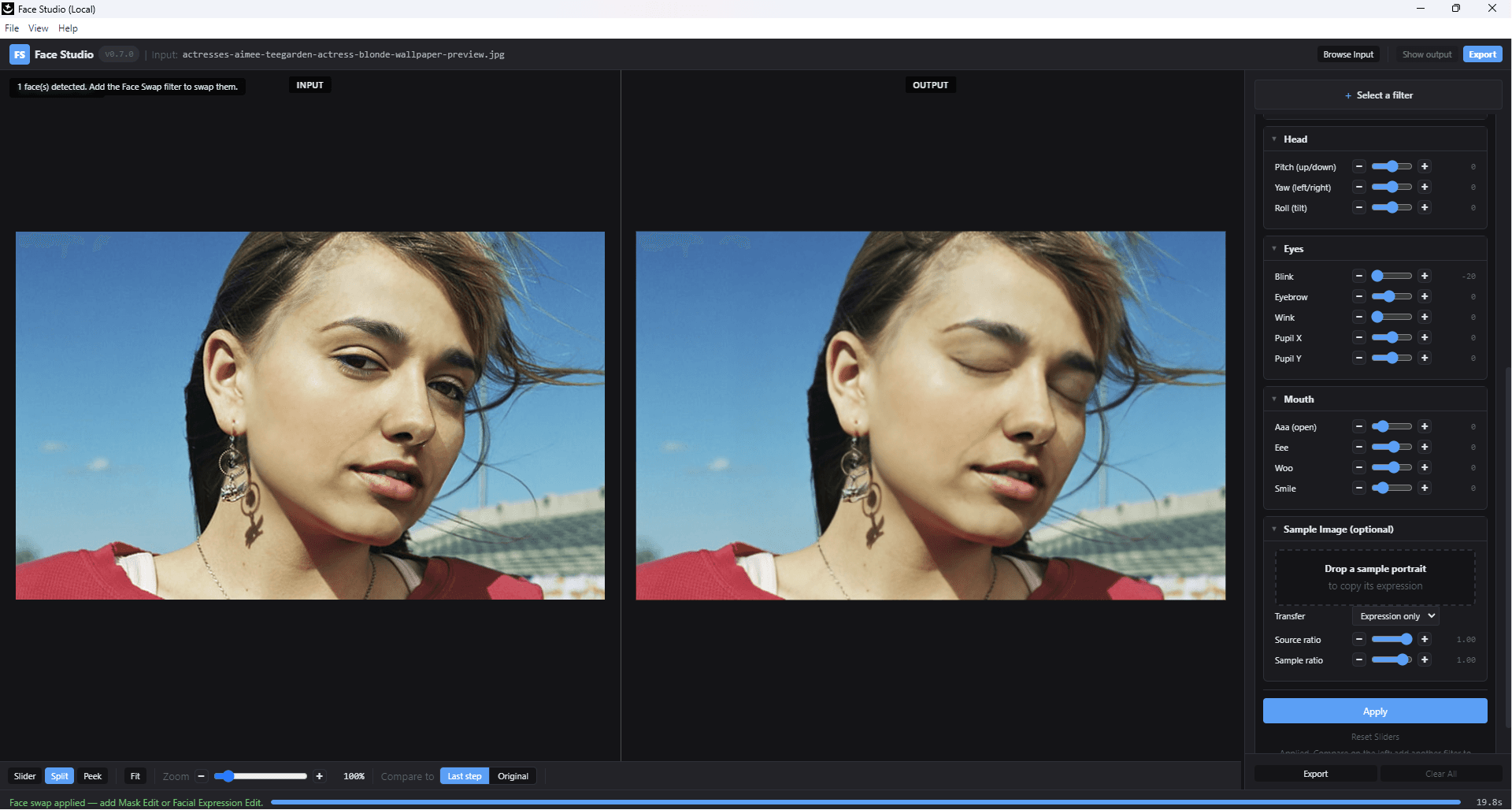
Sliders — or a reference face.
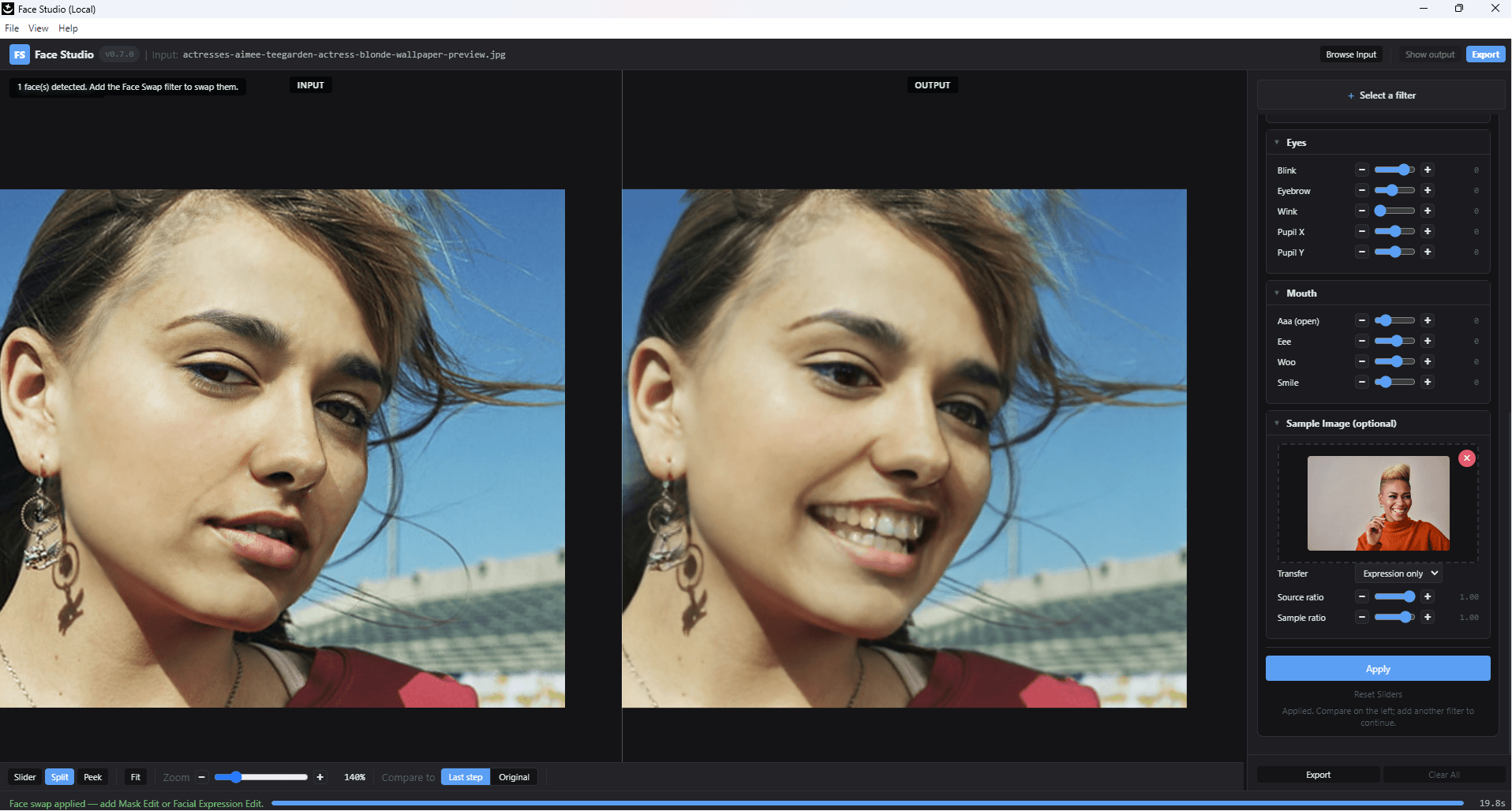
Dial head orientation, eyes, and mouth with explicit sliders. Or drop in a reference face and transfer its expression — a smile, a wink, closed eyes — onto the current subject without touching identity.
Slider control.
03 · aHead yaw, pitch, roll. Eye openness. Mouth shape. Identity preserved across every move.
Learn from a reference.
03 · bDrop in a smiling reference face. The smile transfers. The identity stays put.
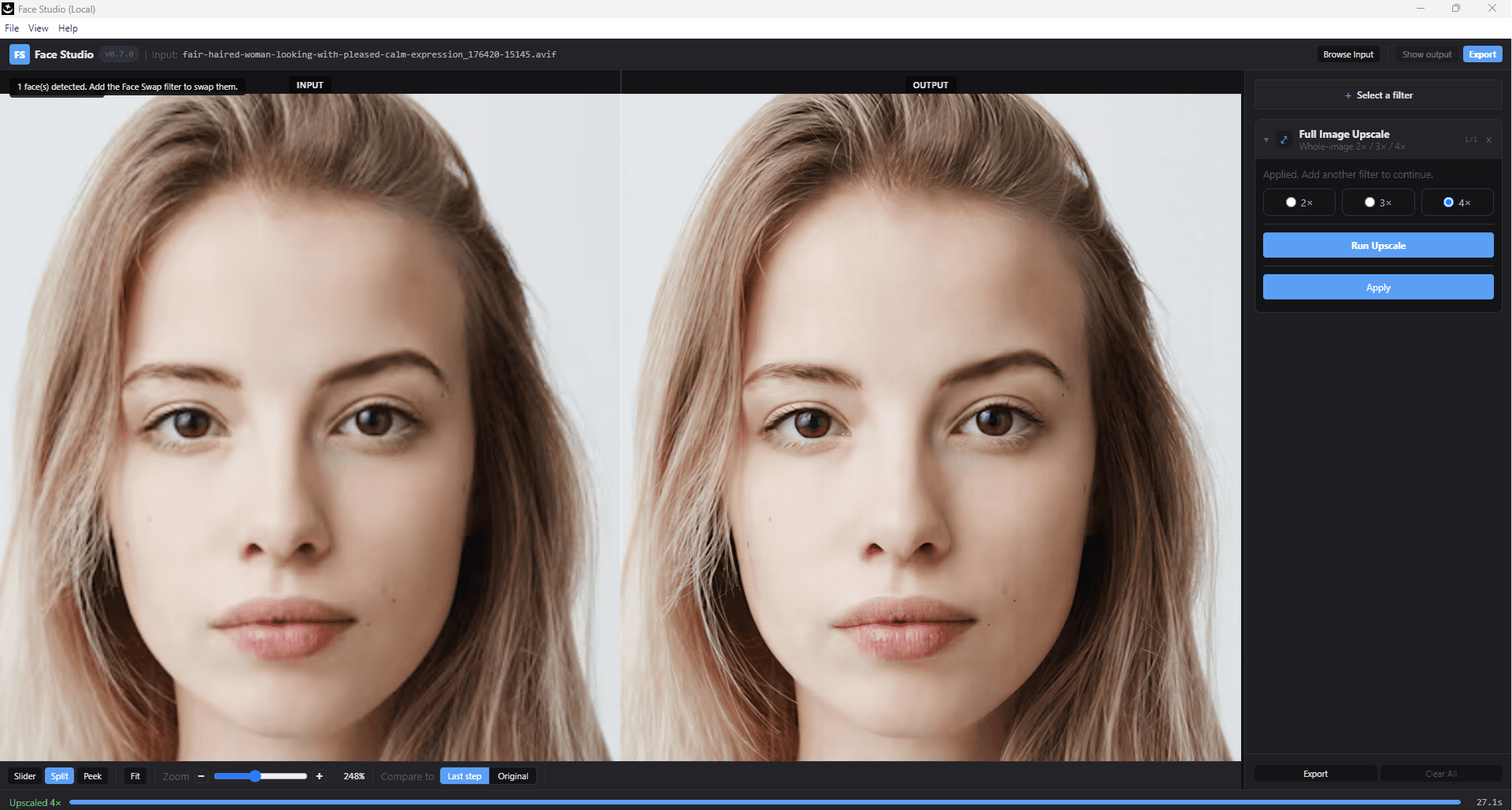
2×, 3×, 4× — the whole frame.
Not just faces. The full image, sharpened and re-detailed at your chosen factor. Print-ready. 4K-ready. Local.
De-plasticize the AI face.
Gemini 2.5 Flash Image, Adobe Firefly, and every GAN swap leave a wax-skin look. Face Vivid is an identity-locked restoration pass tuned to bring pores, specular highlights, and micro-texture back — without ever shifting the person.
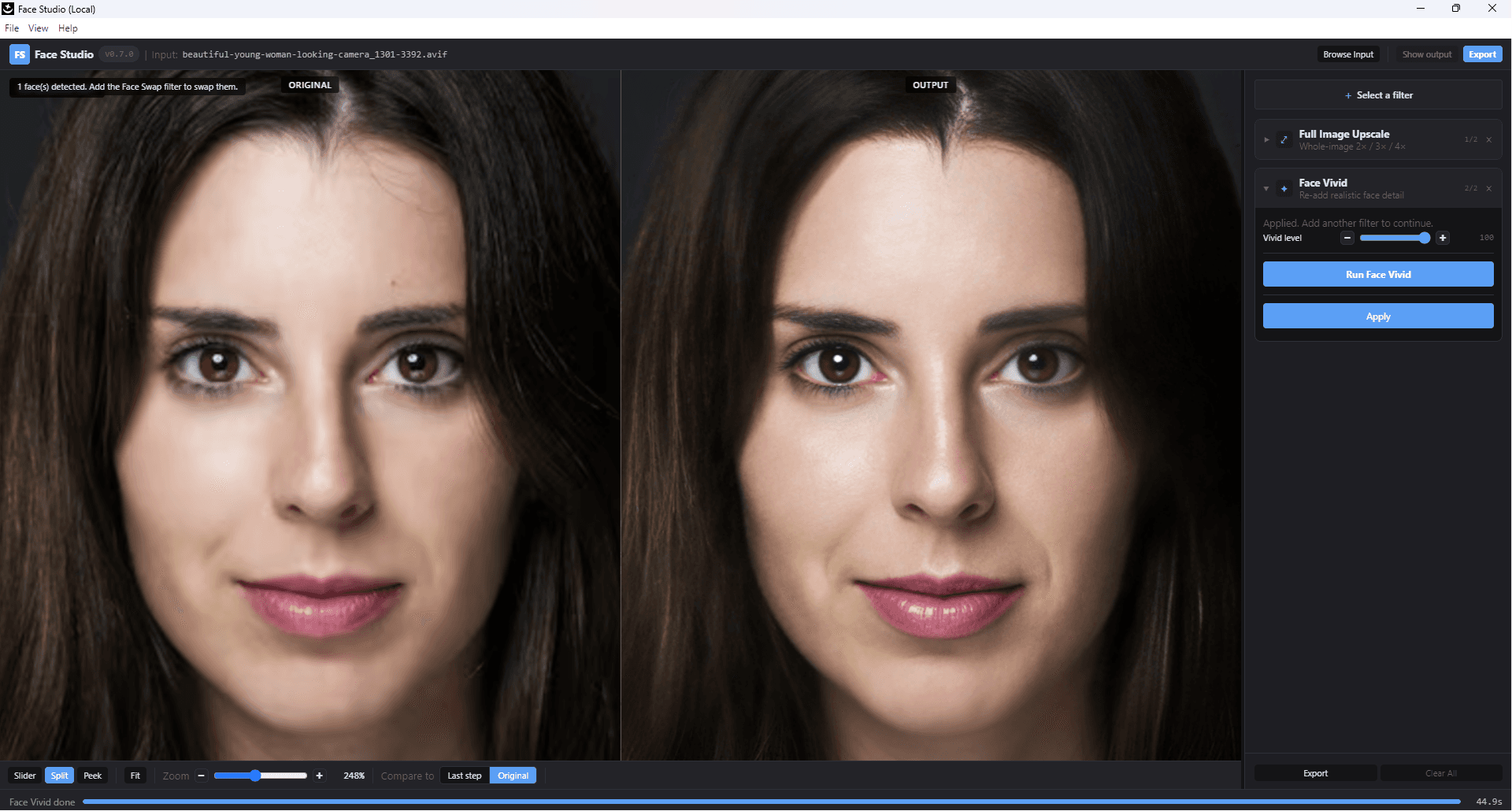
Same pipeline as the free browser demo at /apps/nanoface-vivid — running offline on your GPU.
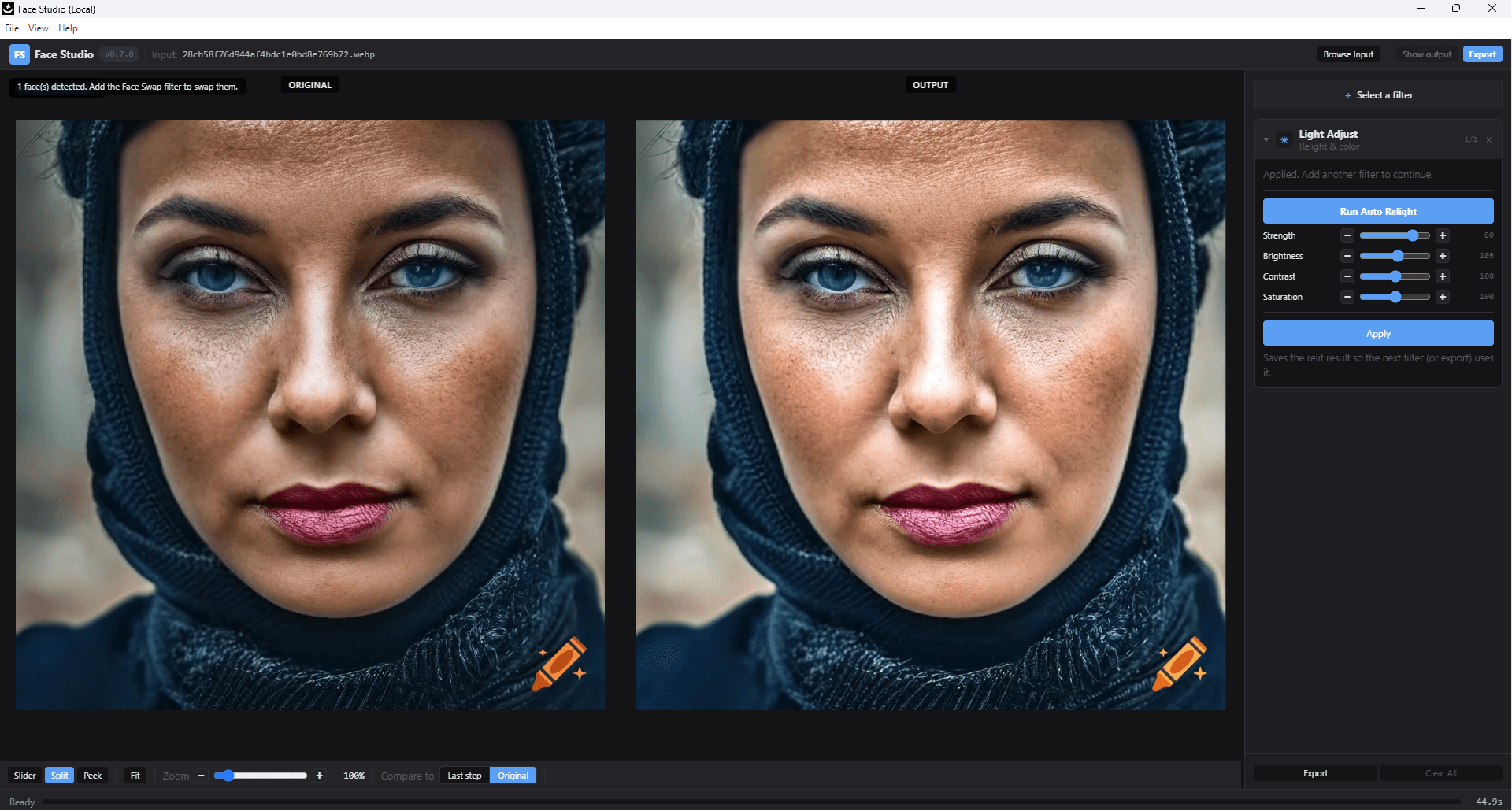
Brightness. Contrast. Saturation. Auto.
One click fixes exposure, punches up contrast, and balances saturation — before or after any AI step. Non-destructive, and out of the way when you don't need it.
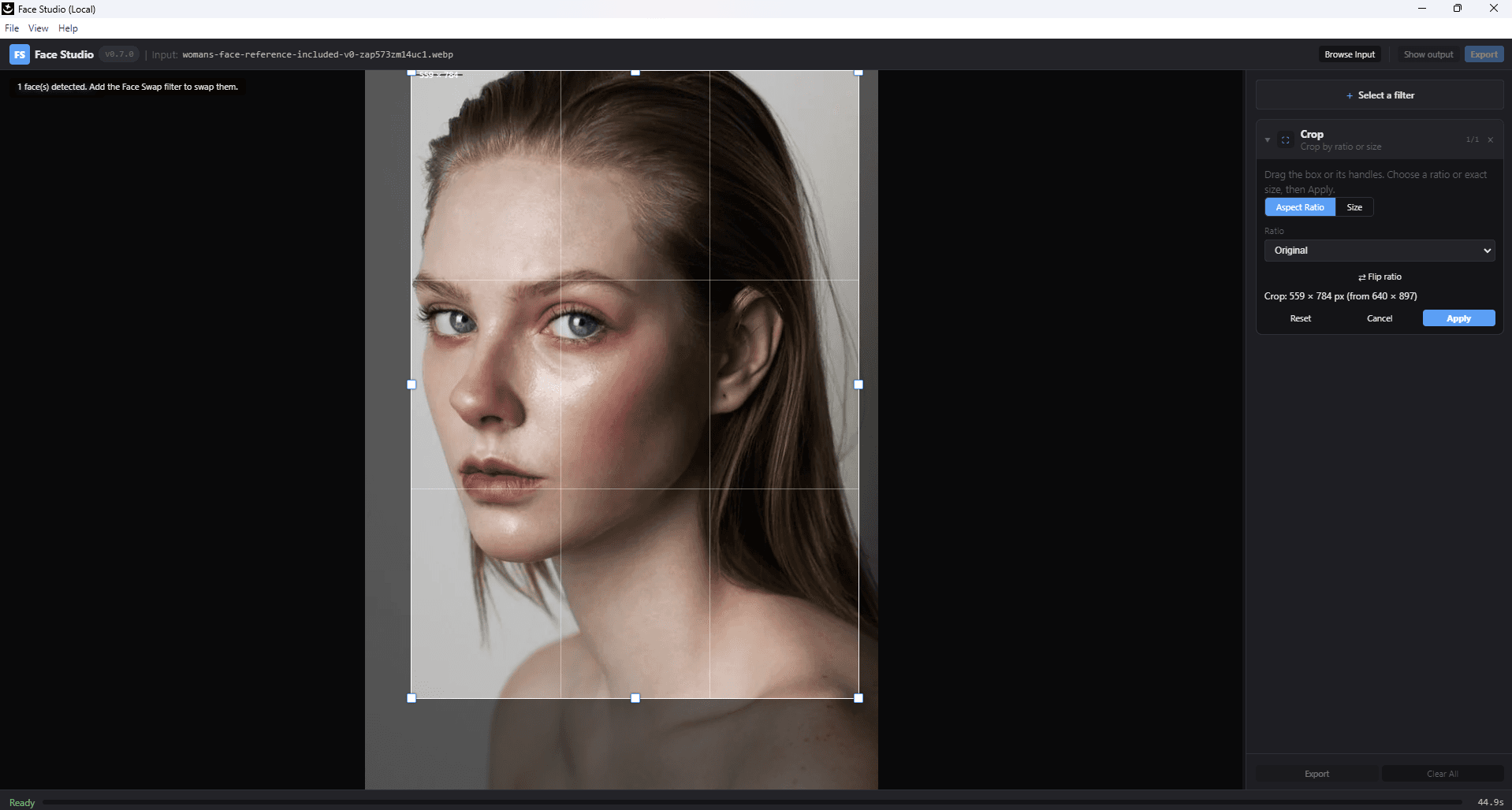
Any size. No Photoshop round-trip.
Precision crop with aspect-ratio presets for print, social, and posters. The last mile of a deliverable, inside the same studio.
Tech Specs
What's inside the box.
- Face swap engine
- Diffusion identity stack — InstantID + PuLID + IP-Adapter FaceID
- Multi-face
- Up to 16 detected faces per image; per-face or one-click swap-all
- Upscale factors
- 2×, 3×, 4× (input-preserving; native resolution output)
- Face vivid
- Identity-locked restoration; removes over-smoothed / plastic-skin artefacts
- Windows GPU
- NVIDIA CUDA · 8 GB VRAM minimum · RTX 30/40/50 series tested
- macOS GPU
- Apple Silicon Metal · Native arm64 for M2, M3, M4, M5 · no Rosetta
- Data handling
- 100% local · no upload · no server-side retention · no training on user photos
- Network
- One-time license activation only
- License
- USD $49.90 launch · USD $69.90 after 2026-10-31 · one-time · machine-bound · covers Windows + macOS
- UI runtime
- Electron desktop shell
Answers
Frequently asked.
How is Nano FaceStudio Pro different from Nano FaceStudio Online?+
Nano FaceStudio Online is the browser edition: it swaps faces and whole heads, billed per face in prepaid credits with a free allowance, on NanoPocket-hosted GPUs. Nano FaceStudio Pro is the local desktop edition, a one-time license that runs 100% on your own GPU with no per-image fee, and it is the broader studio: multi-face swap with per-region protection, mask edit, expression editing, face vivid restoration, full-image upscale, auto light adjust, and precision crop in one unified desktop UI. Both use the same diffusion identity stack.
What are the seven bundled tools?+
Face Swap (auto multi-face detection with per-region preservation), Mask Edit (brush-level restoration), Facial Expression Edit (slider control plus learn-from-reference), Face Vivid (de-plasticize AI-smoothed skin), Full Image Upscale (2×, 3×, 4×), Light Adjust (auto brightness / contrast / saturation), and Crop (aspect-ratio presets).
What is the launch price and how long does the promotion run?+
The 1.0 launch price is USD $49.90. After the promotion ends on 2026-10-31 the regular price is USD $69.90. The license is one-time and machine-bound — no subscription, no per-image fee. Users who purchase during the promotion window keep their license at the promotional price permanently.
Do my photos get uploaded to your server?+
No. Every model — swap, mask, expression, vivid, upscale, light, crop — runs on the user's GPU. Source photos are never uploaded and never retained server-side. The only network traffic is a one-time license-activation handshake.
What hardware do I need?+
Windows 10 or 11 with an NVIDIA GPU (8 GB VRAM minimum; RTX 30 / 40 / 50 series tested), or a Mac with Apple Silicon (M2, M3, M4, or M5). The macOS build is a native arm64 binary that runs on Metal — no Rosetta translation. Intel Macs are not supported.
Can I try it before I buy?+
Yes. The free browser demos at /face-swap cover the two most common capabilities — Nano FaceStudio Online (the same swap engine bundled here) and NanoFace Vivid (the same restoration model). The full seven-tool studio is the desktop app; the online demos are single-purpose previews.
When does the desktop app launch?+
Nano FaceStudio Pro 1.0 for Windows is available now on /download. The Windows build ships with all seven capabilities in the box (face swap, mask edit, expression editing, face vivid, upscale, light adjust, crop). The macOS Apple Silicon build is in final QA and ships approximately one week later; the one-time license purchased today covers both platforms and can be re-activated on the macOS build at no extra cost.
Can I use the output for commercial or client work?+
Yes. The license is one-time and machine-bound, with no per-image fees. Swapped photos, expression-edited portraits, upscaled deliverables, and Vivid-restored images can be used in commercial work under the standard Terms of Use. Non-consensual likeness use is explicitly prohibited.
Nano FaceStudio Pro.
One desktop app. Seven tools. Every model on your GPU.
$69.90 → $49.90 launch · one-time license · Windows now · macOS in ~1 week