Nano FaceSwap Pro 2.0 — feature tour.
Nano FaceSwap Pro 2.0 is an eight-capability diffusion face-swap pipeline that targets multiple faces in one frame, preserves input resolution up to 4K, and provides region-level mask control over hair, clothing, and accessories.
Sign in on the landing page to grab the free access password.
Swap one. Swap all.
Every face in the frame becomes its own swap target. Pick the ones you want to change, leave the rest alone, or swap the whole group in one click.
- Per-face targeting with a numbered face picker
- One-click swap-all for group portraits
- Same fidelity on a single face or six
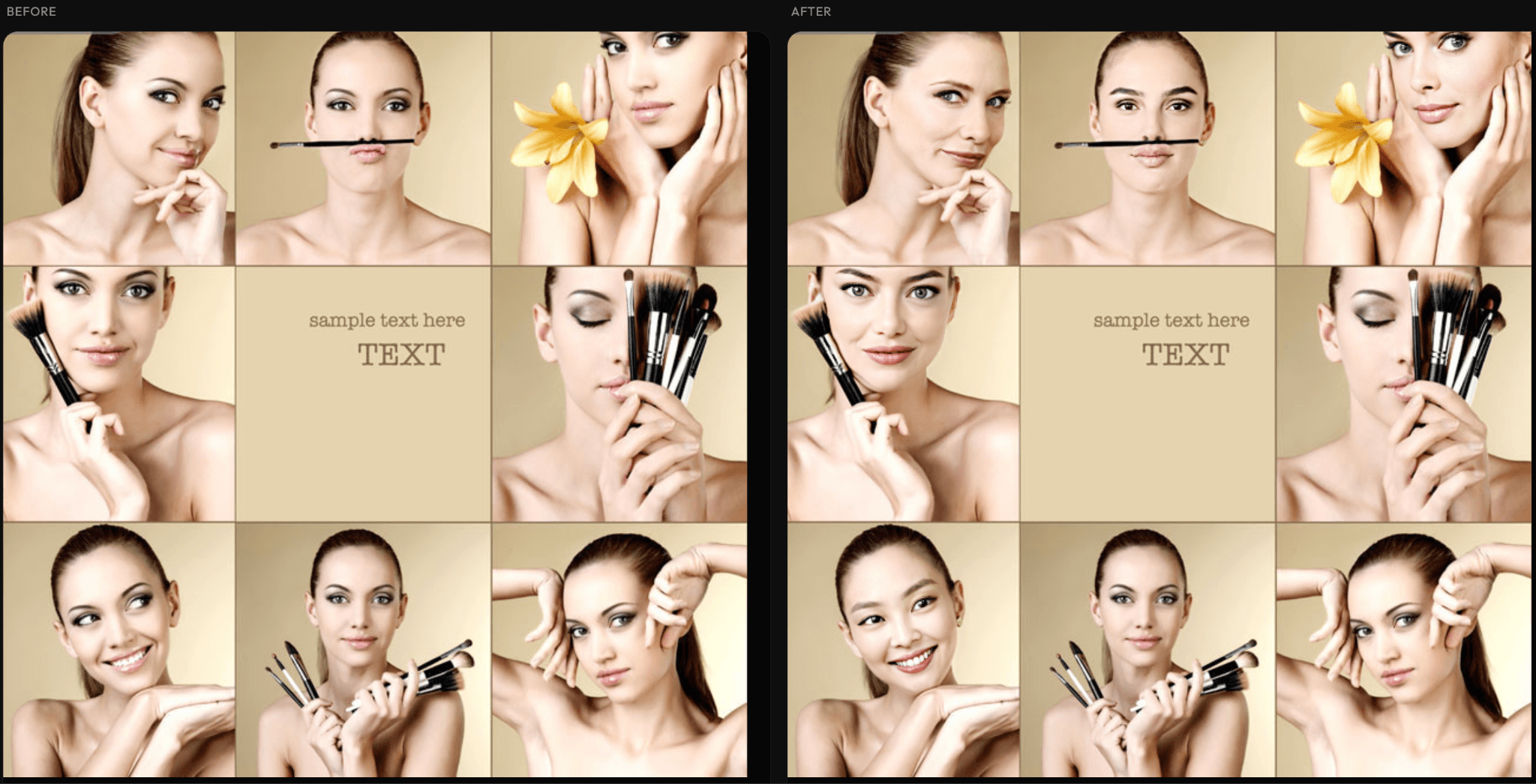
Same input · all nine faces swapped in one pass
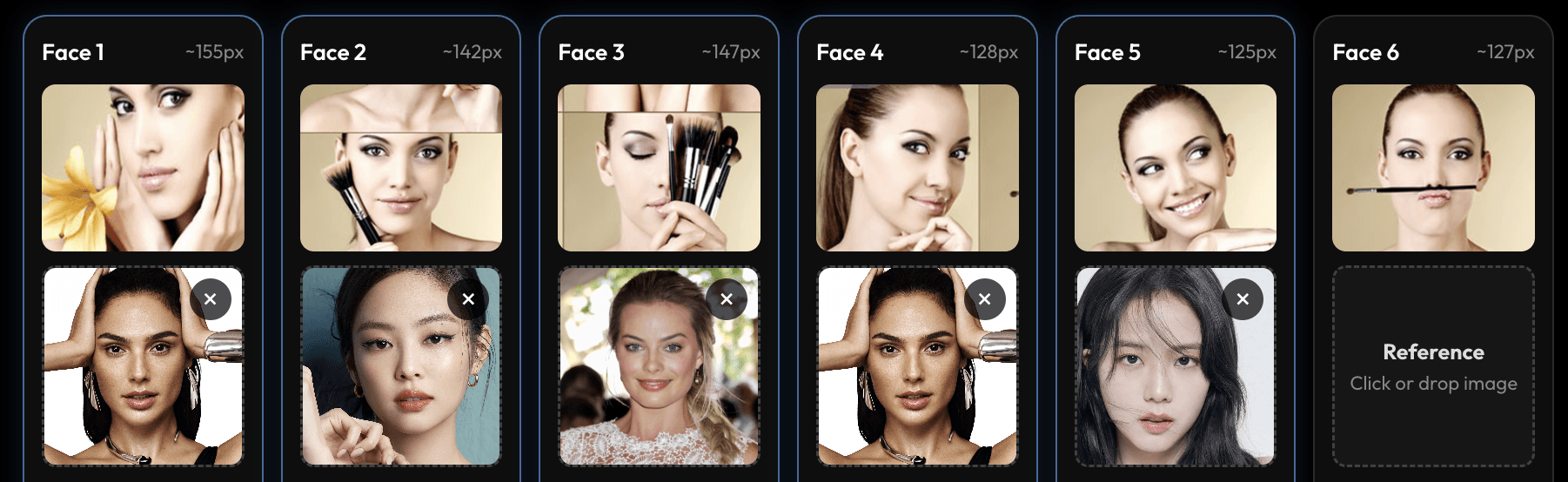
Pick any combination of references — one per detected face
4K stays 4K.
What you upload is what you get back — same size, same detail. No softening, no downsampling, even on close-up shots with large faces.
- Same resolution as your input — every time
- Stays sharp on close-ups and big faces
- No blur, no banding, no “AI sheen”
Detail preserved end-to-end at full resolution
Face only, or full head.
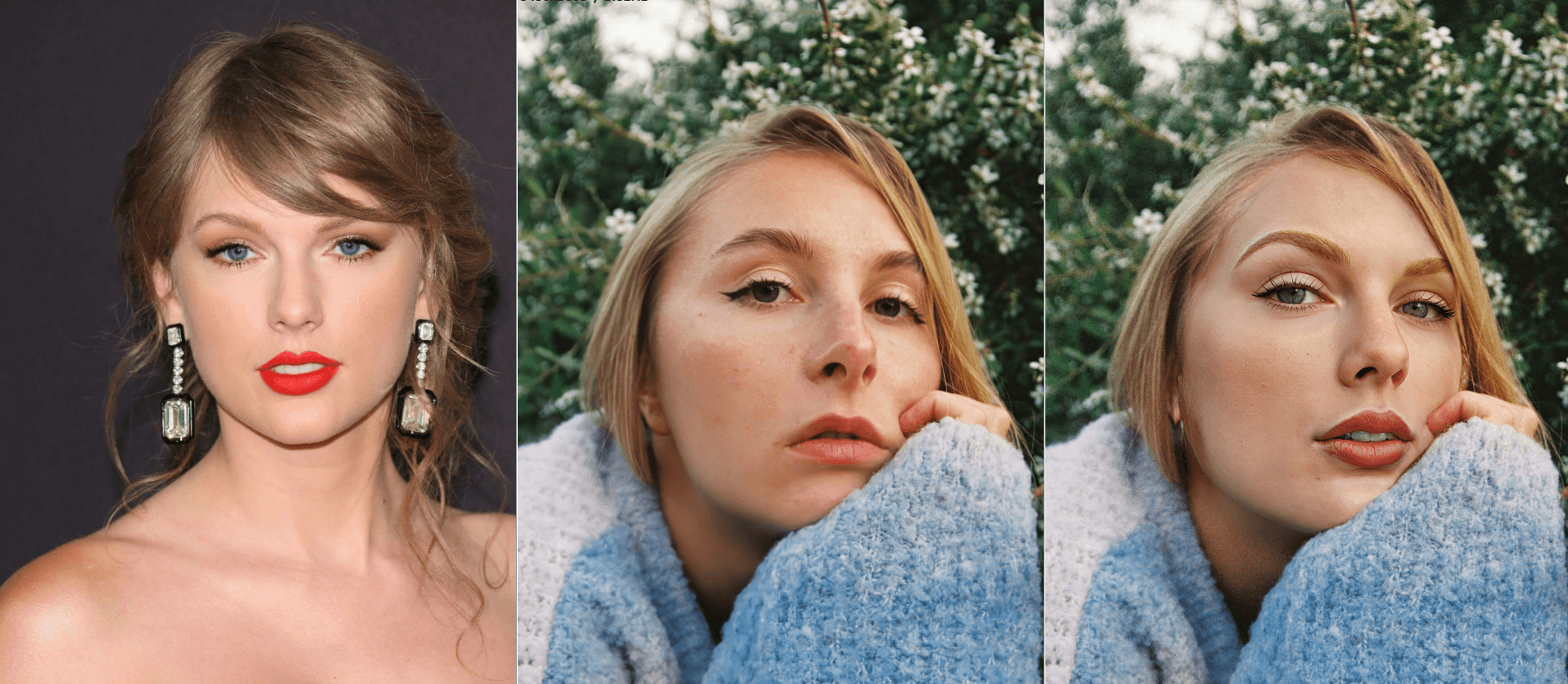
Decide exactly how far the identity transfer goes. Keep the original silhouette, or replace the entire head — hair, hairline, jawline included. The choice is a single toggle.
- Face-only — identity swap with original hair, ears, and head shape preserved
- Full-head — complete identity transfer including hair and jawline
- Switch modes per image without re-uploading or re-configuring

Choose swap mode at the start of every job
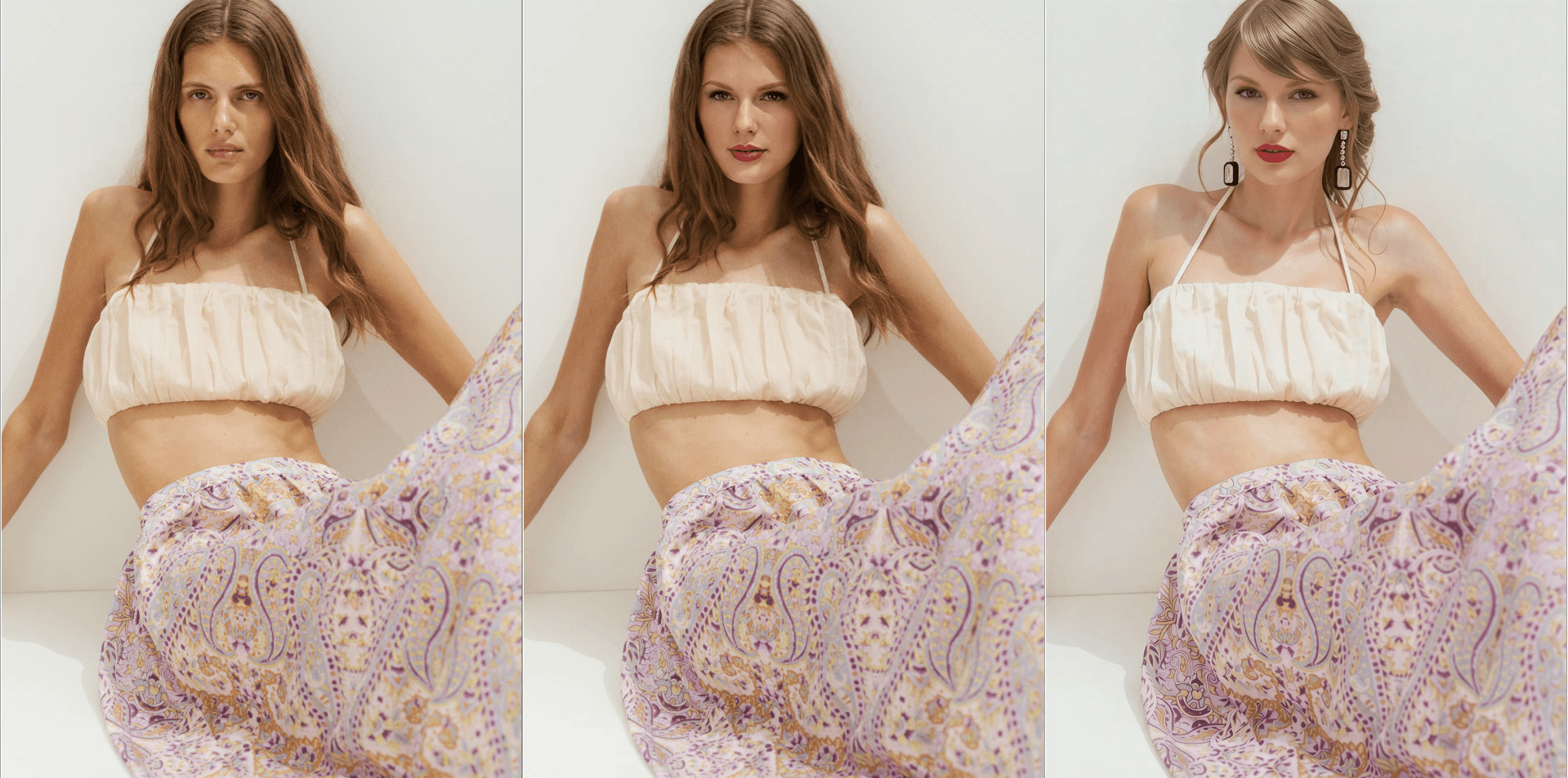
Left: target · Middle: face swap · Right: head swap
Keep what matters.
Swap the face — and keep the nose ring, hat, glasses, and earrings exactly where they were. A single panel of toggles tells the swap which parts of the photo to leave alone.
- Hair · clothing · apparel · accessories — toggle each independently
- Works on a single accessory or all of them at once
- Set it once, applied to every face in the image
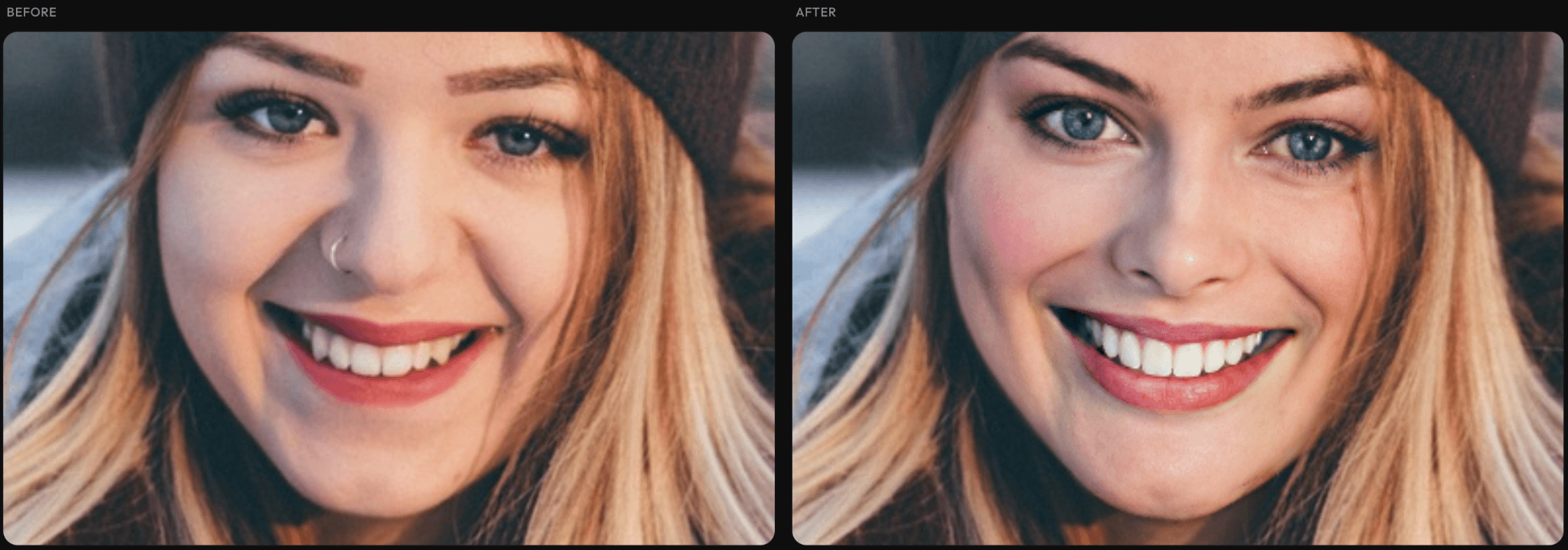
The nose ring disappears in a regular swap
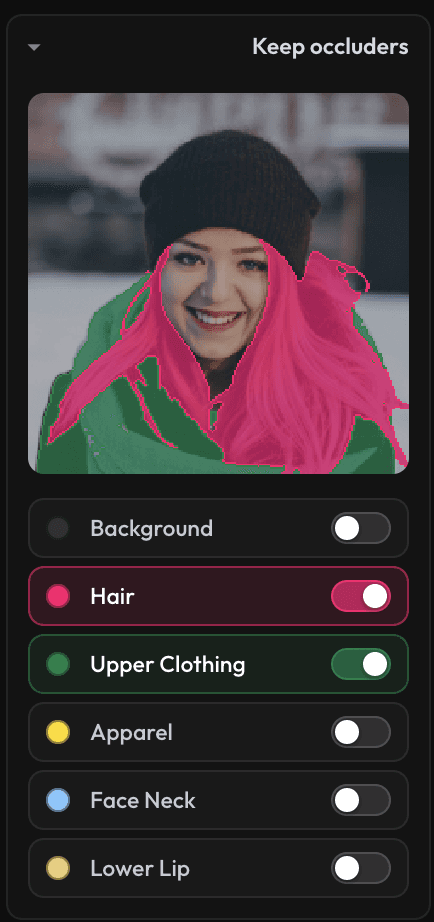
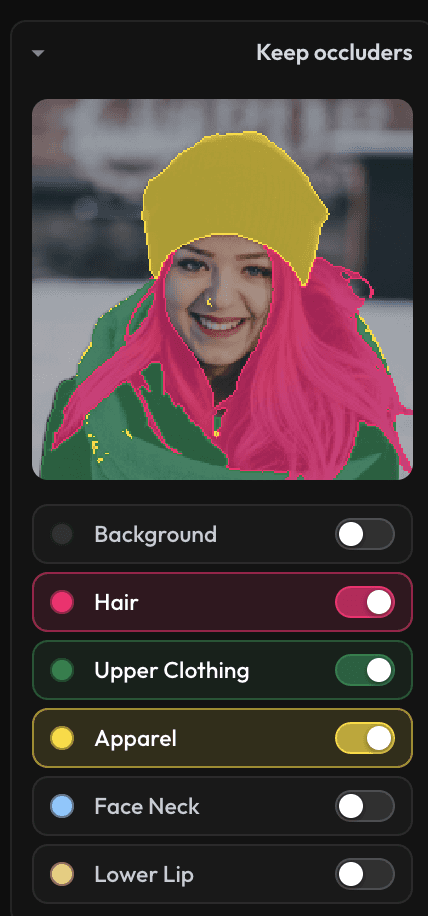
Toggle which regions to preserve — accessories and apparel both survive
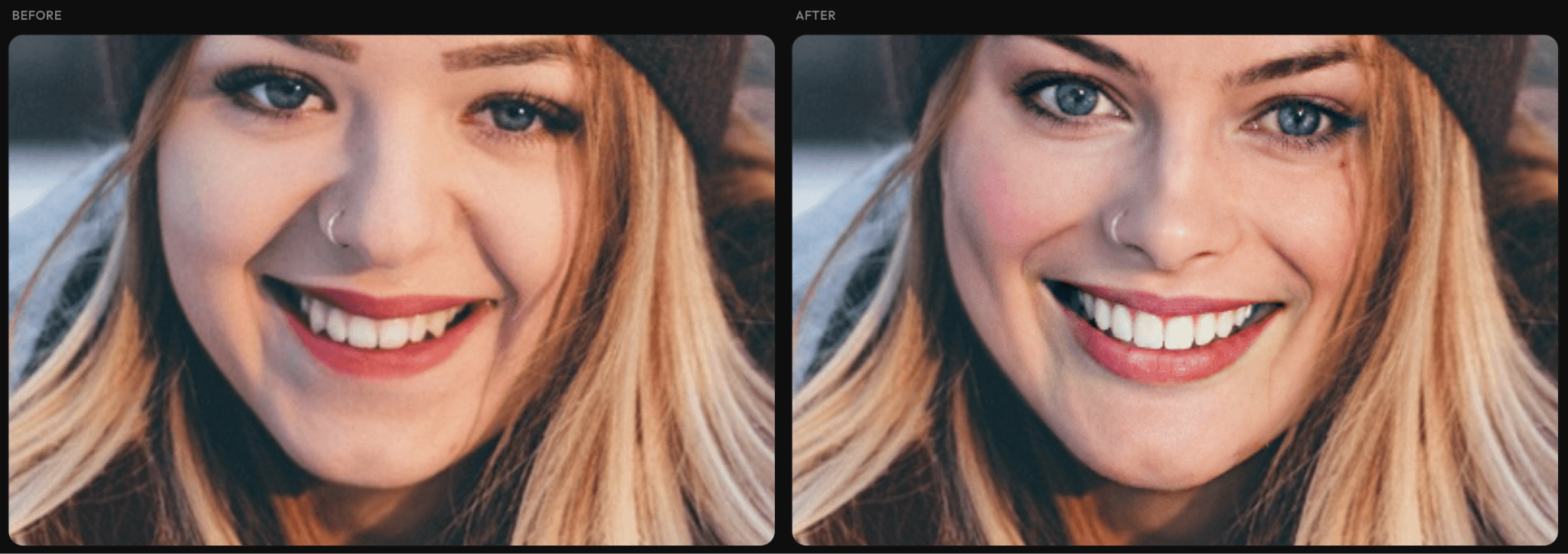
Nose ring survives — every accessory preserved
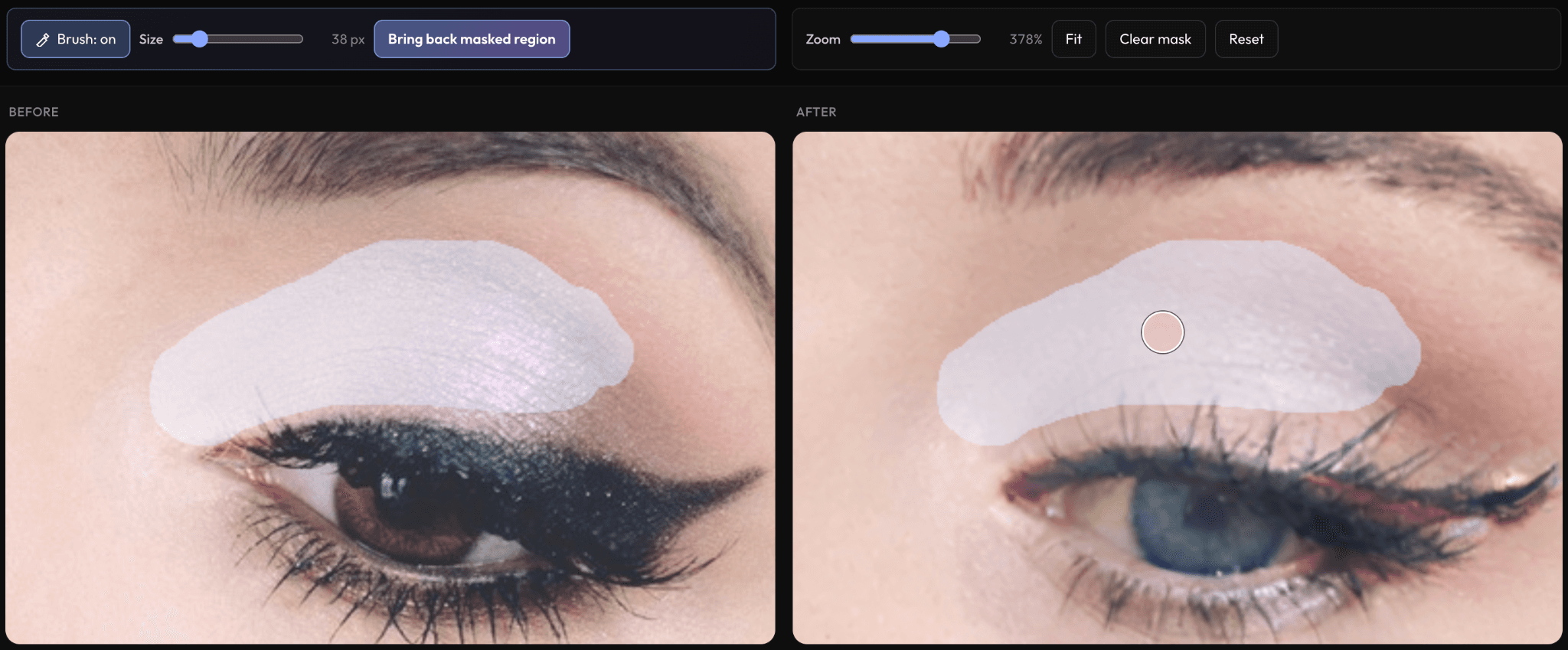
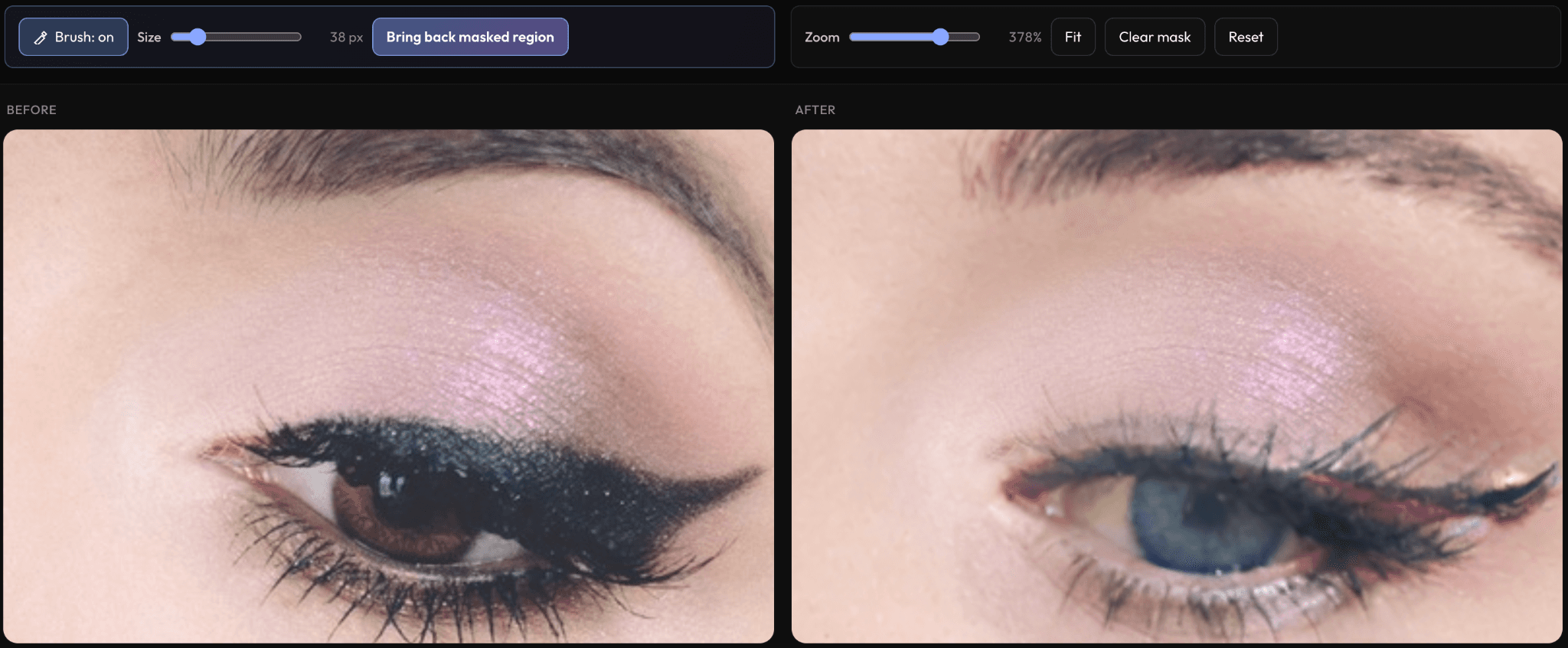
Brush back what got lost.
Sometimes a stray makeup brush, microphone, or hair strand passes across the face and the swap eats part of it. Paint over the area and bring the original content back, layer by layer.
- Brush over any region — fine pen, custom size, undo support
- Press “Bring back masked region” once, twice, or until it's perfect
- Works on accessories, makeup, hair, and any occluder
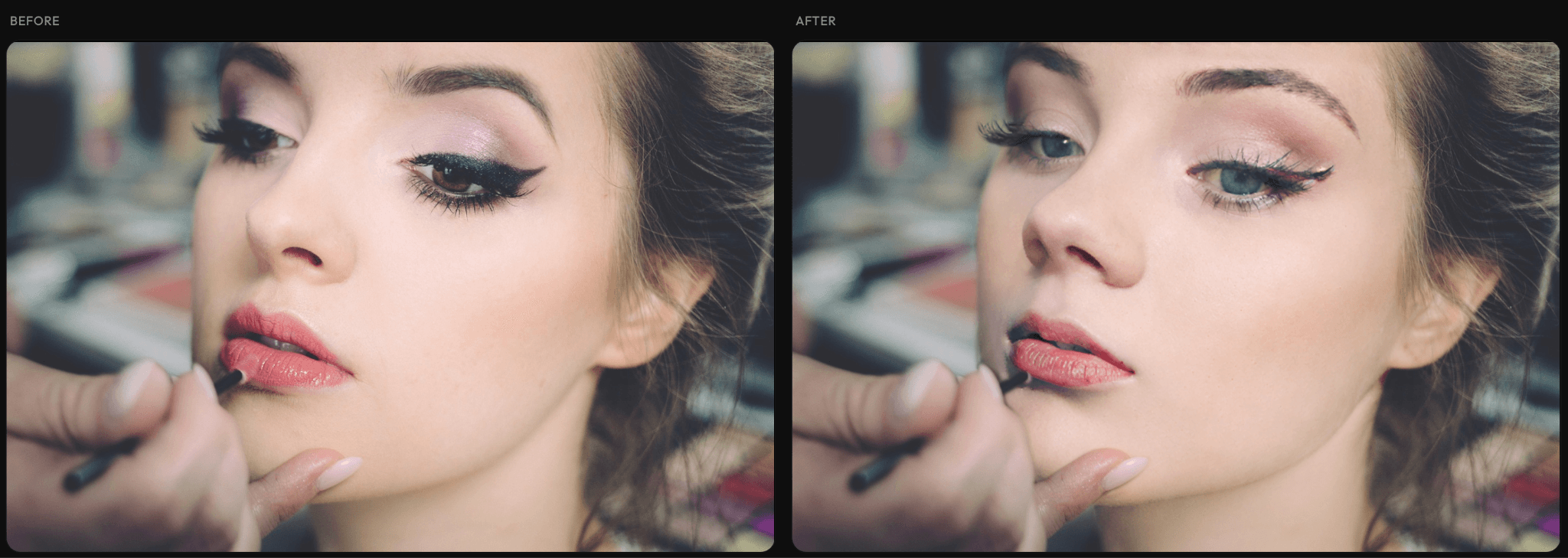
The makeup brush head is gone in the result
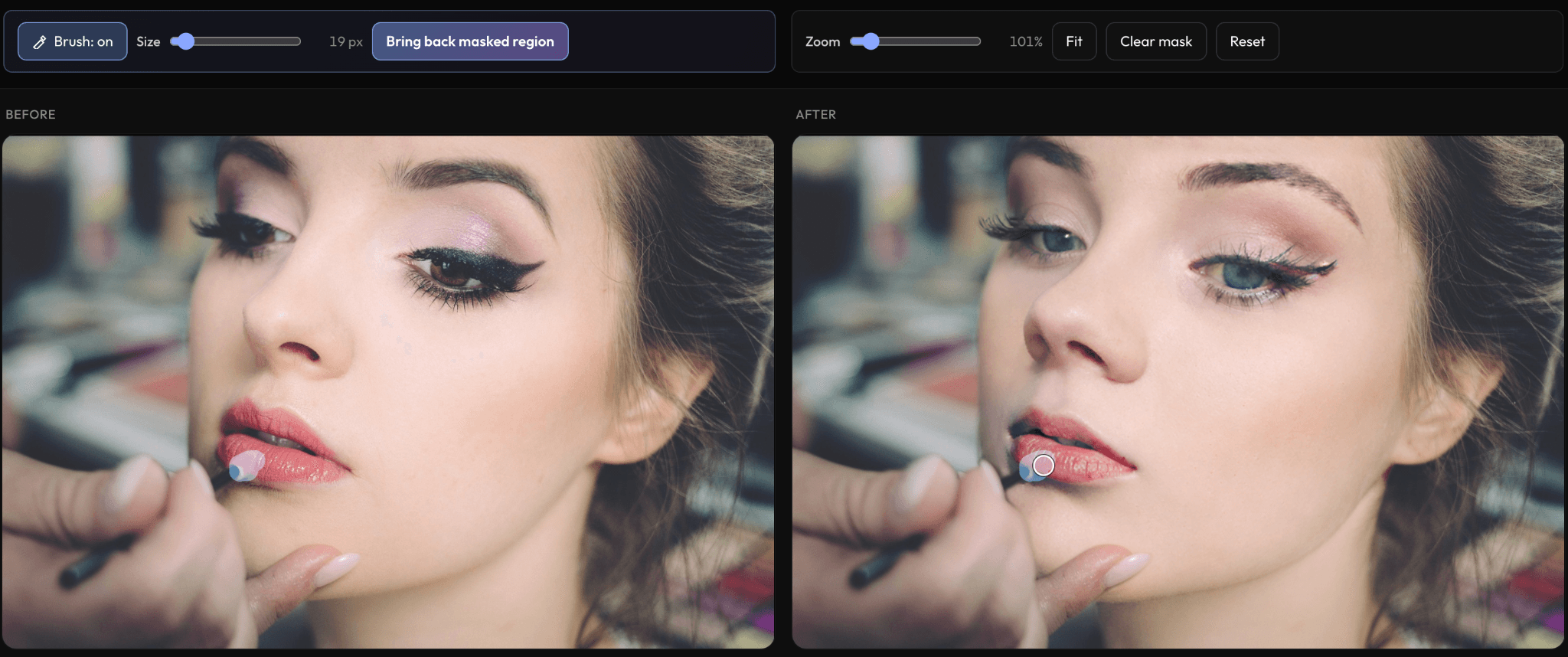
Use the magic pen to select the missing area
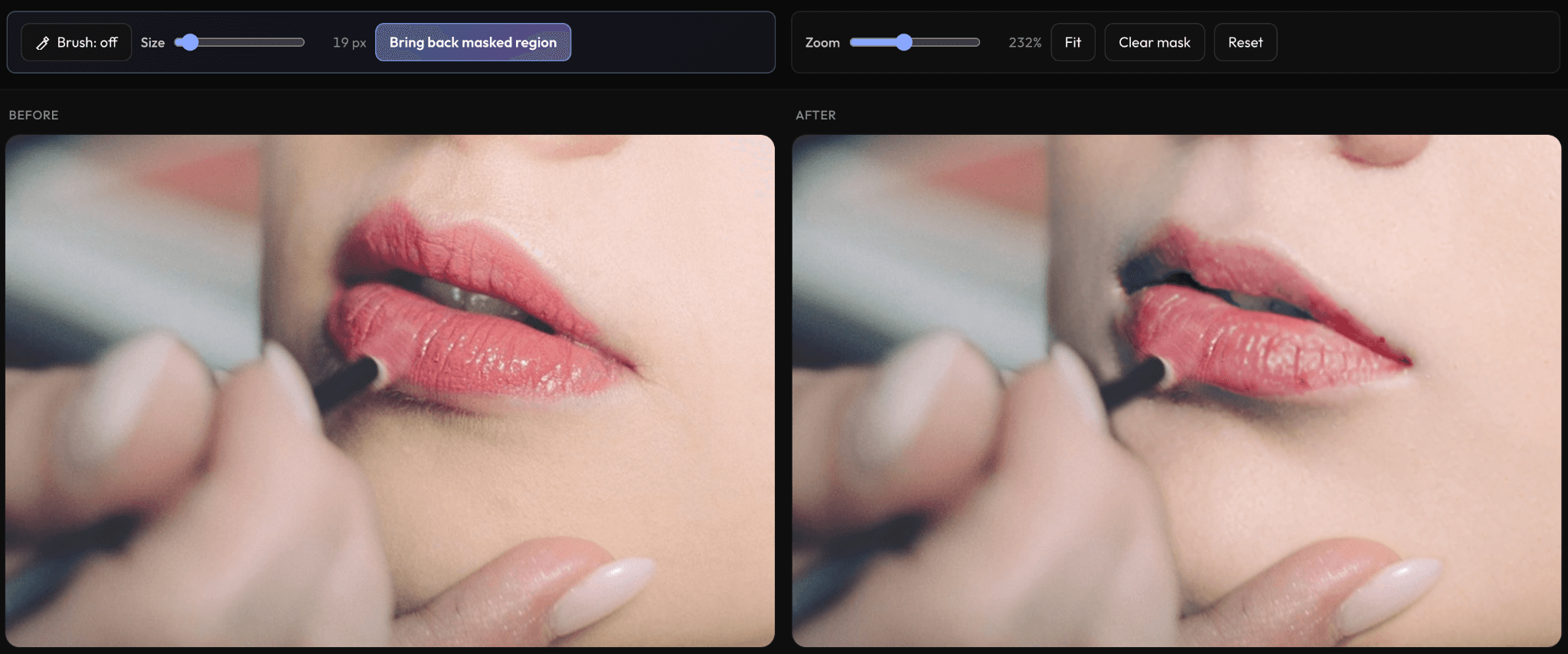
Press once or several times — content comes back
Works on any region — eyeshadow, jewelry, hair strands…
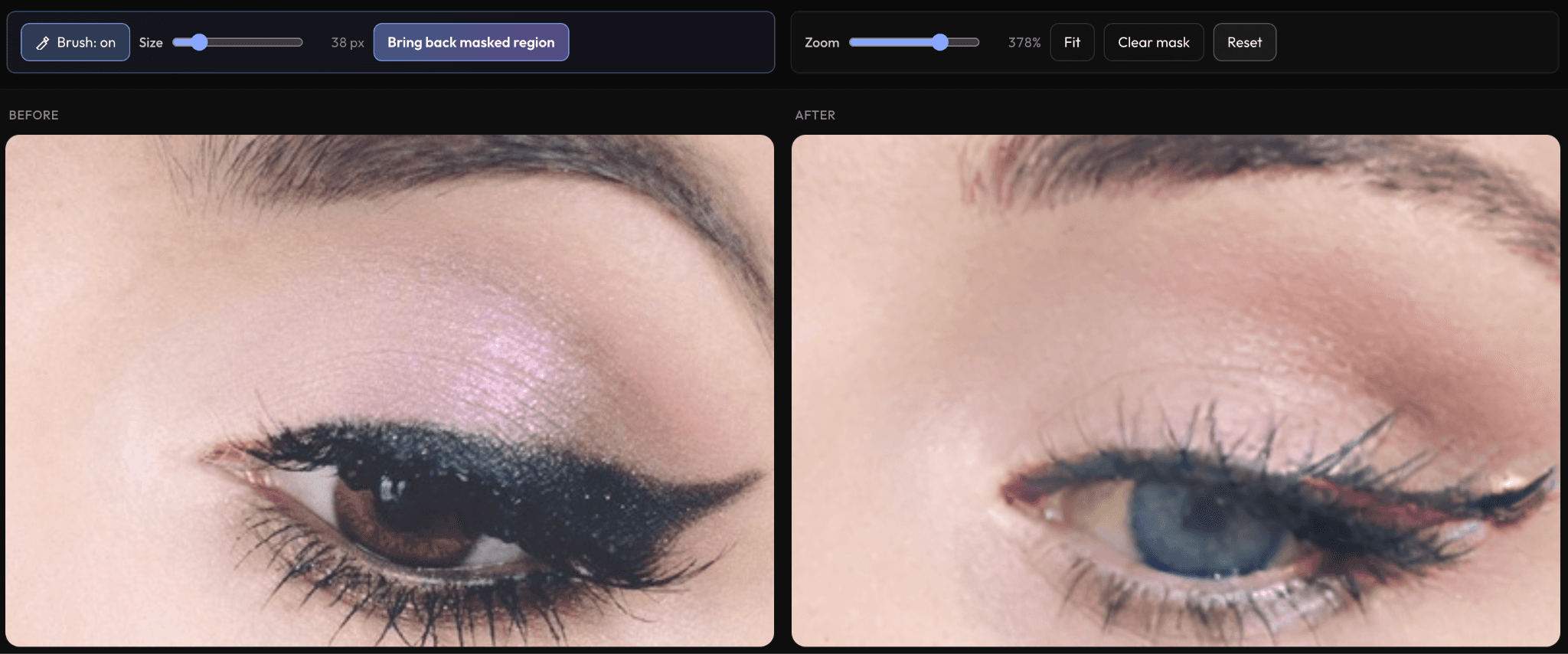
License-free reference faces, built in.
A curated, in-app gallery of fully synthetic identities — no model releases, no licensing fees, no third-party rights. Diverse across gender, ethnicity, and age, so any creative brief can be matched on the first try.
- Hundreds of identities in the desktop Pro app
- Gender- and ethnicity-balanced curation
- Royalty-free — every face is AI-generated
- Test the tool privately without uploading anyone's photo
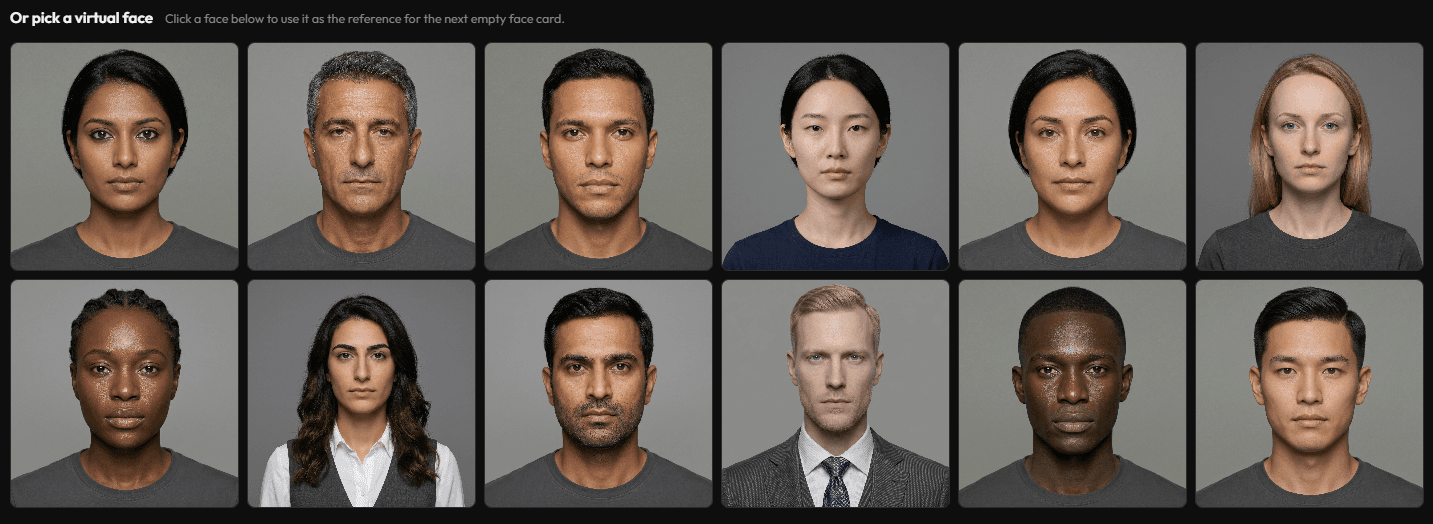
“Or pick a virtual face” — built into the workflow
A side-by-side benchmark gallery.
Same input, multiple apps, one clear winner. Nano FaceSwap Pro 2.0 will ship with an in-built benchmark gallery so you can see — on your own photos — how it stacks up against the leading tools in the world.
- Run the same input through every leading face-swap engine
- See the difference in identity, lighting, texture, and edges
- Reproducible on your own machine — no cherry-picking
Tool A
Nano FaceSwap Pro 2.0
Tool B
Re-direct emotion in post.
Adjust a portrait's emotional read in seconds — open closed eyes, soften a frown, lift a smile — without re-shooting and without compromising identity. Shipping exclusively with the desktop Pro Local release.
- Open and close eyes with continuous control
- Adjust smile intensity from neutral to broad
- Reshape brow, mouth, and overall expression independently
- Identity-preserving — the subject's likeness is never altered
Frown
Neutral
Smile
Bright
Frequently asked questions
Five common questions about the feature tour
How many features are in this tour?+
Eight: multi-face targeting, input-resolution-preserving output (up to 4K), face-versus-head modes, region-level mask control, the magic-pen brush, a license-free virtual identity library, an in-app benchmark gallery, and identity-preserving expression editing. The last two ship with the Pro Local desktop release.
Can I really get 4K output?+
Yes. Output matches the input resolution up to 4K. Identity is rendered natively at the input size, with no 128×128 upsample step that the inswapper_128 GAN used by Roop, FaceFusion, Rope, and Reactor relies on.
Can I swap multiple faces in one photo?+
Yes. Every detected face is targetable individually with a numbered face picker, and the tool also supports a single-click swap-all path for group portraits. The same fidelity is applied to one face or to six.
What does the mask toggle actually do?+
The mask panel exposes per-region toggles for hair, clothing, apparel, the lower lip, and accessories such as glasses, nose rings, and earrings. Toggling a region tells the diffusion swap to leave those pixels untouched in the output.
Do I have to upload my own photos to try it?+
No. The desktop app ships with an in-app virtual identity library — hundreds of synthetic, royalty-free reference faces curated for gender and ethnicity balance — so the workflow can be tested without uploading any external photo.
How does the head-swap mode differ from face-swap mode?+
Face-swap replaces the inner facial region only and keeps the target subject's hair, ears, and head outline. Head-swap replaces the full head — including hairline and head outline — so the reference identity is carried completely. Caption examples ship inside the tour.
When does the desktop app come out?+
The Nano FaceSwap Pro 2.0 desktop app launches shortly after the feature tour goes public. The Image FaceSwap Pro and Video FaceSwap Pro online demos are live today and are free for every signed-in NanoPocket account; the desktop release brings the same diffusion pipeline 100% local.
Get a head start on Nano FaceSwap Pro 2.0.
Try the online demos in your browser today. The full Nano FaceSwap Pro 2.0 desktop app — virtual face library, expression editor, and benchmark gallery — is coming soon.